Alarm sensor on your desktop is a niche app, with 620 installs. It doesn't have enough ratings yet to judge what users think.
Alarm sensor on your desktop is made and published by
graphtoweb.com.
AppBrain is an independent app data site and isn't affiliated with graphtoweb.com.
The app name, icon, screenshots and description belong to graphtoweb.com and are shown as
published on Google Play.
About Alarm sensor on your desktop
Alarm sensor on your desktop is a tools app developed by graphtoweb.com.
Install Statistics
Alarm sensor on your desktop has been installed 620 times. In the last 30 days, the app was installed 5 times.
User Ratings
The app has no ratings yet.
App Information
Alarm sensor on your desktop is freely available from Google Play. The app size is 12.83 MB. The latest version available is 1.1. The last update was on May 6, 2024.
Technical Requirements
The app has a content rating of Everyone. The app has been available on Google Play since October 2022.
Description by graphtoweb.com(from Google Play)
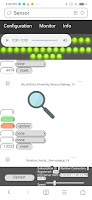
Android sensors are virtual devices that provide data coming from a set of physical sensors: accelerometers, gyroscopes, magnetometers, barometer, humidity, pressure, light, proximity and heart rate sensors. This application is providing an easy access to these data inside your favorite’s browser on your desktop. Once the service is started the main window is showing a web link to write inside any browser on the network. The access is protected by a login credentials. The default credentials value are (root, admin). From any modern web browser it’s easy to monitor live value from all the sensors. In addition a trigger level can be set for every sensor. These trigger are used to activate an alarm. These alarms are computed inside the phone and will propagate to every opened browser. Therefore alarms are absolutely not affected by low bandwidth. Each sensors field is showing the total number of alarm as well as the last alarm level. Remember that you might have several browsers open but you got only one piece of hardware. So change in configuration will be automatically reflected in all the browsers. But every browser connected can setup individual and different alarm sound. This tool might be useful to test if all the sensor hardware of you phone work correctly. Sensor might react differently from different Mobile producer. So I leave one configuration parameter open to the user of this app: The event type “OnChange” is sometime not really what it means. For these sensors it is possible to change the Event Type to “Continous”. In order to know which one should be used simply watch the sensor on the “Monitor” page and look if the last field is continuously updated or not.
Product features: ✅ Display automatically all sensor available on the connected smartphone. ✅ Sensor can be configured individually. ✅ Monitor sensor data on a user friendly web page even when phone is sleeping. ✅ Configuration changes are global and automatically reflected on all browser. ✅ Setup up global alarm level for each sensor. ✅ Alarm signal will never be missed even on low bandwidth. ✅ LED row show sensor with alarm and provide a quick access. ✅ Each browser can configure alarm sound individually. ✅ Connection to the smartphone is protected by a password. ✅ Provide assistance to disable the power saver which might stop the sensor.
Get a detailed PDF report for Alarm sensor on your desktop with download trends, rating history,
and key performance statistics — useful for competitive research or tracking your own app.
Learn more
Are you the developer of this app? Join us for free to see more information about your app and learn how we can help you promote and earn money with your app.
Comments on Alarm sensor on your desktop for Android
★★★★★David brophy· Feb 28, 2021
The only sensor app where you can EasyFly read the sensor values while shaking the phone.
★★★★★Motto Motto· Jun 18, 2021
Find the entire sensor on my phone. I can control the sensors from my PC with the integrated website. The interface is very simple with one button to start and stop, copy and paste the web address in one browser, and it's done. It even works when the phone is sleeping and start automatically in reboot. Sensor are treated in a generic way so that it detects as well undocumented sensor on my phone. Great job
Google Play Rankings for Alarm sensor on your desktop
This app is not ranked
Technologies used by Alarm sensor on your desktop
8 permissions
Subscribe to see full permission and library details
Each subscription will automatically renew 3 days before the expiration date for
the same time period. Subscriptions can be cancelled at any time before the renewal.