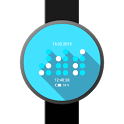
BWF - Binary Watch Face was a personalization app developed by Ringo Rohe. It was removed from Google Play Feb 24, 2017 and is no longer available for download.
Download Statistics
BWF - Binary Watch Face had been downloaded 22 thousand times before it became unavailable.
User Ratings
BWF - Binary Watch Face was rated 4.27 out of 5 stars, based on 180 ratings.
App Information
BWF - Binary Watch Face was free to download. The APK download size was 7.03 MB. The last available version was 1.2.2. The last update was on April 2, 2015.
Technical Requirements
BWF - Binary Watch Face required Android 4.3+ or higher. The app had a content rating of Everyone. The app had been available on Google Play February 2015.
Description
Binary Clock Watch Face for Android Wear Devices with Version 5 or higher
• fully customizable • with Ambient Mode • for round and square Watches • smaller view when Notifications are visible • Background Images
How to get to the Configuration? At your wear Companion App, when the Watch Face is selected, click the little Gear Icon Overlay to get to the Configuration Screen. This is the by Google Intended Way to implement Watch Face Configurations and prevents the App Drawer to get flooded with Configuration Apps.
Permissions • read external Storage This is necessary to be able to select Background Images from external sources
Recent changes: 1.2.2 - added: buttons to manually enter hex color value
Get a detailed PDF report for BWF - Binary Watch Face with download trends, rating history,
and key performance statistics — useful for competitive research or tracking your own app.
Learn more
★★★★★
Great app I would hope to see the option in the next version for a full color binary clock in standby mode instead of just having it white but otherwise this is the best binary face I've seen
★★★★★
Only one problem *Update* So after using this watchface for a while I realized it is in 12 hour mode (probably just uses the mode from your phone), but it's kinda funky. The extra hour bit is always there even though it's never used. 12 hour mode only needs a single row of 4 bits for the hour, and it could have an extra bit to the side for AM/PM. Also 12 AM shows as 0 (no bits in hour rows are active). It would also be cool if we could move the date to the bottom, but that's not a big deal.
★★★★★
I'm really enjoying the BWF. It's a great app and the customization is awesome. I have two suggestions/wish list items though. First could you include a "night-mode" to automatically display the face in red at night as to not disrupt one's night-vision? And two, can you make a true binary, not binary-coded-decimal display? One column of 5 dots for hours and second and third columns of 6 dots for minutes and seconds?
★★★★★
Nice app but Definitely watch face with potential, what's missing for me is an option for ambient mode to be like normal mode, not a big fan of that low res black and white screen, sorry.
★★☆☆☆
What you explained below doesn't work on my moto360. I don't see the gear icon neither in the watch while selecting this specific watch faces (I see for the native watch faces tho) nor on the "companion App", which I'm assuming it's the default android wear app on the Android. If you let me know how I can get to the customization screen I'll change the stars, cuz I'd love it if I was able to customize it. "Hi Abhishek, in the wear companion App, when the Watch Face is selected you should see a little Gear Icon overlaying the watch face Icon. Tap on that and you should see the Configuration Screen. That is the by Android intended way to implement Configuration Activities and most other Watch Faces do so. I will explain that in the App Info. Thanks."
★★☆☆☆
Not really binary. Each digit is represented by a separate binary number. It makes much more sense to have 3 binary numbers for the hours minutes and seconds. There are much better faces for binary representation with more customisation such as "elegant binary watch face".
Technologies used by BWF - Binary Watch Face
3 permissions·2 libraries
Subscribe to see full permission and library details
Each subscription will automatically renew 3 days before the expiration date for
the same time period. Subscriptions can be cancelled at any time before the renewal.