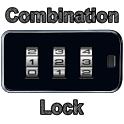
This app is currently not available on Google Play.
Screenshots of this removed app
We kept the screenshots from before it was removed. Subscribe to see them.
About Combination Lock (free)
Combination Lock (free) was a personalization app developed by AOA. It was removed from Google Play Apr 27, 2016 and is no longer available for download.
Download Statistics
Combination Lock (free) had been downloaded 71 thousand times before it became unavailable.
User Ratings
Combination Lock (free) was rated 3.67 out of 5 stars, based on 180 ratings.
App Information
Combination Lock (free) was free to download. The APK download size was 174.99 kB. The last available version was 1.0.1.175. The last update was on January 15, 2012.
Technical Requirements
Combination Lock (free) required Android 2.2+ or higher. The app had a content rating of Unrated Maturity. The app had been available on Google Play since January 2012.
Description
Are you looking for a more convenient and customizable lock screen? Are you after more security or are just bored of the old “slide to unlock”? In each case Combination Lock is the answer.
Get a detailed PDF report for Combination Lock (free) with download trends, rating history,
and key performance statistics — useful for competitive research or tracking your own app.
Learn more
★★★★★
Like yet dislike Love it, confused my friends.just don't like it when I unlock and it goes straight to settings of the app, and don't like how my original password lock screen doesn't show up when I lock it. I want two passwords (HTC inspire)
★★★★★
bit cool not good cause even your own friends can get in jokes its great!!!!!
★★★★★
Essential app. This should be standard functionality (as an option) in Android. Three features perfect this app: 1) Physical buttons wake up and unlock device. Faster is not possible. 2) Custom key combination keeps intruders out. (Just don't print unlock instructions on intermediary screen)* 3) "Any key wake". Makes it possible to bypass all lock screen hickups. Just enter combination in deep sleep, and device returns with near-zero overhead.** * According to developer, security is broken in JB, due to the fact that <home> button cannot be supressed in that version. I'm on Gingerbread though. ** A note to the dev: I use the ad-supported version. I never see or use the lock screen; I just enter combination in deep sleep and go directly to home screen. I'll buy the ad-free version anyway for support, but I'd suggest you do this instead (take it or leave it): Remove ads on intermediary screen. Create a second intermediary ad screen that pops up every 5 - 10 unlocks. Free app will be clean, and users will still be mildly annoyed by ads. Thank you for CL!!!!
★★☆☆☆
Sucks! When I turn the phone on, it will say power off and wont work until i wait 5 minutes.
★★☆☆☆
Combination lock It sucks
★★☆☆☆
The galaxy home button bypasses the lock The galaxy home button bypasses the lock
★★☆☆☆
Bug found! I dont like how you can just open from by tapping the home button! I want a real lockscreen not an app running in the background.
Technologies used by Combination Lock (free)
13 permissions·1 libraries
Subscribe to see full permission and library details
Each subscription will automatically renew 3 days before the expiration date for
the same time period. Subscriptions can be cancelled at any time before the renewal.