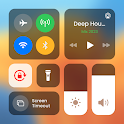
Control Center Simple
Downloads
Control all apps from the control center simple app. Powerful control center
Similar apps
AppBrain's verdict
Removed- Rating on Google Play
- 4.65
- 1,425,943 ratings
- Installs
- 69 million
- Last updated
- March 27, 2025
- Ads
- Contains ads
- Size
- 30.3 MB
Control Center Simple is no longer on Google Play. It was there for 16 months, until May 2025. It was popular, with 69 million installs. Users loved it: 4.6 stars from 1,425,943 ratings.
User feedback
Ratings and reviews on Google PlayComments on Control Center Simple for Android
Google Play Rating history and histogram
The year before it was removed from Google Play, up to May 2025
Store listing
By TD Application, from Google PlayDescription by TD Application Written by the developer, not by AppBrain. Click to read.
🧮 Control Center Features: 🧮
✔ Sound & Brightness Control: Easily adjust brightness & sound with a dedicated slider to suit different environments – whether you're in a dimly lit room or outdoors in bright sunlight.
✔ Dark Mode Toggle: the control center screen app allows you to switch between light and dark modes effortlessly to enhance your visual experience.
✔ Wi-Fi Management: Quick access to Wi-Fi settings, the camera control center app allows you to connect to available networks or toggle Wi-Fi on and off with a single tap.
✔ Bluetooth Connectivity: Easily pair and connect your device to Bluetooth-enabled accessories such as headphones, speakers, or smart devices.
✔ Do Not Disturb Mode: To silence notifications and calls when you need focused time or a peaceful environment.
✔ Screen Rotation Lock: easily lock your screen orientation to your preferred mode, ensuring a stable viewing experience.
✔ Airplane Mode: Activate this mode with a single tap to disable all wireless communications
✔ Flashlight Control: a single tap from the custom control center app to get extra light when you need it.
✔ Screen Recording: The control center launcher app allows you to record tutorials, gameplay, or any on-screen activity with just a few taps.
✔ Screenshot Capture: Quickly capture your device screen by tapping the screenshot icon, and the control center app automatically saves the image to your gallery.
Personalize your device experience by customizing the Control Center to showcase your frequently used app. With Control Center, you can set your favorite app as a quick-access shortcut. Whether it's your messaging app, music player, or productivity tool, this feature allows you to streamline your digital routine. Enjoy the convenience with just a tap away, saving you time and enhancing your device accessibility.
Tailor the appearance of the Control Center to match your preferences. Adjust the color to suit your mood, modify the height and width for optimal visibility, and arrange the order of shortcuts to prioritize your most-used controls.
Experience the control center screen app now to take command of your device effortlessly and explore the possibilities at your fingertips.
If you have any questions about the control center simple app, don’t hesitate to contact us immediately. We will reply as soon as possible. Thank you for using the camera control center app!
NOTE ABOUT APPLICATION ACCESS
This application uses ACCESSIBILITY SERVICES
To display control center view on Android screen, this app requires you to enable accessibility service.
In addition, to use the music player feature, increase or decrease the volume, you need to allow this application to use accessibility service functions such as music control, volume control and removing system dialog boxes.
This application does not disclose any user information in connection with ACCESSIBLE SERVICES and no user data is stored by the application in connection with this access.
Recent changes:
Control Center Simple for Android
Safety and technology
Found in the app by AppBrain- Ads
- Contains ads
- Price
- Free
- Libraries
- 27
- App size
- 30.3 MB
- Needs Android
- 5.0+
- Content rating
- Everyone
Technologies used by Control Center Simple
Releases
Updates seen on Google Play- Version
- 1.2.2
- Launched
- December 2023
- May 12, 2025Unpublished
- Mar 27, 2025UpdateVersion 1.2.2
- Mar 24, 2025UpdateVersion 1.2.1
- Mar 4, 2025UpdateVersion 1.2.0
- Jan 27, 2025UpdateVersion 1.1.9
Installs
Tracked by AppBrain- Play install range
- 50+ million
- Launched
- December 2023
Installs over time
The year before it was removed from Google Play, up to May 2025
Control Center Simple was installed 69 million times before it was removed.
About the app and developer
About Control Center Simple
Control Center Simple was a personalization app developed by TD Application. It was removed from Google Play May 12, 2025.
Install Statistics
Control Center Simple had been downloaded 69 million times before it became unavailable.
User Ratings
Control Center Simple was rated 4.65 out of 5 stars, based on 1.4 million ratings.
App Information
Control Center Simple was free. The APK size was 30.26 MB. The last available APK version was 1.2.2. The last update was on March 27, 2025.
Technical Requirements
Control Center Simple required Android 5.0+ or higher. The app had a content rating of Everyone. The app had been available on Google Play since December 2023.
Control Center Simple was made and published by TD Application. AppBrain is an independent app data site and isn't affiliated with TD Application. The app name, icon and description belong to TD Application and are shown as last published on Google Play.
App Performance Report
Get a detailed PDF report for Control Center Simple with download trends, rating history, and key performance statistics — useful for competitive research or tracking your own app. Learn more
Get PDF Report — $29Developer information for TD Application
Share Control Center Simple
Subscribe now to get full and unlimited access to AppBrain Intelligence. You'll have access to:
- App Intelligence dashboard (performance timeline, competitor comparison, country rankings, insight cards)
- Detailed ranking data per app
- Full timeline per developer
- Device market shares data per country
- Unlimited keyword tracking
- AI assistant access via MCP (Claude, Cursor or any MCP client)
AppBrain is an app data site, we track rankings, ratings, installs for all apps and games on Google Play and the App Store. AppBrain doesn't host app files or APKs, all install links go directly to the official store. All trademarks are owned by their respective owners.
More apps
App statistics