
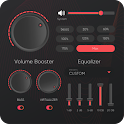
Equalizer: Bass & Volume Boost
Equalizer: Bass & Volume Boost is made and published by NextBack Soft. AppBrain is an independent app data site and isn't affiliated with NextBack Soft. The app name, icon, screenshots and description belong to NextBack Soft and are shown as published on Google Play.
AppBrain's verdict
Well rated- Total installs
- 23 thousand
- Rating on Google Play
- 4.35
- 680 ratings
- Last updated
- September 23, 2026
Equalizer: Bass & Volume Boost has 23 thousand installs. Users rate it well: 4.4 stars from 680 ratings.
Pros & Cons
- High degree of per-band precision with 10-band EQ
- Includes bass boost, reverb, and virtualizer for richer soundscapes
- Works across phone speakers, wired/bt headphones, and speakers
- Presets plus custom presets for quick, tailored listening
- Minimal, clean Material UI with handy volume controls
- Some competitors market a Pro tier or device-wide/system-wide enhancements that aren’t highlighted here
- No explicit mention of system-wide integration beyond per-app audio effects
- Advanced features or extended integrations may be discussed more prominently by rivals
Installs
Tracked by AppBrain- Last 30 days
- 520
- Per day
- 17
- 30-day average
- Play install range
- 10+ thousand
- Launched
- August 2024
Installs over time
Equalizer: Bass & Volume Boost has been installed 23 thousand times. Over the past 30 days, it averaged 17 installs per day.
Rankings
Google Play top chartsGoogle Play Rankings for Equalizer: Bass & Volume Boost
Competitors
Similar apps and more from NextBack SoftAlternatives to Equalizer: Bass & Volume Boost


More from NextBack Soft


Releases
Updates seen on Google Play- Version
- 1.1.6
- Launched
- August 2024
User feedback
Ratings and reviews on Google PlayGoogle Play Rating history and histogram
Comments on Equalizer: Bass & Volume Boost for Android
Technology
Found in the app by AppBrain- Ads
- Contains ads
- Price
- Free
- Libraries
- ?
- App size
- 8.28 MB
- Content rating
- Everyone
Technologies used by Equalizer: Bass & Volume Boost
About the app and developer
About Equalizer: Bass & Volume Boost
Equalizer: Bass & Volume Boost is a music & audio app developed by NextBack Soft.
Install Statistics
Equalizer: Bass & Volume Boost has been installed 23 thousand times. In the last 30 days, the app was installed 520 times.
User Ratings
Equalizer: Bass & Volume Boost is rated 4.35 out of 5 stars. The rating is based on 680 ratings.
App Information
Equalizer: Bass & Volume Boost is freely available from Google Play. The app size is 8.28 MB. The latest version available is 1.1.6. The last update was on September 23, 2026.
Technical Requirements
The app has a content rating of Everyone. The app has been available on Google Play since August 2024.
App Performance Report
Get a detailed PDF report for Equalizer: Bass & Volume Boost with download trends, rating history, and key performance statistics — useful for competitive research or tracking your own app. Learn more
Get PDF Report — $29Developer information for NextBack Soft
Store listing
By NextBack Soft, from Google Play“10-band music equalizer with bass booster, reverb, and extra volume.”


Description by NextBack Soft Written by the developer, not by AppBrain. Click to read.
🎵 Key features
• 10-Band Music Equalizer – Fine-tune lows, mids, and highs for detailed control.
• Bass Booster – Add deep, tight, punchy bass.
• Volume Booster / Loudness Enhancer – Boost quiet audio for louder volume when you need it.
• Sound Amplifier & Audio Amplifier – Lift overall sound for music, radio, and video.
• Virtualizer & Reverb – Create a wider soundstage (room, hall, plate).
• Headphone Volume Booster & Speaker Booster – Works with phone speaker, wired, and Bluetooth headphones.
• Ready-Made Presets + Custom Presets – Rock, Pop, Hip-Hop, Jazz, Classical, Acoustic, Dance… or build your own.
• Slider Volume & Audio Control – Smooth, precise adjustments that stay out of the way.
• Minimal, Material UI – Clean design with light & dark themes.
🚀 Why this equalizer
Get real control—no gimmicks. Whether you want extra volume, music volume EQ, or a warmer, more detailed tone, Equalizer helps you dial in the exact sound you prefer. It’s lightweight and designed to work with your favorite music player and streaming apps.
📦 What you can do
• Make speakers louder with a safe sound booster.
• Boost bass on headphones with the bass boost effect.
• Add width and depth using reverb and virtualizer.
• Save presets for genres (Rock, Pop, Hip-Hop, Jazz, Classical, EDM) or environments (car, gym, home).
• Use volume control sliders for quick gain and level matching.
🧩 How to use
Start playback in any app (music, video, radio).
Open Equalizer and enable the effect switch.
Pick a preset or adjust the 10-band EQ.
Add bass booster, reverb, virtualizer, and extra volume as needed.
Save your favorite setup as a custom preset.
🎧 For headphones & speakers
Works across outputs: phone speaker, wired earbuds, over-ear headphones, and Bluetooth audio. Use headphone equalizer for fine tuning, or use speaker booster for room-filling sound.
🔍 Feature highlights
Includes a music equalizer (audio equalizer), volume booster (with extra volume options), sound amplifier / audio booster, a practical loud speaker mode, headphone volume booster, music volume EQ and equalizer FX to increase volume with precise volume control and audio boost; it also works as a music amplifier to amplify sound and adds natural sound effects like reverb and virtualizer so users can find exactly what they need.
🌟 Customization
• Adjustable effect strength for bass boost, virtualizer, and reverb.
• Per-band EQ sliders with snap-to-zero for quick resets.
• Preset manager.
💡 Tips
• Subtle EQ changes (±2–4 dB) often sound more natural.
• Use loudness enhancer sparingly to protect hearing and speakers.
• For quiet tracks, try a small audio amplifier gain plus volume booster for clarity.
• If another app also modifies audio, disable its effects to avoid conflicts.
🔒 Safety & compatibility
Excessive volume can damage hearing or hardware—use responsibly. Some devices or Android versions may limit third-party sound equalizer/effects; results can vary. Phone calls and certain system sounds aren’t modified by design.
Bring your audio to life with a powerful yet simple music equalizer, bass booster, volume booster, sound amplifier, and audio enhancer—all in one app. If you want a clean, loud, and customizable experience for headphones or speakers, this is your go-to equalizer for Android.
Recent changes:
Improved performance.