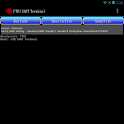
FTDI UART Terminal was a tools app developed by Future Technology Devices International Ltd. It was removed from Google Play Aug 4, 2018 and is no longer available for download.
Download Statistics
FTDI UART Terminal had been downloaded 22 thousand times before it became unavailable.
User Ratings
FTDI UART Terminal was rated 4.04 out of 5 stars, based on 130 ratings.
App Information
FTDI UART Terminal was free to download. The last update was on September 2, 2015.
Technical Requirements
FTDI UART Terminal required Android 3.2+ or higher. The app had a content rating of Everyone. The app had been available on Google Play July 2013.
Description
FTDI USB to UART COM Port Utility.
This utility is for use with FTDI USB to UART devices. The utility provides a terminal emulation function for use on Android devices. The Android system must use Android OS version 3.2 or later and provide a USB host port.
Features • The application will open automatically when you plug in supported FTDI device controller like FT232R, FT245R, FT232H, FT2232D, FT2232H, FT4232H and FT230X, FT231X... • It supports FTDI USB TTL Serial, USB RS232 and USB Hi-Speed cables. • Suitable for use on any Android platform with Android v3.2 and later versions. • Provide general terminal UART utility; easily adaptable to a console function. • Support CTS/RTS, DTR/DSR and XOFF/XON Flow controls. • Support Baud from 300 to 921600. • Save file and Send file functions support XModem, YModem and ZModem file transfer protocols. • USB Plug and Play. • USB 2.0 Full Speed compatible.
Recent changes: Add a key code button "CR" for carriage return.
Get a detailed PDF report for FTDI UART Terminal with download trends, rating history,
and key performance statistics — useful for competitive research or tracking your own app.
Learn more
★★★★★
Just fine with Arduino I have just connected my arduino board using a OTG cable (use the usb port of a phone in host mode). It's working perfectly!
★★★★★
Works fine, except for control characters App works fine but there are some issues: - When entering text, I can't find a way to send a 'carriage return' character besides entering explicitly its Hex code (0D). Maybe there should be an option to set that a new line sends also the CR character. - Terminal does not recognise ANSI escape sequences (e.g clear screen {ESC}[2J or move cursor up {ESC}[A )
★★☆☆☆
Won't connect! Two different phones, Samsung S3 (Android 4.4.4 & 4.3) with standard OTG (works with mouse, keyboard and storage). Won't connect to 3 different FTDI devices, all FT232R chip. Also tried direct USB connection.
★★☆☆☆
For whatever reason it doesn't support 2400 baud rate so it won't work with most of the digital multimeters with rs-232 data logging. Fortunately Droidterm does.
★★☆☆☆
Hangs after 3 commands I can get 3 commands sent before it hangs on my galaxy note2. With echo off and using loopback it works OK though.
★★☆☆☆
Doesn't work with wemos d1 serial DroidTerm had no problem reading from my serial usb adapter (wemos d1 integrated serial) but this app keep saying that no device was attached...
Technologies used by FTDI UART Terminal
FTDI UART Terminal is requesting 0 permissions and is using 1 libraries.
Show details
Back to top
AppBrain Intelligence premium content
Subscribe now to get full and unlimited access to AppBrain Intelligence.
You'll have access to:
Each subscription will automatically renew 3 days before the expiration date for
the same time period. Subscriptions can be cancelled at any time before the renewal.