

G-Bowl Basic - Accelerometer
Downloads
GBowl is a simple driving training app for all drivers.
Similar apps


AppBrain's verdict
Removed- Installs
- 6.3 thousand
- Last updated
- July 9, 2024
- Ads
- Contains ads
- Size
- 26.9 MB
G-Bowl Basic - Accelerometer is no longer on Google Play. It was there for 4 years, until May 2026. It was a niche app, with 6.3 thousand installs. It had too few ratings to say what users thought.
User feedback
Ratings and reviews on Google PlayComments on G-Bowl Basic - Accelerometer for Android
Store listing
By iFulSoft, from Google PlayDescription by iFulSoft Written by the developer, not by AppBrain. Click to read.
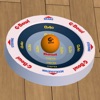
G-Bowl Basic is a driving training app that anyone can use from today.
The real G-Bowl that became the basis of the app has been on sale for more than 10 years, and still has a wide range of introduction records, including automobile manufacturers, bus driver education, etc.
We made it simple and made it into an app with the hope that more drivers will use G-Bowl.
[1] How to use
1. Park in a place that is as level as possible.
2. Place your smartphone in the car (you can also stand it on a holder, etc.).
3. Launch this app (the level will be set automatically).
4. Start driving.
(You can reset the level at any time by touching the screen after starting)
A warning sound will sound when the ball falls out of the bowl while driving.
There are three types of balls: "oil-filled ball", "wool ball", and "ping-pong ball". The first one is the hardest to drop, the oil-filled ball.
[2] Functions and operations
- Notify with a warning sound when the ball falls (let's drive without making a sound).
- 3 types of balls (oil ball, wool ball, ping-pong), switch by touching the ball.
- Pinch operation to enlarge/reduce the bowl, drag operation to adjust the position.
- You can lock the pinch/drag operation with the key button.
- Reset the level with the level button (wave icon).
- Switch the camera mode (auto, downward fixed) with the camera button.
- Supports vertical and horizontal placement of smartphones.
[3] Recommended use
The recommended practice method is to make "not dropping the ball once from leaving home to returning" as the final goal.
That's all you need (but it's only once you don't drop it, you'll see how deep it is).
You won't get better by looking at the app screen while driving (you'll get bored soon).
You don't have to look at the screen, just be aware of not dropping the ball and you'll get a sense of G (this is important).
(If you concentrate for a month, you'll probably be able to tell how much G is coming out without looking at the screen)
G-sense is the foundation for humans to judge "Can I make it with this brake?" or "Can I turn around this corner at this speed?" It is essential for driving. For example, professional racers have it with high accuracy (otherwise they can't run at their limit).
General drivers don't run at their limit, so there are not a few people who drive with this sense vague.
Sometimes G is too strong or too weak, depending on where you go, turning right and left, stopping at signals, swinging your passengers' necks, and getting sick if you go to the mountains.
On the other hand, some people don't get sick even if they drive smoothly at a good pace. There is a difference that is not just speed.
You'll see when you actually try it, but in order not to drop the ball, you need to pay attention to everything, not just driving operations, but also looking ahead, predicting driving, taking distance between cars.
It seems easy, but by aiming for "not dropping it once", you can see what's important and what you can't do. It's a waste of time to try it out and say "OK, I got it".
First of all, one month. When you see how difficult it is, continue for two months, three months and build a solid foundation for driving.
When you feel confident that "the ball won't fall no matter where I drive", you will notice that your driving has changed, that you don't have unnecessary tension, and that you can drive with confidence. Please come to this world by all means.
[4] Support
We provide information on official websites, Facebook, Twitter, blogs, etc.
Please contact us from "Support Center" on official website for questions and requests.
https://en.ifulsoft.com/products/g-bowl-basic/
Recent changes:
Update for Android API level 34 support.
Safety and technology
Found in the app by AppBrain- Ads
- Contains ads
- Price
- Free
- Libraries
- ?
- App size
- 26.9 MB
- Content rating
- Everyone
Technologies used by G-Bowl Basic - Accelerometer
Releases
Updates seen on Google Play- Version
- 1.3.2
- Launched
- December 2021
Alternatives
Similar apps and more from iFulSoftAlso available on the App Store
Installs
Tracked by AppBrain- Play install range
- 5+ thousand
- Launched
- December 2021
Installs over time
The year before it was removed from Google Play, up to May 2026
G-Bowl Basic - Accelerometer was installed 6.3 thousand times before it was removed.
About the app and developer
About G-Bowl Basic - Accelerometer
G-Bowl Basic - Accelerometer was an auto & vehicles app developed by iFulSoft. It was removed from Google Play May 25, 2026.
Install Statistics
G-Bowl Basic - Accelerometer had been installed 6.3 thousand times before it became unavailable.
User Ratings
The app had no ratings.
App Information
G-Bowl Basic - Accelerometer was free. The app size was 26.93 MB. The last available version was 1.3.2. The last update was on July 9, 2024.
Technical Requirements
The app had a content rating of Everyone. The app had been available on Google Play since December 2021.
G-Bowl Basic - Accelerometer was made and published by iFulSoft. AppBrain is an independent app data site and isn't affiliated with iFulSoft. The app name, icon and description belong to iFulSoft and are shown as last published on Google Play.
App Performance Report
Get a detailed PDF report for G-Bowl Basic - Accelerometer with download trends, rating history, and key performance statistics — useful for competitive research or tracking your own app. Learn more
Get PDF Report — $29Developer information for iFulSoft
Frequently asked questions about G-Bowl Basic - Accelerometer
Is G-Bowl Basic - Accelerometer free?
Yes. G-Bowl Basic - Accelerometer was free on Google Play.
Is G-Bowl Basic - Accelerometer still available?
No. G-Bowl Basic - Accelerometer was removed from Google Play. We last saw it there May 25, 2026.
Does G-Bowl Basic - Accelerometer contain ads?
Yes. Google Play listed G-Bowl Basic - Accelerometer as containing ads.
How large is G-Bowl Basic - Accelerometer?
G-Bowl Basic - Accelerometer is 26.93 MB.
Is G-Bowl Basic - Accelerometer suitable for children?
Google Play rates the content of G-Bowl Basic - Accelerometer as suitable for everyone.
How many times has G-Bowl Basic - Accelerometer been installed?
Google Play listed 5,000+ installs for G-Bowl Basic - Accelerometer.
Who made G-Bowl Basic - Accelerometer?
G-Bowl Basic - Accelerometer was developed by iFulSoft. It was listed in the auto & vehicles category on Google Play.
What are the best alternatives to G-Bowl Basic - Accelerometer?
People looking at G-Bowl Basic - Accelerometer also look at these auto & vehicles apps: Roller Ball:Arcade BowlingGame, Awesome Golf Simulator, Risky Roller, Pin It, Rolling Balls: Race Mania!.