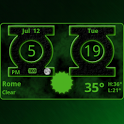
Green Lantern Weather Clock is no longer on Google Play. It was there for 3 years, until September 2014. It had 71 thousand installs. Users rated it well: 4.3 stars from 251 ratings.
Green Lantern Weather Clock is made and published by
Factory Widgets.
AppBrain is an independent app data site and isn't affiliated with Factory Widgets.
The app name, icon, screenshots and description belong to Factory Widgets and are shown as
published on Google Play.
About Green Lantern Weather Clock
Green Lantern Weather Clock was a weather app developed by Factory Widgets. It was removed from Google Play Sep 22, 2014.
Install Statistics
Green Lantern Weather Clock had been installed 71 thousand times before it became unavailable.
User Ratings
Green Lantern Weather Clock was rated 4.34 out of 5 stars, based on 250 ratings.
App Information
Green Lantern Weather Clock was free. The app size was 2.65 MB. The last available version was 4.2. The last update was on September 2, 2014.
Technical Requirements
Green Lantern Weather Clock required Android 1.5+ or higher. The app had a content rating of Everyone. The app had been available on Google Play since July 2011.
Description by Factory Widgets(from Google Play)
Green Lantern Digital Weather Clock with Calendar, Time, System info,weather & forecast
A Digital Clock widget with size 4x2 It features: ============ 12/24 hour clock +Color choice on some info displayed System Stats Information pop-up Battery icon on clock Weather & Forecast 2 Forecast layouts tap bottom right->preferences tap bottom left->System information dialog tap on weather icon->forecast tap Hour->launch anything!(set from config screen) tap Min ->launch anything!(set from config screen)
Widgets on Android work a bit differently than a normal application. Unlike regular programs they don't just install themselves in the application tray so you have to add them manually. They will not open or launch. Here's how to add a widget on your Android home screen.
STEPS HOW TO ADD A WIDGET ========================== 1.On your Android home screen, tap any blank or “empty” area with size 4x2 and hold down your finger. 2.An “Add to Home screen” window will pop up. From that window, tap “Widgets”. 3.You’ll be presented with a list of all the installed Widgets on your Android device. 4.Select the "Green Lantern Digital Weather Clock” to add to your home screen by tapping it.
Notes ===== "Time frozen/not updating"-> taskiller killed the clock(exclude it from taskillers) When phone starts, clock starts in less than a min too.
ROM users-> make sure the clock is NOT moved on SD card. Widgets are not supposed to be on SD card. Move it back to the phone storage.
Weather hint: For world destinations with two words in the name, type in the box the words with a plus sign. For example "Buenos Aires" type "Buenos+Aires",remember the "+" sign -no spaces, don't include the quotes.
Email problems/suggestions Check our website for more help.
EXCLUDE IT FROM TASKILLERS!!! Be polite, this is a free app :-)
VIDEO HOW TO ADD WIDGETS http://www.youtube.com/watch?v=DpMLF9b2aTQ
Recent changes: 4.2 * support for more devices * many code improvements * added moon phases in the forecast screen. Launch by pressing the moon icon in weather forecast screens for detailed views on moon-phases for the current day, current month and the years half and full phases. * added battery option on the clock * added Sunrise/Sunset times, Day length and hours left in the forecast screens ! -->PLEASE REMOVE AND ADD WIDGET AGAIN
Get a detailed PDF report for Green Lantern Weather Clock with download trends, rating history,
and key performance statistics — useful for competitive research or tracking your own app.
Learn more
Comments on Green Lantern Weather Clock for Android
★★★★★
Greenlatnern Greenlatnern
★★★★★
Perfect App This is a perfect app. Always works, looks great, and is loaded with features. Plus its Green Lantern.
★★★★★
Awesome app It has everything. Very happy with this widget
★★★★★
Great Love it, works great. Got it for my tablet and phone.
★★☆☆☆
Awesome idea but drains battery in like 10 min. Please fix Moto blur
★★☆☆☆
Uninstalled Was only half screen, froze too many functions (like sound notifications , not good , kept having to force close my sound settings!) Too bad. Could've been a fun app.
★★☆☆☆
Doesn't automatically update time nor weather. Cool UI and settings. That's about it. Useful for looks only.
Technologies used by Green Lantern Weather Clock
4 permissions·1 libraries
Subscribe to see full permission and library details
Each subscription will automatically renew 3 days before the expiration date for
the same time period. Subscriptions can be cancelled at any time before the renewal.