

HMK D257 is made and published by HMKWatch. AppBrain is an independent app data site and isn't affiliated with HMKWatch. The app name, icon, screenshots and description belong to HMKWatch and are shown as published on Google Play.
AppBrain's verdict
Niche- Total installs
- 1.9 thousand
- Last updated
- July 5, 2025
HMK D257 is a niche app, with 1.9 thousand installs. It doesn't have enough ratings yet to judge what users think.
Installs
Tracked by AppBrain- Last 30 days
- 10
- Play install range
- 1+ thousand
- Launched
- May 2024
Installs over time
HMK D257 has been installed 1.9 thousand times. Over the past 30 days, it has been installed 10 times.
Rankings
Google Play top chartsGoogle Play Rankings for HMK D257
Competitors
Similar apps and more from HMKWatchAlternatives to HMK D257


More from HMKWatch


Releases
Updates seen on Google Play- Version
- 1.0.4
- Launched
- May 2024
User feedback
Ratings and reviews on Google PlayComments on HMK D257 for Android
We don't have enough comments to show example comments. Please check back later.
Technology
Found in the app by AppBrain- Ads
- No ads
- Price
- $1.49
- Libraries
- ?
- App size
- 5.65 MB
- Content rating
- Everyone
Technologies used by HMK D257
About the app and developer
About HMK D257
HMK D257 is a personalization app developed by HMKWatch.
Install Statistics
HMK D257 has been installed 1.9 thousand times. In the last 30 days, the app was installed 10 times.
User Ratings
The app has no ratings yet.
App Information
HMK D257 costs $1.49. The app size is 5.65 MB. The latest version available is 1.0.4. The last update was on July 5, 2025.
Technical Requirements
The app has a content rating of Everyone. The app has been available on Google Play since May 2024.
App Performance Report
Get a detailed PDF report for HMK D257 with download trends, rating history, and key performance statistics — useful for competitive research or tracking your own app. Learn more
Get PDF Report — $29Developer information for HMKWatch
Store listing
By HMKWatch, from Google Play“Comfortable and clear digital watch face.”


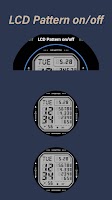


Description by HMKWatch Written by the developer, not by AppBrain. Click to read.
* Please install additional apps by referring to 'About this app'.
* Does not support square watches.
=======================================================
[How to install]
Make sure your watch is selected first before you press the payment button.
Press the small black triangle next to the Payment button to select the watch.
Play Store App Top Right Menu (3 dots) > Share > Chrome Browser > Install on Other Devices > Select Watch and proceed.
After installation, select it from the download list and register your favorites before using it. Click 'Add Clock Screen' on the far right of the Favorites list that pops up by pressing the Watch Screen to see the download list.
=======================================================
[Additional installation app]
1. Smart phone battery app (Free app)
Please install the additional app of the link below on the watch and smartphone, and set up the complication.
If the link does not open, please search for the 'Phone Battery Complication' app and install it.
https://play.google.com/store/apps/details?id=com.weartools.phonebattcomp
2. Complications Suite - Wear OS (Free app)
https://play.google.com/store/apps/details?id=com.weartools.weekdayutccomp
3. Heart Rate Complication (Paid app)
https://play.google.com/store/apps/details?id=com.weartools.heartratecomp
4. Health Services Complications (Paid app)
https://play.google.com/store/apps/details?id=com.weartools.hscomplications
All credits goes to original app creator:
amoledwatchfaces - https://play.google.com/store/apps/dev?id=5591589606735981545
=======================================================
Get new news from my Instagram.
www.instagram.com/hmkwatch
https://hmkwatch.tistory.com/
Please send me an email if you have any errors or suggestions.
hmkwatch@gmail.com , 821072772205