
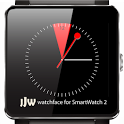
JJW Rainbow Watchface SW2
JJW Rainbow Watchface SW2 is made and published by Julian J Wong. AppBrain is an independent app data site and isn't affiliated with Julian J Wong. The app name, icon, screenshots and description belong to Julian J Wong and are shown as published on Google Play.
AppBrain's verdict
Removed- Install estimate
- 22 thousand
- Rating on Google Play
- 3.80
- 232 ratings
- Last updated
- August 11, 2014
JJW Rainbow Watchface SW2 is no longer on Google Play. It was there for 3 years, until May 2018. It had 22 thousand installs. Users were divided: 3.8 stars from 232 ratings.
Installs
Tracked by AppBrain- Play install range
- 10+ thousand
- Launched
- July 2014
Releases
Updates seen on Google Play- Version
- 2.0
- Launched
- July 2014
User feedback
Ratings and reviews on Google PlayGoogle Play Rating history and histogram
The year before it was removed from Google Play, up to May 2018
Comments on JJW Rainbow Watchface SW2 for Android
Technology
Found in the app by AppBrain- Ads
- Contains ads
- Price
- Free
- Libraries
- 0
- App size
- 109.3 KB
- Needs Android
- 4.0+
- Content rating
- Unrated
Technologies used by JJW Rainbow Watchface SW2
About the app and developer
About JJW Rainbow Watchface SW2
JJW Rainbow Watchface SW2 was a tools app developed by Julian J Wong. It was removed from Google Play May 23, 2018.
Install Statistics
JJW Rainbow Watchface SW2 had been installed 22 thousand times before it became unavailable.
User Ratings
JJW Rainbow Watchface SW2 was rated 3.80 out of 5 stars, based on 230 ratings.
App Information
JJW Rainbow Watchface SW2 was free. The app size was 109.35 kB. The last available version was 2.0. The last update was on August 11, 2014.
Technical Requirements
JJW Rainbow Watchface SW2 required Android 4.0+ or higher. The app had a content rating of Unrated Maturity. The app had been available on Google Play since July 2014.
App Performance Report
Get a detailed PDF report for JJW Rainbow Watchface SW2 with download trends, rating history, and key performance statistics — useful for competitive research or tracking your own app. Learn more
Get PDF Report — $29Developer information for Julian J Wong
Frequently asked questions about JJW Rainbow Watchface SW2
Is JJW Rainbow Watchface SW2 free?
Yes. JJW Rainbow Watchface SW2 was free on Google Play.
Is JJW Rainbow Watchface SW2 still available?
No. JJW Rainbow Watchface SW2 was removed from Google Play. We last saw it there May 23, 2018.
Does JJW Rainbow Watchface SW2 contain ads?
Yes. Google Play listed JJW Rainbow Watchface SW2 as containing ads.
What Android version does JJW Rainbow Watchface SW2 require?
JJW Rainbow Watchface SW2 ran on Android 4.0 and higher.
How large is JJW Rainbow Watchface SW2?
JJW Rainbow Watchface SW2 is 109.35 kB.
How many times has JJW Rainbow Watchface SW2 been installed?
Google Play listed 10,000+ installs for JJW Rainbow Watchface SW2.
How do people rate JJW Rainbow Watchface SW2?
JJW Rainbow Watchface SW2 scored 3.80 out of 5 stars, from 232 ratings on Google Play.
Who made JJW Rainbow Watchface SW2?
JJW Rainbow Watchface SW2 was developed by Julian J Wong. It was listed in the tools category on Google Play.
What are the best alternatives to JJW Rainbow Watchface SW2?
People looking at JJW Rainbow Watchface SW2 also look at these tools apps: Galaxy Castle Universe Space, Inspire15 | Digital Watch Face, Summer mood digital watchface, Inspire 07 - Analog Watch-Face, Analog Time Master Watch IN60.
Store listing
By Julian J Wong, from Google PlaySimilar apps


“A cool unique rainbow watchface for the Sony(TM) SmartWatch 2”
Description by Julian J Wong Written by the developer, not by AppBrain. Click to read.
Like Us on Facebook! https://www.facebook.com/JJWwatchfaces
Note: This is a native watchface/clock for the Sony(TM) SmartWatch 2 and works in active and low power mode to save your watch's battery. By using this watchface you should still continue to get the 3-5 day battery life from your watch unlike other 'pseudo-watchface apps' which chew through your battery.
Installation instructions:
1. Download app via Google Play
2. Click the 'SmartWatch 2' notification in the notifications bar to open the SmartWatch 2 configuration app
3. Click 'Edit watch faces' button
4. Create a new watchface or edit an existing one
5. Click 'Clocks'
6. Choose the new watchface from the list of watchfaces
7. Enjoy!
Further detailed instructions can be found on Sony's blog here: http://blogs.sonymobile.com/2014/04/22/smartwatch-2-400-apps-new-styles-and-new-features/
Please send me an email if you have troubles getting it to install and I'll do my best to help.
It would be great if you could leave me a good rating if you like this watchface as it encourages me to create even more!
Troubleshooting (watchface doesn't display or show up in the list of clocks after installing it from Google Play):
1. Turn off your watch and turn it back on
2. Turn off your phone and turn it back on
3. Turn off bluetooth on your phone and turn it back on
4. Create a new watchface template and see if you can add the new watchface.
If this fails, you may need to take further steps. Continue to follow the steps below:
5. Uninstall the Sony(TM) Smart Connect app
6. Un-pair your SmartWatch with your phone
7. Reinstall the Sony(TM) Smart Connect app
8. Re-pair your SmartWatch with your phone
9. Follow steps 1-4 again.
Thanks goes to Naheel from XDA forums for providing the guide on how to make custom watchfaces.
Thanks also to Stefan for sending through the request and idea to make this watchface.
Smart Connect extension for SmartWatch 2
Smart extension for SmartWatch 2 clocks
LiveWare extension for SmartWatch 2
Sony and the Sony logo are trademarks or registered trademarks of Sony Corporation.
This app is in no way associated with, endorsed by, or affiliated with, SONY or Sony Mobile.
Recent changes:
Minor fixes and tweaks.
Rebranded to align with the JJW Watchface Collection on Google Play