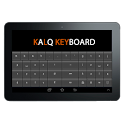
KALQ Keyboard was a tools app developed by Vardhaman Infotech. It was removed from Google Play Apr 12, 2014 and is no longer available for download.
Download Statistics
KALQ Keyboard had been downloaded 22 thousand times before it became unavailable.
User Ratings
KALQ Keyboard was rated 3.36 out of 5 stars, based on 140 ratings.
App Information
KALQ Keyboard was free to download. The APK download size was 125.58 kB. The last available version was 3.0. The last update was on July 13, 2013.
Technical Requirements
KALQ Keyboard required Android 2.2+ or higher. The app had a content rating of Everyone. The app had been available on Google Play May 2013.
Description
KALQ Keyboard (World’s first)
KALQ is a new and smart Thumb based keyboard for touch screen devices. Vardhaman Infotech , Jaipur launched World’s first KALQ keyboard to replace old QWERTY layout for smarter and faster typing in mobile phones. It has brought revolution in thumb based typing. We have uploaded this in Google play store on April 30, 2013 much before any others and updated it several times based on user’s review and our own development process. Based on the research of Max Planck Institute of Informatics, Montana Tech and University of St. Andrews the new KALQ keyboard enhances your typing speed in Android mobile devices by up to 85%. However, you need little practice to become used to with this new smart keyboard. Developers at Vardhaman Infotech , Jaipur has modified the original design for better user experience. Indians are one of the highest. Looking in to large numbers of Android mobile phone users from countries likes of India, China, Kuwait, Philippines and Korea we have added their currency signs in our KALQ keyboard. It is again first time in the world that Re sign is added in any keyboard. Several other popular currency signs and few other symbols are also added for better user experience. This updated version is compatible with most of the mobile phones including tabs, fablets and even smaller phones. Presently it is supporting more than 3500 types of Android smart phones. Customer satisfaction is highest priority for us. Hence, we have updated our KALQ keyboard on the basis of user review. We are continually updating even our free version looking into your enhanced satisfaction.
What is extra? This new version has several extra features which are not available in much acclaimed other KALQ keyboard application. 1. There are different layouts for portrait and landscape mode. 2. Currency signs for several countries such as India, China, Korea, Philippines, Kuwait etc. 3. Pop up keys for phonetics. 4. Swipe facilities to change keyboard mode. 5. Extra smiley.
Technology and layout
QWERTY is an old keyboard designed for finger based typing. It was a default keyboard for most of the typewriters since its inception. Desktops, Laptops and Palmtops also adopted the same keyboard with slight modifications. Mobile device manufacturers also placed the same keyboard as default without looking into user convenience. QWERTY is very good for finger based typing but it is not worth typing when it comes to mobile devices. Smart phone users type with thumbs and needed a new keyboard for comfortable typing. Vardhaman Infotech, Jaipur brought this solution first time in the world. New KALQ keyboard is designed and developed for thumb based typing. It is a split keyboard where all the vowels are placed in the right side, emotions, .com and @ at the center and most of the consonants in the left side. One has to use both the thumbs for speedy and smarter typing.
******************************** Please review it and rate it .
Get a detailed PDF report for KALQ Keyboard with download trends, rating history,
and key performance statistics — useful for competitive research or tracking your own app.
Learn more
★★★★★
Samsung Galaxy Note Works fine, will take a bit of getting used to, but you quickly find yourself looking on the right side to find the keys. the space bar was a little confusing, but again you quickly get used to using either side.
★★☆☆☆
HTC One X issue Hi I've really been looking forward to your new keyboard However it doesn't work on my phone. I've installed it and tried to enable it in the system settings. Although I can turn it on the writing remains darkened as though the app is still turned off, and ny keyboard is still qwerty
Technologies used by KALQ Keyboard
KALQ Keyboard is requesting 0 permissions and is using 0 libraries.
Show details
Back to top
AppBrain Intelligence premium content
Subscribe now to get full and unlimited access to AppBrain Intelligence.
You'll have access to:
Each subscription will automatically renew 3 days before the expiration date for
the same time period. Subscriptions can be cancelled at any time before the renewal.