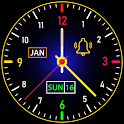
Lock Screen Smart Night Clock is no longer on Google Play. It was there for 3 years, until March 2025. It had 160 thousand installs. Users were divided: 3.9 stars from 7,397 ratings.
Lock Screen Smart Night Clock is made and published by
Azan Studio.
AppBrain is an independent app data site and isn't affiliated with Azan Studio.
The app name, icon, screenshots and description belong to Azan Studio and are shown as
published on Google Play.
About Lock Screen Smart Night Clock
Lock Screen Smart Night Clock was a personalization app developed by Azan Studio. It was removed from Google Play Mar 13, 2025.
Install Statistics
Lock Screen Smart Night Clock had been installed 160 thousand times before it became unavailable.
User Ratings
Lock Screen Smart Night Clock was rated 3.94 out of 5 stars, based on 7.4 thousand ratings.
App Information
Lock Screen Smart Night Clock was free. The app size was 14.65 MB. The last available version was 2.1. The last update was on August 6, 2024.
Technical Requirements
Lock Screen Smart Night Clock required Android 5.0+ or higher. The app had a content rating of Low Maturity. The app had been available on Google Play since February 2022.
Description by Azan Studio(from Google Play)
Lock Screen Smart night clock -Set analog clock: Super smart clock is an advanced night clock similar to a mobile phone watch and set clock live wallpaper. See clock time on your mobile lock screen with a smart night clock. This clock live wallpaper app has advanced analog clock and digital clock. Lock screen clock is the best smart clock which shows you time and date on your mobile lock screen. Set live clock wallpapers and different types of smart clock on your mobile to make it adorable. It’s the best lock screen smart night clock wallpaper app.
Lock screen clocks with attractive designs catch the eye. Someone else sitting beside you always glances at your lock screen clock live wallpaper. You certainly can impress your friends with smart clock wallpaper.
Our idea for enhancing your lock screen clock has been developed. Doesn't it sound cool to give your live clock face screen a modern touch?
An Advanced analog clock, LED clock, emoji clock, live backgrounds, animated and digital Clock lets you set a night clock of your choice. It contains hundreds of lock screen clock designs, making it one of the best Lock Screen Smart night clock apps.
Why Lock Screen Smart Night Clock Wallpaper?
Various smart clock styles are available for you to choose as a lock screen night clock. This app features many live clock types including analog clocks, LED clocks, video as wallpaper, smart clocks, live wallpapers, emoji clocks, digital clocks, and animated clocks. Having all types of live clocks available in one app eliminates the need to download other apps.
With the best night clock app, users will be able to see the time clock emoji wallpaper. Various night clocks can be picked from. Create live clock wallpapers on your Android device and have fun!
Check the time in any zone with the night clock app. You can create a beautiful analog and digital clock on your Android device by setting up a free clock widget.
Analog Clock In lock screen smart night clock many different analog clocks can be found in a variety of designs. It just takes two clicks to pick out an analog clock that fits your style. Use this timepiece app to fill your needs for analog clock backgrounds. This app also contains a time feature.
Emoji Clock - Time Clock Emoji Have you ever thought about setting a lock screen clock with your favourite emoji? It's possible! This app lets you do that. You'll find the emoji clock category on the first screen of the app. Your preferred emoji will be displayed as a lock screen clock.
LED Clock A huge selection of LED clocks can be accessed with this app. Find the LED clock that suits your needs and put it on your lock screen. Make the LED clock your live wallpaper by choosing a clock face from the list. Now your bedroom is decorated with a real LED clock.
Digital Clock It displays time in digital format according to your screen width. This clock fits perfectly on any screen regardless of its orientation. In addition, you can animate it at an angle of 360 or 180 degrees.
Smart Clock Choose from a variety of smart clock styles. Place your favourite one on your mobile device. You will never find a more powerful lock screen smart clock app than Watch On Screen Saver.
Benefits of Live Smart Clock Wallpaper You can preview the night clock by clicking the preview button There are two angles of rotation for digital clocks: 360° and 180° Night Clocks of various styles and designs Compatible with all Android smartphones A simple and straightforward user interface Specially designed analog clock, digital clock, emoji clock, smart clock, LED clock, live wallpapers, set video as wallpaper for all Use different types of 4k Wallpapers
Its big, bold design makes it a great bedside clock. They show time in various formats. Featuring hundreds of live clock designs, Live Smart Clock Wallpaper is the perfect night clock app.
Get a detailed PDF report for Lock Screen Smart Night Clock with download trends, rating history,
and key performance statistics — useful for competitive research or tracking your own app.
Learn more
Comments on Lock Screen Smart Night Clock for Android
★★★★★
It's GREAT and I would've given it a 5-star rating, but it's somewhat of a "battery hog." By the time I go to bed for the night, the (brand new) battery in my Galaxy J4+ is fully charged, 100%, I activate the Lock Screen Smart Clock and, when I wake up for the day, 6 or 7 hours later, the battery is down to 40-ODD PERCENT, which is why I gave it a 4-star rating. ☆☆☆☆
★★★★★
Its very amazing helpfully for people
★★★★★
Nice clock I like very much. Thanks nice clock provided it show to only on lock screen only. Thanks
★★☆☆☆
This must be a record for how fast I've uninstalled an app. A 60-second ad just to even look at the clocks available? Ain't nobody got time for that
★★☆☆☆
Can't even set the clock up because all the ads won't let me!
Technologies used by Lock Screen Smart Night Clock
21 permissions·15 libraries
Subscribe to see full permission and library details
Frequently asked questions about Lock Screen Smart Night Clock
Is Lock Screen Smart Night Clock free?
Yes. Lock Screen Smart Night Clock was free on Google Play.
Is Lock Screen Smart Night Clock still available?
No. Lock Screen Smart Night Clock was removed from Google Play. We last saw it there Mar 13, 2025.
Does Lock Screen Smart Night Clock contain ads?
Yes. Google Play listed Lock Screen Smart Night Clock as containing ads.
What Android version does Lock Screen Smart Night Clock require?
Lock Screen Smart Night Clock ran on Android 5.0 and higher.
How large is Lock Screen Smart Night Clock?
Lock Screen Smart Night Clock is 14.65 MB.
Is Lock Screen Smart Night Clock suitable for children?
Google Play gives Lock Screen Smart Night Clock a low maturity rating, so it is meant for older children and up.
How many times has Lock Screen Smart Night Clock been installed?
Google Play listed 100,000+ installs for Lock Screen Smart Night Clock.
How do people rate Lock Screen Smart Night Clock?
Lock Screen Smart Night Clock scored 3.94 out of 5 stars, from 7,397 ratings on Google Play.
Who made Lock Screen Smart Night Clock?
Lock Screen Smart Night Clock was developed by Azan Studio. It was listed in the personalization category on Google Play.
What are the best alternatives to Lock Screen Smart Night Clock?
Each subscription will automatically renew 3 days before the expiration date for
the same time period. Subscriptions can be cancelled at any time before the renewal.