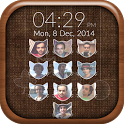
Lock your phone using unique style with Passcode Photo Lock Screen : New!!
This app is currently not available on Google Play.
About Passcode Photo Lock Screen New
Passcode Photo Lock Screen New was a lifestyle app developed by Rich Media Apps. It was removed from Google Play May 10, 2018 and is no longer available for download.
Download Statistics
Passcode Photo Lock Screen New had been downloaded 220 thousand times before it became unavailable.
User Ratings
Passcode Photo Lock Screen New was rated 3.71 out of 5 stars, based on 2.8 thousand ratings.
App Information
Passcode Photo Lock Screen New was free to download. The APK download size was 9.66 MB. The last available version was 3.1. The last update was on October 14, 2016.
Technical Requirements
Passcode Photo Lock Screen New required Android 2.3+ or higher. The app had a content rating of Everyone. The app had been available on Google Play December 2014.
Description
After the success of Photo Pattern Lock Screen and My Photo Lock Screen, Rich Media Apps brings you the very best New Passcode Photo Lock Screen!!! Allows you to customize the Lock screen passcode by adding images to each of the buttons with custom shapes now.....
If you love customizing your device, you’d probably be interested in a unique new feature that allows you to customize the passcode keys on the Lock screen. Choose from different sweet shape and 50+ in-built Background Images to customize your Photo Lock Screen.
HOW TO USE :- You’ll find a toggle that allows you to enable or disable the tweak and a Choose Images’ button which will take you to a new interface where you can add a photo to each of the passcode buttons from the stock Photos app or even take a picture instantly and use it. These images will appear right behind the keys as you can see from the screenshot above.
Features:-
* Select from a wide range of inbuilt backgrounds. * Use sweet shape on passcode to a dashing keypad lock-screen. like Cats, Hearts, Shells, Circles, Leafs and many more... * Choose the photo from gallery or click a new photo. * Crop or re-size the photo you choose to have included. * Choose to lock your phone under pin protection. * Customize the fonts and color for your name, date and time on lock screen. * Choose to enable or disable the date, name, or time format. * Choose to enable or disable the date, name, or time format. * Lock screen on/off toggle switches. * Totally FREE!!
Thanks for using this app, leave us your feedback and we will consider them for future updates! Thank You...
Recent changes: Version 3.1 - Minor bug fixes!
You can write review to our App. Any comments, feedback and suggestions are welcome!
Get a detailed PDF report for Passcode Photo Lock Screen New with download trends, rating history,
and key performance statistics — useful for competitive research or tracking your own app.
Learn more
Comments on Passcode Photo Lock Screen New for Android
★★★★★
I Love it to me it works good I can even put my name change the color
★★★★★
LOVE I loved it its fun
★★★★★
Passcode photo lock screen new I like
★★★★★
It's ok but the lock scree takes to long to kick in, so even the best hacker could get your details in the time it takes for it to come on
★★★★★
Very good app
★★☆☆☆
The worst app It doesnt even work !! I cant add photos!
★★☆☆☆
Not the best 😒 Loved it at first but it took me a loooooooooooooooooooooooooooooooooooooooooooooooooooooooooooooooooooooooooooooooooooooooooooooooooong time to get it to work ! 👎👎👎👎👎👎👎👎
★★☆☆☆
Sucks This app should never be downloaded because the picture part won't even work so why even get it if you wanted a lock screen that had pictures to unlock your phone with but doesn't save.it would be a wast of time and space on your phone
★★☆☆☆
Passcode photo lock screen Kapag pinindut mo ng matagal yung home at tinanggal mo yun tapos pinatay mo wala syang passcode.........you should add save botton
Technologies used by Passcode Photo Lock Screen New
27 permissions·4 libraries
Subscribe to see full permission and library details
Back to top
AppBrain Intelligence premium content
Subscribe now to get full and unlimited access to AppBrain Intelligence.
You'll have access to:
Each subscription will automatically renew 3 days before the expiration date for
the same time period. Subscriptions can be cancelled at any time before the renewal.