Experience a flood of emotions that can’t be expressed with a single word.
This app is currently not available on Google Play.
About Pastel Snow Dodol Locker Theme
Pastel Snow Dodol Locker Theme was a personalization app developed by dodol theme. It was removed from Google Play Aug 1, 2018 and is no longer available for download.
Download Statistics
Pastel Snow Dodol Locker Theme had been downloaded 22 thousand times before it became unavailable.
User Ratings
Pastel Snow Dodol Locker Theme was rated 4.25 out of 5 stars, based on 380 ratings.
App Information
Pastel Snow Dodol Locker Theme was free to download. The APK download size was 2.09 MB. The last available version was 1.0.0. The last update was on December 13, 2013.
Technical Requirements
Pastel Snow Dodol Locker Theme required Android 2.3+ or higher. The app had a content rating of Everyone. The app had been available on Google Play December 2013.
Description
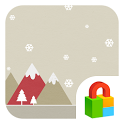
White flakes of snow against the backdrop of a bright and light pastel colored sky. Simple but elegant! Lonesome but warm!
Experience a flood of emotions that can’t be expressed with a single word.
■ How to apply themes 1) First, install the Dodol Locker (Install: http://dodol.com/l/locker) (Or instantly install Dodol Locker through the screen that appears after the theme is installed!) 2) If the Dodol Locker has already been installed, install the theme and press ‘Open’, and the theme will be applied immediately~^^.
3) Follow the steps below if the installed theme has not been applied.~ - Press the power button and activate Dodol Locker. - Press firmly on the ‘+’ button and select ‘My Theme’~ - Select the installed theme and the theme will be applied!
■ Where to go for a wide variety of fantastic themes! 1) Go to Google Play and search ‘Dodol Locker Themes’! 2) Select ‘Dodol Locker’, press the ‘+’ button, and select the ‘Theme Shop’.
■ How to decorate my theme 1) Go to ‘Dodol Locker’ and press the ‘+’ button. 2) Go to the bottom of the screen and select an element to decorate your theme with (Wallpaper / widget / shortcuts) - Upload your own photos: Upload your photos and select a default photo for your theme, and your photos are randomly displayed every time you access the Locker. ~ - Add and remove widgets for date/clock/battery~ and set widgets as you want to! - Certain themes help you activate apps more quickly and easily, and easily replace with the app of your choice!
■ Features offered by Dodol Locker 1) The world’s most beautiful themes - Offers unique themes, including beautiful and natural basic themes, simple, elegant, cute, pretty, and dazzling themes, as well as iOS style themes. 2) Decorate themes, just the way you want to! - Add your photos to the colorful wallpapers the themes provide, replace button-type themes with your frequently used apps, erase battery status and dates… Change the themes to meet your needs! 3) Lock with patterns/passwords, and use with ease! - Offers powerful security features (Pattern and PIN numbers).
■ Precautions 1) Dodol Locker can only be used in Android OS 2.3 and above. 2) Some features may not be available in certain devices. 3) Please ‘Lock Home Button’ based on the guide that appears when the app is first installed. (This process in mandatory to ensure easy use of the service)
■ Customer support 1. Official Blog: http://blog.naver.com/dodolocker 2. Facebook: https://www.facebook.com/dodol.apps 3. Customer Support: support_locker@campmobile.com 4. Partnership Inquiries: contact_locker@campmobile.com
Get a detailed PDF report for Pastel Snow Dodol Locker Theme with download trends, rating history,
and key performance statistics — useful for competitive research or tracking your own app.
Learn more
Each subscription will automatically renew 3 days before the expiration date for
the same time period. Subscriptions can be cancelled at any time before the renewal.