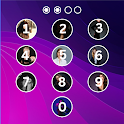
Photo Lock Screen was a tools app developed by Adria Devs. It was removed from Google Play Aug 5, 2024 and is no longer available for download.
Download Statistics
Photo Lock Screen had been downloaded 40 thousand times before it became unavailable.
User Ratings
Photo Lock Screen was rated 4.50 out of 5 stars, based on 190 ratings.
App Information
Photo Lock Screen was free to download. The APK download size was 8.84 MB. The last available version was 2.2. The last update was on June 16, 2023.
Technical Requirements
Photo Lock Screen required Android 4.2+ or higher. The app had a content rating of Everyone. The app had been available on Google Play December 2017.
Description
Are you worried about exposing your PIN while you unlock your phone? Here comes Photo Lock - Time Password (Dynamic Password) for the rescue.You can make your phone current time its lock screen password.And time changes every minute, so does the password too, so no one can even guess it.
NEW FEATURES ★ Cool iPhone style lock screen for your android. ★ Support on most of android phone. ★ Fully customisable lock screen. ★ Highly secure lock screen. ★ One of the best parallax effect Lock. ★ Highly customisable keypad. ★ Customise sliding text. You can put your name or your friend's name on your lock screen.
Features
✔ Customise wallpaper for lock screen You can apply HD Screen wallpaper or choose from Gallery. ✔ Unlock sound enable/disable. ✔ Unlock vibration enable/disable. ✔ 12 hour and 24 hour format both supported. ✔ Consume less memory and battery, Simple and Clean device. ✔ 100% safe and secure Photo Lock- Time Password ✔ Choose your own lock type You can choose your own way to lock your android phone(Passcode change dynamically). ► Current Time : It is default password of your lock screen. e.g. If the time is 01:47, your PIN will be 0147. ► Pin Passcode - User can choose any password. ► Pin + Minute Passcode - e.g. if you choose digit is 12 and the time is 01:45 your PIN will be 1245. ► Pin + Current Time Passcode - e.g. if your choose digit is 45 and the time is 02:37 your PIN will be 450237. ► Pin + Day Passcode - e.g. if your choose digit is 45 and the date is 4 July 2017 your PIN will be 450407. ► Pin + Hour Passcode - e.g. if you choose digit is 12 and the time is 01:45 your PIN will be 4501.
---FAQ---
★How to open hidden Photo Lock - Time Password? 1. Enter #666#6 in dial pad, and tap call button.
★ How to lock Xiaomi / MI phones? ►Xiaomi / MI phones have different permission management style. To use Photo Lock - Time Password on Xiaomi / MI phones, please follow the following steps. 1. Open Security App -> permissions. Choose option permissions -> Photo Lock - Time Password -> Allow all the permissions. 2. Go back to Permissions -> Auto Start -> Allow Photo Lock - Time Password to Auto Start.
★ Explanation for the permissions: android.permission.INTERNET android.permission.READ_PHONE_STATE android.premission.ACCESS_NETWORK_STATE AD company need read phone state and network state to display and improve there AD quality. android.permission.SYSTEM_ALERT_WINDOW : to lock screen android.permission.RECEIVE_BOOT_COMPLETED : To lock device as soon as it restarts android.permission.CAMERA : Image capture for lock screen wallpaper android.permission.READ_EXTERNAL_STORAGE : For change lock screen wallpaper android.permission.PROCESS_OUTGOING_CALLS : For open lock screen
Photo Lock - Time Password will not collect your any information.
Get a detailed PDF report for Photo Lock Screen with download trends, rating history,
and key performance statistics — useful for competitive research or tracking your own app.
Learn more
Each subscription will automatically renew 3 days before the expiration date for
the same time period. Subscriptions can be cancelled at any time before the renewal.