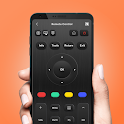
Remote Control for TV: All TV is popular, with 2.9 million installs. Users rate it well: 4.1 stars from 4,045 ratings.
Remote Control for TV: All TV is made and published by
JP Software Studio.
AppBrain is an independent app data site and isn't affiliated with JP Software Studio.
The app name, icon, screenshots and description belong to JP Software Studio and are shown as
published on Google Play.
About Remote Control for TV: All TV
Remote Control for TV: All TV was a tools app developed by JP Software Studio. It was removed from Google Play Aug 12, 2025.
Install Statistics
Remote Control for TV: All TV had been installed 2.9 million times before it became unavailable.
User Ratings
Remote Control for TV: All TV was rated 4.13 out of 5 stars, based on 4 thousand ratings.
App Information
Remote Control for TV: All TV was free. The app size was 48.33 MB. The last available version was 1.2.8. The last update was on July 24, 2025.
Technical Requirements
Remote Control for TV: All TV required Android 7.0+ or higher. The app had a content rating of Everyone. The app had been available on Google Play since January 2024.
Description by JP Software Studio(from Google Play)
Discover the solutions to control your television right on the phone, whether you want to adjust the volume, switch channels or even navigate the menu. That’s easy with the universal remote control app. Designed with a user - friendly interface, the remote control for tv turns your phone into a powerful tv remote controller using a simple Wifi connection.
📺Highlight features of the universal remote for tv smart app 📺
✨ Easily switch between channels: Navigate channels effortlessly and select favorite channels to your preference. ✨ Adjust the volume to your liking: Control the volume with ease, ensuring the perfect audio experience ✨ Navigate the menu with ease: Access your TV's menu and settings seamlessly ✨ Access smart features with a few taps: Unlock the smart features of your TV with just a few taps on your phone ✨ No more searching for lost remotes: Bid farewell to the frustration of searching for misplaced remotes. ✨ Works with most smart TV brands: Enjoy compatibility with a wide range of smart TV brands. ✨Switch your navigation mode: Control tv via touchpad or keyboard ✨Take command of all your TVs seamlessly with simple touch
📺Main buttons of universal tv remote control app 📺 ⁎ Power button: Turn your TV on or off with a simple tap ⁎ Numeric buttons: Enter channel numbers or other inputs quickly and easily ⁎ Volume adjust button & mute button: Adjust the volume up or down or mute the sound with one touch ⁎ Channel selection button: Switch between channels or browse through the channel list ⁎ Menu button: Access the menu and settings of your TV ⁎ Navigation buttons: Navigate the menu and settings of the TV using the arrow keys ⁎ Channel list: View the list of available channels and select your favorite ones ⁎ Screen monitor touchpad: Use your phone as a touchpad to control the cursor on your TV screen.
Universal Remote Control for TV is the perfect tool for control your smart tvs from your mobile. Your TV interaction has become smarter, simpler, and much more enjoyable with the remote tv control app. No more searching for the right remote, no more compatibility concerns, just touch the universal remote tv control app and enjoy convenience.
📺How to use the universal remote for smart tv app📺
✔️Turn off VPNs and connect your phone and TV to the same Wifi network. ✔️ Open the universal tv remote control, tap the icon, and connect your phone to the TV. ✔️ Control your television effortlessly using the touchpad, numeric buttons, smart hub buttons, and more.
Enhance your experience now and make your daily interactions more convenient with the smart tv remote app.
If you have any questions about the smart remote control app, don’t hesitate to contact us immediately. We will reply as soon as possible. Thank you for using the universal remote control for any tv app!
Get a detailed PDF report for Remote Control for TV: All TV with download trends, rating history,
and key performance statistics — useful for competitive research or tracking your own app.
Learn more
Each subscription will automatically renew 3 days before the expiration date for
the same time period. Subscriptions can be cancelled at any time before the renewal.