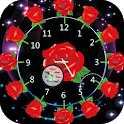
Rose Clock Live Wallpaper was a personalization app developed by Roboxy Apps Desk. It was removed from Google Play Oct 14, 2023 and is no longer available for download.
Download Statistics
Rose Clock Live Wallpaper had been downloaded 15 thousand times before it became unavailable.
User Ratings
The app had no ratings.
App Information
Rose Clock Live Wallpaper was free to download. The APK download size was 7.30 MB. The last available version was 1.0.3. The last update was on February 18, 2020.
Technical Requirements
Rose Clock Live Wallpaper required Android 4.0+ or higher. The app had a content rating of Medium Maturity. The app had been available on Google Play November 2018.
Description
Rose clock Live wallpaper contain different types amazing clocks and awesome backgrounds.Rose Clock Live Wallpaper is highly customisable live wallpaper application.Choose Rose Clock as your Live Wallpaper to give a rich & patriotic look to your mobile.Decorate your home screen with this amazing Rose analog clock live wallpaper.
Features of Rose Clock Live Wallpapers ---------------------------------------------------------------- * Select different clock style for display clock. * Select different background for display clock. * Adjust various size of display Rose clock as per your conception. * Can show or hide second hand? * Select animation style for second hand. * Open the app and select clock which you like most. * Customize the Rose Clock Live Wallpaper and Set on wallpaper and enjoy the beautiful Rose Clock. * Open settings and let your imagination take you to a fairy tale. * Rose Analog Clock Live Wallpaper is free. * Easy User Interfac & Elegantly Designed Clocks. * Lots of hd backgrounds are available for Rose clock backgrounds. * Decorate each clock with beautiful collection of hands and digits. * Best Rose Analog clock live wallpaper is free.
How To Use Rose Clock Live Wallpapers ?
» Run Rose Clock Live Wallpaper HD and just press the "Wallpaper" button and on the next page. » Rotate through the Different customizing options Like Settings,Live wallpaper Animations,water and apply the Live Wallpaper New. » After you are done with the editing, just press the button on the top of the screen (with the right mark). » Tap on the "Preview" button in order to see your changes. » Once you are directed to the main screen, press "Set wallpaper". » Set wallpaper on 'Home screen' or 'Home screen and lock screen' with Live Wallpaper New.
Don't forgot to share our Rose Clock Live Wallpaper with your family and friends and told them to use our application and set clock on than screen.
Hope you enjoy this Rose clock live wallpaper. If you like this live wallpaper don’t forget to rate and give some review this app.
Enjoy Rose clock live wallpaper.
Disclaimer: -------------- All logos/images/names are copyright of their perspective owners. Any request to remove one of the images/logos/names will be honored. If You have any issue regarding this please contact us.
Get a detailed PDF report for Rose Clock Live Wallpaper with download trends, rating history,
and key performance statistics — useful for competitive research or tracking your own app.
Learn more
Each subscription will automatically renew 3 days before the expiration date for
the same time period. Subscriptions can be cancelled at any time before the renewal.