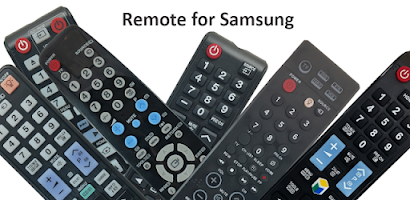
TV Remote Control For Samsung is popular, with 10 million installs. Users rate it well: 4.1 stars from 30,846 ratings.
TV Remote Control For Samsung is made and published by
osApps.
AppBrain is an independent app data site and isn't affiliated with osApps.
The app name, icon, screenshots and description belong to osApps and are shown as
published on Google Play.
About TV Remote Control For Samsung
TV Remote Control For Samsung is a tools app developed by osApps.
Install Statistics
TV Remote Control For Samsung has been installed 10 million times. In the last 30 days, the app was installed 130 thousand times.
User Ratings
TV Remote Control For Samsung is rated 4.07 out of 5 stars. The rating is based on 31 thousand ratings.
App Information
TV Remote Control For Samsung is freely available from Google Play. The app size is 17.86 MB. The latest version available is 9.4.49. The last update was on November 20, 2024.
Technical Requirements
TV Remote Control For Samsung requires Android 4.4+ or higher. The app has a content rating of Everyone. The app has been available on Google Play since October 2017.
Description by osApps(from Google Play)
Everyone likes the fun experience of chilling at home and watching their favorite show on TV. Still, this experience often becomes annoying when you can't find your TV's remote control or if your remote control's batteries have weakened and are not working properly. Now that technology has hit everything, you can find the remote control for the Samsung tv app. For this, search in Google "Samsung remote control” or “Samsung remote control for tv,” and you can find the trusted remote control Samsung tv app; you just have to install our Samsung Remote Control via Play Store on your mobile phone, and your job is done.
Our app serves as a remote control device to control Samsung TVs. It can be paired with both Smart and Non-Smart Samsung TVs. It is rated 3+ so even children can use it easily.
The main features of the remote control for the Samsung tv app: - Fun and simple to use - Can be used with smart and non-smart TVs - One-touch connection to other apps like YouTube, Netflix, and Spotify - Media player - Dark and light themes - Easy installation and setting up
Selection Screen Choose any remote of your choice from many remotes
Discovery screen This screen will show all the devices connected to the same network. You can find your TV here to pair up with the remote control
Remote control screen Your chosen remote control will appear here. You can tap on buttons and use them just like your original remote control
Touch Pad Screen This touchpad screen enables you to add favorite or frequently used buttons to the top strip for convenience. It also allows the users to navigate using the built-in touchpad area of the screen
Apps Screen All the apps installed in your smart TV will appear here. Common apps like YouTube, Netflix, Prime Video, Media Player, etc., will appear in this section
Media Screen A convenient media manipulation screen
The app works with the following Samsung TV models (Tizen OS): Samsung Smart TV Series C, D series, Series E, Series F, Series K, Series Q, M, Series N, Series RU
FAQs What do you need to have to use this remote control for the Samsung tv app To use this universal remote control app for Samsung TVs, you must have your smartphone or tablet and a WiFi connection on which both your smartphone and tv are connected. As the app works through a wireless network, you don't need close access to your TVs.
How to control Samsung tv without remote? If you have a smartphone now, it is far easy to control Samsung tv without the hassle of finding a remote that is often lost. From the google play store or App store, download the Samsung smart tv remote control app. Download the app to your smartphone, set the app, and synchronize it, and it is all set to control your smart tv anytime; you need to have an active WiFi connection.
What is universal remote control for Samsung tv? Universal remote control for Samsung tv is a luxury if you have more than one tv at your place. You can synchronize all TVs to one app and can control it easily.
Disclaimer This Samsung Remote Control App is designed to work best with all Samsung TVs, whether smart TVs or non/smart ones. However, please note that this app is not the official Remote Control for Samsung app.
Feel free to rate our Samsung tv remote control app if you have any comments or want to know more about our app.
Get a detailed PDF report for TV Remote Control For Samsung with download trends, rating history,
and key performance statistics — useful for competitive research or tracking your own app.
Learn more
Are you the developer of this app? Join us for free to see more information about your app and learn how we can help you promote and earn money with your app.
Comments on TV Remote Control For Samsung for Android
★★★★★Shakuntala Totala· Jan 8, 2026
This app is very creative. It gives different types of real TV remote, and it says that pick your remote Nad when you pick your remote it gives a photo of it, and you have yo press the buttons to interact. Very less adds and outstanding 👌 👏 🙌 😀 👍
★★★★★Dreci Jones· May 29, 2026
It's working really good, and I'm ashamed to say I doubted this before even using it because most remote apps I've had before never worked properly, but this one works really amazing I love the media on most
★★★★★Curtis Kreksconaitis· Mar 31, 2026
It works great for free just need to see a few ads now and then plus your original remote to make it respond to your phone. With my Samsung 32" 2021 it doesn't let you use a different remote unless you have the remote to click ok. so it's a problem if you lost your remote. I found mine and set up the app so that if mine ever goes missing again I can still watch the TV. Zen
★☆☆☆☆Jaquelin Alfonso· Feb 14, 2026
What the point it said you use your control, but my control does work, and it says "click allow" I can't because my control doesn't work
★★☆☆☆crissp muvenga· Mar 9, 2026
I understand it's the free version, so it has ads, but they're so annoying. Trying to push a button ... being interrupted (constantly) by an advert is ridiculous. And they pop up while trying to push a button on the control, so now you've pushed a link on the ad when you thought you were pushing the volume up button? And no one is watching the ads, they're watching TV. no one in the middle of watching TV is going to say let me put this on hold to watch an ad????
★☆☆☆☆Roger Hutch· Aug 15, 2026
Bro ts garbage I put the right remote and stuff, and you need a remote to use this like what the heck don't use this and read the reviews first btw because if you loose it remote I need it to connect
★☆☆☆☆Wendy Weaver· Jun 2, 2026
Charged me for just viewing the product for a few minutes never purchased it just viewed it to see if it would be something that would work with my TV AMD phone it was t the right one AMD it charged my account for me looking at the facts or what it worked on AMD then deleted it AMD got charged for that like I purchased this AMD I never use refund my account that's not right to chargee. For looking in to this to see if it was right fory TV it wasn't deleted it five minutes later refund my Accor
Google Play Rankings for TV Remote Control For Samsung
This app is not ranked
Technologies used by TV Remote Control For Samsung
17 permissions·48 libraries
Subscribe to see full permission and library details
Frequently asked questions about TV Remote Control For Samsung
Is TV Remote Control For Samsung free?
Yes. TV Remote Control For Samsung is free on Google Play.
Is TV Remote Control For Samsung still available?
Yes. TV Remote Control For Samsung is on Google Play, and the last update we saw was on November 20, 2024.
Does TV Remote Control For Samsung contain ads?
Yes. Google Play lists TV Remote Control For Samsung as containing ads.
What Android version does TV Remote Control For Samsung require?
TV Remote Control For Samsung runs on Android 4.4 and higher.
How large is TV Remote Control For Samsung?
TV Remote Control For Samsung is 17.86 MB.
Is TV Remote Control For Samsung suitable for children?
Google Play rates the content of TV Remote Control For Samsung as suitable for everyone.
How many times has TV Remote Control For Samsung been installed?
Google Play lists 10,000,000+ installs for TV Remote Control For Samsung.
How do people rate TV Remote Control For Samsung?
TV Remote Control For Samsung scores 4.07 out of 5 stars, from 30,846 ratings on Google Play.
Who made TV Remote Control For Samsung?
TV Remote Control For Samsung was developed by osApps. It is listed in the tools category on Google Play.
What are the best alternatives to TV Remote Control For Samsung?
Each subscription will automatically renew 3 days before the expiration date for
the same time period. Subscriptions can be cancelled at any time before the renewal.