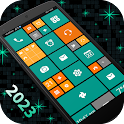
Win Launcher -metro look style was a personalization app developed by lwsoftipl Apps. It was removed from Google Play Aug 21, 2024 and is no longer available for download.
Download Statistics
Win Launcher -metro look style had been downloaded 1.2 million times before it became unavailable.
User Ratings
Win Launcher -metro look style was rated 4.22 out of 5 stars, based on 20 thousand ratings.
App Information
Win Launcher -metro look style was free to download. The APK download size was 5.06 MB. The last available version was 28.0. The last update was on August 2, 2024.
Technical Requirements
Win Launcher -metro look style required Android 4.4+ or higher. The app had a content rating of Everyone. The app had been available on Google Play April 2017.
Description
Win launcher easy to use, stylish and offers higher performance. It stylized your phone’s home screen in style of winphone by using pre developed beautiful themes. A new clean and perfect user interface design which gives user to easy and better interactive control experience. It provides more wonderful and useful features and various brand-new themes which enhance your phone with different styles.
Incredibly faster & smarter: Win Launcher provides users extremely fast and smarter handling experience with simple, smooth and faster animation effects on user interface.
Elegant look: It is most stylish launcher because it provides 20 unique & beautiful mobile themes for the users, we have created abundant themes for you with lots of love and passion so that users can give new, fresh and ultimate look to their phones every day.
Personalization: Win launcher provides you very efficient and quick personalize experience with our different type of 20 themes. we are providing more than 160 colors which are dominant, more muted, fancy mixing warm and cooler colors to provide your phone an elegant look. It also provides you more than 22 worldwide international languages to give user better personalized experience. Using these feature you can personalize your phone on the go.
Customize Tile: You can customize tile by long pressing on tiles which provides various option to change tile color, resize and change another app and remove tile from screen etc.
Animation: Launcher provides you faster and smoother animation for better user interaction.
Drag & Drop Feature: You can long press on tile to hold then drag and drop tile anywhere on the screen and you can create folder by dropping tile on another tile.
Easier Access Feature: It provides you very easier way to access all apps by just left swipe where you can get full app information, uninstall app and pin app to home screen.
Pin Apps to Launcher Home Screen: You can pin various app to launcher home screen by just long press on app in app list.
KEY FEATURES - Win launcher provides 20 unique and wonderful themes. - You can customize tiles by long press on it. - View all apps installed in mobile by just left swipe - 160 Color available for customizing tiles color, background color etc. - Smooth and clean UI - Easy to create folder by just drag and drop tile on another tile. - Folder feature – Easy to group your favorite apps within folder. - Rename folder. - Remove folder by long press on it. - Easy to change themes. - Easy to set background color or wallpaper of your choice. - Pin apps as tiles to your home screen by just long press on app in app list. - Change the tile transparency. - Replace tile app with another app appear on home screen by long press on tile. - Resize tiles by long press on tile. - Smoother and faster animations. - Resize and Reposition tiles by long press and then dragging. - Uninstall app by just long press on app in app list.
Win Launcher is highly customizable, fast and easy to use launcher for Android which is styled similar to Win phone devices. This app provides you various customization features which will change your android phone to a complete look of Win phone. Say goodbye to the old win launcher and adopt a brand new win launcher for better experience.
If you are enjoying our winlauncher please take a moment to rate our app
Recent changes: Bug fixed. Android 34 support added.
Get a detailed PDF report for Win Launcher -metro look style with download trends, rating history,
and key performance statistics — useful for competitive research or tracking your own app.
Learn more
Comments on Win Launcher -metro look style for Android
★★★★★
One of the best apps, and it's shame that play store don't even put it on tops. It actually has some live tiles that work, TOONS OF THEMES, with different varieties of apps, widgets and wallpaper combination, some custom widgets also. It pre-sets your home screen, you don't need to do anything, you might need to bind some apps though. Animation while going back and searching apps is also smooth. Please fix this bug : selecting custom wallpaper isn't working.
★★★★★
It's awesome, reminds me of my old Lumia 640. There's a weird crash though when I try to put a custom wallpaper on. Kinda sucks too coz that'd really seal the deal for me with this launcher. Edit: Also, please add the option to add icon packs?
★★☆☆☆
Kind of interesting, but it's stopping ⛔ after every 10 minutes. Try to improve that please.
★★☆☆☆
Best launcher though it comes out when I exit some apps
★★☆☆☆
THIS APP SUCKS BIG TIME!!! I hate this app, because it contains ads!!
★★☆☆☆
Virus I can't uninstall it, and it tried to call a number that kills me (uninstall with an uninstaller app)
Technologies used by Win Launcher -metro look style
16 permissions·14 libraries
Subscribe to see full permission and library details
Each subscription will automatically renew 3 days before the expiration date for
the same time period. Subscriptions can be cancelled at any time before the renewal.