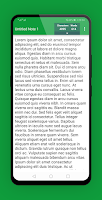
Word Counter: Count Words Tool has 80 thousand installs. Users are divided: 3.9 stars from 222 ratings.
Word Counter: Count Words Tool is made and published by
YaAppsX.
AppBrain is an independent app data site and isn't affiliated with YaAppsX.
The app name, icon, screenshots and description belong to YaAppsX and are shown as
published on Google Play.
About Word Counter: Count Words Tool
Word Counter: Count Words Tool is a tools app developed by YaAppsX.
Install Statistics
Word Counter: Count Words Tool has been installed 80 thousand times. In the last 30 days, the app was installed 1.8 thousand times.
User Ratings
Word Counter: Count Words Tool is rated 3.95 out of 5 stars. The rating is based on 220 ratings.
App Information
Word Counter: Count Words Tool is freely available from Google Play. The app size is 4.40 MB. The latest version available is 1.2. The last update was on October 31, 2025.
Technical Requirements
Word Counter: Count Words Tool requires Android 4.1+ or higher. The app has a content rating of Everyone. The app has been available on Google Play since February 2023.
Description by YaAppsX(from Google Play)
Word Counter is the ultimate word counter app for writers, students, and anyone else who needs to count the words in their text. With Word Counter, you can easily count the number of words in a document, paragraph, or even a single sentence. You can also count the number of characters, syllables, and even the average word length.
The word count of a text might be critical. For example, if a writer is expected to generate a certain minimum or maximum word count for an article, essay, report, story, book, paper, and so on. Word Counter will help ensure that the word count satisfies a specific criteria or stays within a predetermined range.
Word Counter is easy to use. Just enter your text into the app and Word Counter will do the rest. You can also copy and paste text from other sources into Word Counter.
Word Counter is a powerful tool that can help you improve your writing. By counting the words in your text, you can get a better understanding of your writing style and identify areas where you can improve. Word Counter can also help you meet word count requirements for school assignments or writing projects.
Word Counter is the perfect tool for anyone who needs to count words. With its easy-to-use interface and powerful features, Word Counter is the only word counter app you'll ever need.
Features: Count the number of words in a text , paragraph, or sentence Count the number of characters, syllables, and average word length Take a notes Auto saving Advanced counting Support multiple languages Extraction tools Analysis tool And more are coming soon...
How to use: Simply begin typing, and the program will count the words, characters, sentences, and paragraphs as you go. It is also possible to copy and paste previously written documents.
Benefits: Improve your writing style Identify areas where you can improve Meet word count requirements Save time and effort
There is no time lost during this process because all word counts are performed in real time; no "submit" buttons are required. The number of words you have so far can be seen right away as you input the text.
Download Word Counter today and start counting words like a pro!
Get a detailed PDF report for Word Counter: Count Words Tool with download trends, rating history,
and key performance statistics — useful for competitive research or tracking your own app.
Learn more
Are you the developer of this app? Join us for free to see more information about your app and learn how we can help you promote and earn money with your app.
Comments on Word Counter: Count Words Tool for Android
★★★★☆Bill Addis· Nov 2, 2024
Does just what it says it'll do. I would do five stars, but there's one function I'd like to see. That would be saving a note to a file. Should be a simple text file. Concurrently there should be an option to load a text file into the word counter. That way you can work on a file save it and reload it. Right now you have to copy from the screen and paste into another application to save it. It would be faster to do it within Word Counter.
★★★★★Jayshree Dubariya· Mar 15, 2025
THIS WAS VERY HELPFUL FOR ME IN COUNTING THE WORDS FOR ESSAY.
★★★★☆Samuel Santaella· Jan 19, 2024
I like the additional analyses you get when you tap for more details. Certainly info you don't get with other word count apps. Personally I'm just looking for a simple character count app that stores multiple notes, to use for Twitter. This app is definitely simple by default and seems to work properly. Two things right now are: 1) I cannot get a character count for *part* of the text, by highlighting. 2) Dark mode makes the UI dark (good), but not the text, so notes are unreadable in dark mode.
★☆☆☆☆Louise Jordan· Sep 19, 2026
The owners have no official way for U to contact them. The worst thing is to create an app. Devote so much time. & walk away from it. This app has high potential. But the owners walk away. If Microsoft or Apple did this they wouldn't be. & Mark Cuban wouldn't have a thought ideas like, sports. With Yahoo. They had something & they didn't give up. Look at those companies today. The developers of this software have fallen asleep. No email, no phone, no address. A brand without structure. N A phone
★☆☆☆☆irshad last name· Mar 7, 2025
Doesn't speed scroll which is normal in all smartphone if you try to put your finger on bottom of the screen and move it fast to the top or putting your finger on top of screen and move it fast to the bottom. Instead, it scrolls in snail speed. Also, doesn't have search option to remove specific words.
Google Play Rankings for Word Counter: Count Words Tool
This app is not ranked
Technologies used by Word Counter: Count Words Tool
1 permissions·27 libraries
Subscribe to see full permission and library details
Frequently asked questions about Word Counter: Count Words Tool
Is Word Counter: Count Words Tool free?
Yes. Word Counter: Count Words Tool is free on Google Play.
Is Word Counter: Count Words Tool still available?
Yes. Word Counter: Count Words Tool is on Google Play, and the last update we saw was on October 31, 2025.
Does Word Counter: Count Words Tool contain ads?
No. Google Play does not list Word Counter: Count Words Tool as containing ads.
What Android version does Word Counter: Count Words Tool require?
Word Counter: Count Words Tool runs on Android 4.1 and higher.
How large is Word Counter: Count Words Tool?
Word Counter: Count Words Tool is 4.40 MB.
Is Word Counter: Count Words Tool suitable for children?
Google Play rates the content of Word Counter: Count Words Tool as suitable for everyone.
How many times has Word Counter: Count Words Tool been installed?
Google Play lists 50,000+ installs for Word Counter: Count Words Tool.
How do people rate Word Counter: Count Words Tool?
Word Counter: Count Words Tool scores 3.95 out of 5 stars, from 222 ratings on Google Play.
Who made Word Counter: Count Words Tool?
Word Counter: Count Words Tool was developed by YaAppsX. It is listed in the tools category on Google Play.
What are the best alternatives to Word Counter: Count Words Tool?
Each subscription will automatically renew 3 days before the expiration date for
the same time period. Subscriptions can be cancelled at any time before the renewal.