

Yearpath - Dot Wallpapers
Yearpath - Dot Wallpapers is made and published by EasyLife Tools. AppBrain is an independent app data site and isn't affiliated with EasyLife Tools. The app name, icon, screenshots and description belong to EasyLife Tools and are shown as published on Google Play.
AppBrain's verdict
Niche- Total installs
- 500
- Last updated
- February 23, 2026
Yearpath - Dot Wallpapers is a niche app, with 500 installs. It doesn't have enough ratings yet to judge what users think.
Installs
Tracked by AppBrain- Last 30 days
- 37
- Play install range
- 100+
- Launched
- February 2026
Installs over time
Yearpath - Dot Wallpapers has been installed 500 times. Over the past 30 days, it has been installed 37 times.
Rankings
Google Play top chartsGoogle Play Rankings for Yearpath - Dot Wallpapers
Competitors
Similar apps and more from EasyLife ToolsAlternatives to Yearpath - Dot Wallpapers


More from EasyLife Tools


Releases
Updates seen on Google Play- Version
- 1.1.0
- Launched
- February 2026
User feedback
Ratings and reviews on Google PlayComments on Yearpath - Dot Wallpapers for Android
Technology
Found in the app by AppBrain- Ads
- No ads
- Price
- Free
- Libraries
- ?
- App size
- 16.4 MB
- Content rating
- Everyone
Technologies used by Yearpath - Dot Wallpapers
About the app and developer
About Yearpath - Dot Wallpapers
Yearpath - Dot Wallpapers is a personalization app developed by EasyLife Tools.
How many times has Yearpath - Dot Wallpapers been downloaded?
Yearpath - Dot Wallpapers has been downloaded 500 times. In the last 30 days, the app was downloaded 37 times.
What is the rating of Yearpath - Dot Wallpapers?
Yearpath - Dot Wallpapers has no ratings yet.
Is Yearpath - Dot Wallpapers free?
Yearpath - Dot Wallpapers is free. The APK size is 16.36 MB. The latest APK version available is 1.1.0. The last update was on February 23, 2026.
What are the requirements for Yearpath - Dot Wallpapers?
The app has a content rating of Everyone. The app has been available on Google Play since February 2026.
App Performance Report
Get a detailed PDF report for Yearpath - Dot Wallpapers with download trends, rating history, and key performance statistics — useful for competitive research or tracking your own app. Learn more
Get PDF Report — $29Developer information for EasyLife Tools
Frequently asked questions about Yearpath - Dot Wallpapers
Is Yearpath - Dot Wallpapers free?
Yes. Yearpath - Dot Wallpapers is free on Google Play.
Is Yearpath - Dot Wallpapers still available?
Yes. Yearpath - Dot Wallpapers is on Google Play, and the last update we saw was on February 23, 2026.
Does Yearpath - Dot Wallpapers contain ads?
No. Google Play does not list Yearpath - Dot Wallpapers as containing ads.
How large is Yearpath - Dot Wallpapers?
Yearpath - Dot Wallpapers is 16.36 MB.
Is Yearpath - Dot Wallpapers suitable for children?
Google Play rates the content of Yearpath - Dot Wallpapers as suitable for everyone.
How many times has Yearpath - Dot Wallpapers been installed?
Google Play lists 100+ installs for Yearpath - Dot Wallpapers.
Who made Yearpath - Dot Wallpapers?
Yearpath - Dot Wallpapers was developed by EasyLife Tools. It is listed in the personalization category on Google Play.
What are the best alternatives to Yearpath - Dot Wallpapers?
People looking at Yearpath - Dot Wallpapers also look at these personalization apps: Life Calendar Wallpaper, Minimal Wallpapers: Minimalist, Themes: Wallpaper & Widgets, MINIMALIST WALLPAPERS, Lines Chroma - Color Icon Pack.
Store listing
By EasyLife Tools, from Google Play“365-day dot calendar wallpapers with daily auto-refresh.”




Description by EasyLife Tools Written by the developer, not by AppBrain. Click to read.
Welcome to Yearpath, the minimalist wallpaper studio that turns your lock screen into a living journal of progress. Designed for makers, planners, and anyone who loves calm aesthetics, Yearpath keeps your space fresh with zero effort.
🎯 Why Yearpath stands out
- 365-day dot calendar that gently reminds you how far you have come.
- Nightly auto-refresh using exact alarms, so every new day arrives with a renewed lock screen.
- Mono to vibrant palettes tuned for OLED displays and low-light comfort.
- Motivational quote cards that can be edited on the fly to match your mood.
- Photo overlays with glow controls to showcase memories without crowding your layout.
- Minimal setup — launch, pick a style, and let Yearpath handle the rest.
🧘 Crafted for minimalists
Yearpath embraces negative space, clean typography, and subtle gradients. Each layout option is curated so you never have to wrestle with complex settings. The interface guides you step by step: preview on top, key controls in tidy panels, and nothing else to distract you.
🪄 Styles at your fingertips
1. Dot Calendar – Track every day of the year with calming dots, month highlights, and optional progress text like "Day 24 of 365".
2. Photo Overlay – Blend your favorite gallery image with adjustable glow to keep the calendar readable.
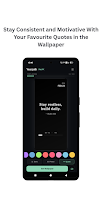
3. Quote Card – Display short reminders or affirmations; swap between built-in presets or type your own.
🎨 Colour moods to love
- Mono for a timeless monochrome look (now the default).
- Aurora, Sunrise, Forest, Harbor Fog, Midnight Copper, Deep Plum, Sage Mist, Charcoal Lime** and more – all hand-picked for contrast and serenity.
- Tap once to preview, and Yearpath automatically recolors every element.
🔧 Smart controls, zero clutter
- Toggle typography cues, progress text, or the month band highlight with clear switches.
- Choose alternate dot shapes like circles, rounded squares, or tick marks.
- Adjust overlay strength using a smooth slider.
- Every setting updates the preview instantly, so you can see changes before applying.
🚀 Automatic progress tracking
Once you apply a wallpaper, Yearpath keeps an eye on the calendar date and refreshes nightly. No manual resets, no extra steps. Even after a reboot, the schedule continues thanks to the boot receiver. Just live your life and watch your lock screen evolve.
🔒 Privacy first, always
- Yearpath **never** sends data to the cloud.
- Preferences, quotes, and selected images live only on your device.
- No ads, trackers, or analytics. The permissions we request (`SET_WALLPAPER`, `SCHEDULE_EXACT_ALARM`, optional photo access) exist solely to power the core experience.
🧭 Built for focus and motivation
- Celebrate daily progress with the optional counter.
- Rotate through quotes that nudge you to slow down, create, or stay accountable.
- Keep your routine fresh with colours and imagery that shift automatically.
⚙️ How to get started
1. Open Yearpath and glance at the live preview.
2. Pick your favourite style: dots, photo overlay, or quote card.
3. Choose a colour mood and tweak the layout options.
4. Tap Set lock screen (or lock + home) and enjoy a refreshed look.
5. Let the nightly scheduler keep things updated from now on.
🌙 Perfect companion for night owls
The dark UI, tuned contrast, and OLED-friendly palettes make Yearpath easy on the eyes late at night. The auto-refresh runs just after midnight, so you wake to a crisp new layout every morning.
🤝 Designed with care
Yearpath is handcrafted to remove friction: no accounts, no endless tabs, just an elegant flow. Minimal effort, maximal calm. Whether you are tracking a personal project, building a new habit, or simply love thoughtful wallpapers, Yearpath keeps you focused on what matters.
Ready to mark every day in style? Install Yearpath and let your lock screen tell the story of your year.
Recent changes:
• Decluttered progress info — dots footer now splits "DAY 53" and "14%" to opposite edges for breathing room
• Simplified calendar subtitle — shows just the date (e.g. "FEBRUARY 23") instead of verbose day counts
• Cleaner calendar footer — minimal "53 / 365" fraction replaces the old cramped format