

11 Indian Bibles is made and published by Urs Niggli. AppBrain is an independent app data site and isn't affiliated with Urs Niggli. The app name, icon, screenshots and description belong to Urs Niggli and are shown as published on the App Store.
AppBrain's verdict
- Rating on App Store
- 5.00
- 1 ratings
- Last updated
- May 24, 2023
- Size
- 235.7 MB
It doesn't have enough ratings yet to judge what users think.
User feedback
Ratings and reviews on the App StoreComments on 11 Indian Bibles for iOS
We don't have enough comments to show example comments. Please check back later.
Store listing
By Urs Niggli, from the App Store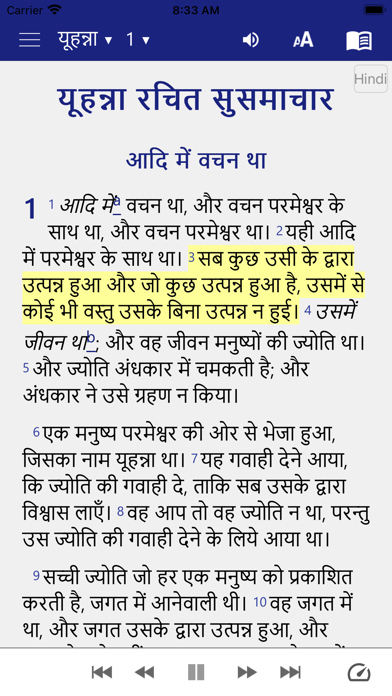

Description by Urs Niggli Written by the developer, not by AppBrain. Click to read.
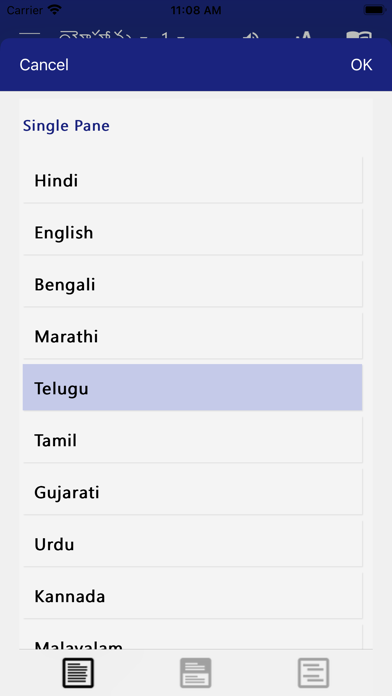
• Single screen: Tap on the little book icon at the top right and choose the language you want to read.
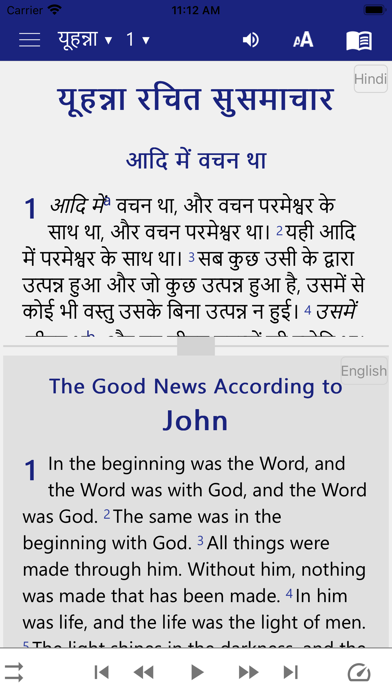
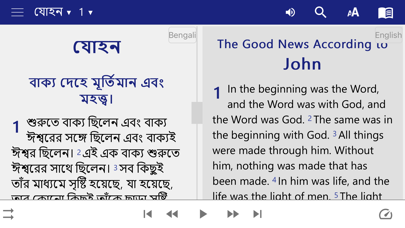
• Split screen: If you want two languages in parallel on your screen, you click on the book icon and then you tap on ‘split screen’ in the middle of the new window, then you choose the two languages you want to display on your screen . For example: Hindi at the top and English at the bottom etc.
• Verse by verse: A verse in a given language followed by the same verse in another language of your choice. For example: Marathi followed by the same verse in English, etc.:
• Bookmark and highlight your favorite verses
• When you tap on a verse, an image button is shown on the bottom toolbar. When this button is pressed, the 'Edit image' screen appears. You can choose the background image, move the text around the image, change the font, text size, alignment, format and color. The finished image can be saved to the device and shared with others.
• Give your phone permission to download the audio files for the New Testament texts. Once downloaded, the audio files will remain on your device for further use in offline mode.
• Write your personal notes
• Search for words in your Bible
• Swipe to navigate chapters
• Night Mode for reading during when dark (good for your eyes)
• Click and share Bible verses with your friends via WhatsApp, Facebook, E-mail, SMS etc.
• No additional font installation required. (renders complex scripts well.)
• Friendly user interface with Navigation drawer menu
• Adjustable font size and easy to use interface
Safety and technology
Found in the app by AppBrain- Price
- Free
- App size
- 235.7 MB
- Content rating
- Everyone
Technologies used by 11 Indian Bibles
Releases
Updates seen on the App Store- Version
- 1.0
- Launched
- May 2023
No changelog data
Alternatives
Similar apps and more from Urs NiggliAlternatives to 11 Indian Bibles






More from Urs Niggli







Rankings
App Store top chartsApp Store Rankings for 11 Indian Bibles
About the app and developer
About 11 Indian Bibles
11 Indian Bibles is a books app developed by Urs Niggli.
What is the rating of 11 Indian Bibles?
11 Indian Bibles is rated 5.00 out of 5 stars, based on one rating ratings.
Is 11 Indian Bibles free?
11 Indian Bibles is free. The app size is 235.70 MB. The latest version available is 1.0. The last update was on May 24, 2023.
What are the requirements for 11 Indian Bibles?
The app has a content rating of Everyone. The app has been available on the App Store since May 2023.
Developer information for Urs Niggli
Address: