
2 Days is made and published by Ngoc Luu. AppBrain is an independent app data site and isn't affiliated with Ngoc Luu. The app name, icon, screenshots and description belong to Ngoc Luu and are shown as published on the App Store.
AppBrain's verdict
Established- Rating on App Store
- 4.15
- 20 ratings
- Last updated
- December 3, 2014
It doesn't have enough ratings yet to judge what users think.
Rankings
App Store top chartsApp Store Rankings for 2 Days
Competitors
Similar apps and more from Ngoc LuuAlternatives to 2 Days







More from Ngoc Luu


Releases
Updates seen on the App Store- Version
- 3.0.6
- Launched
- November 2011
No changelog data
User feedback
Ratings and reviews on the App StoreComments on 2 Days for iOS
We don't have enough comments to show example comments. Please check back later.
Technology
Found in the app by AppBrain- Price
- $0.99
- App size
- 4.69 MB
- Content rating
- Everyone
Technologies used by 2 Days
About the app and developer
About 2 Days
2 Days is a productivity app developed by Ngoc Luu.
User Ratings
2 Days is rated 4.15 out of 5 stars. The rating is based on 20 ratings.
App Information
2 Days costs $0.99. The app size is 4.69 MB. The latest version available is 3.0.6. The last update was on December 3, 2014.
Technical Requirements
The app has a content rating of Everyone. The app has been available on the App Store since November 2011.
Developer information for Ngoc Luu
Address:
Frequently asked questions about 2 Days
Is 2 Days free?
No. 2 Days costs $0.99 on the App Store.
Is 2 Days still available?
Yes. 2 Days is on the App Store, and the last update we saw was on December 3, 2014.
How large is 2 Days?
2 Days is 4.69 MB.
Is 2 Days suitable for children?
App Store rates the content of 2 Days as suitable for everyone.
How do people rate 2 Days?
2 Days scores 4.15 out of 5 stars, from 20 ratings on the App Store.
Who made 2 Days?
2 Days was developed by Ngoc Luu. It is listed in the productivity category on the App Store.
What are the best alternatives to 2 Days?
People looking at 2 Days also look at these productivity apps: Green Thumbometer, Three Todo, Standup - Scrum Task Updates, ADHD To Do List: OneList, Do It: Focus on what matters.
Store listing
By Ngoc Luu, from the App Store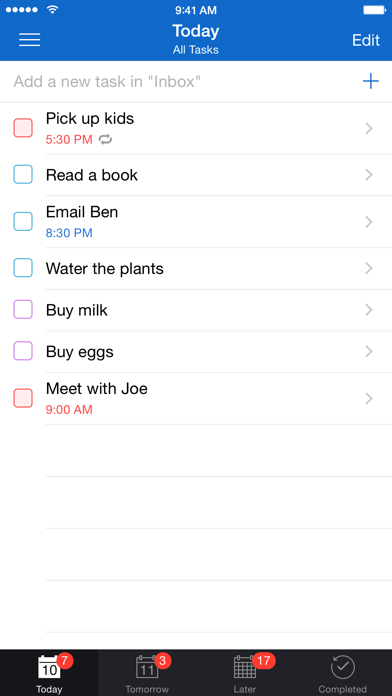
Description by Ngoc Luu Written by the developer, not by AppBrain. Click to read.
- - - - - - - - - - - - - -
"2 Days provides an uncomplicated approach to dealing with life's complications." ~ AppSafari
"2 Days is a very good to-do app that offers a dead simple, yet unique approach to task management." ~ appstorm.net
- - - - - - - - - - - - - -
- FOCUSED -
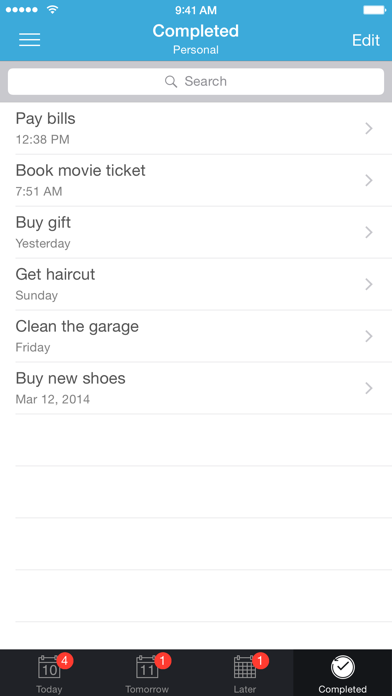
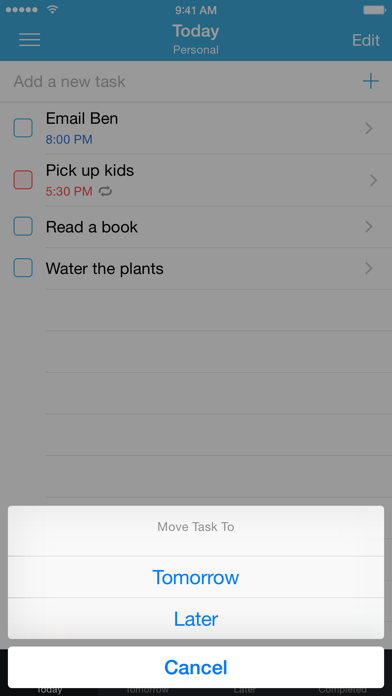
The main view of 2 Days is a list of tasks due Today, to keep you focused on getting things done. All of your other tasks are under the Tomorrow and Later views so you can access them when you're planning ahead but not be distracted by them the rest of the time.
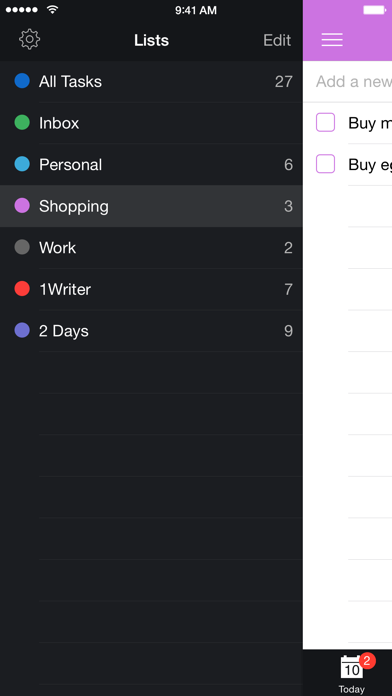
If you need to get even more focused, you can use Lists to view a specific group of tasks separately. Again, these tasks are divided into Today, Tomorrow, and Later so you can focus on the items in each List that need to get done next.
- FLEXIBLE -
2 Days makes it easy to adjust when your plans change. Swipe right on a task from the list view to change the due date with a single tap. Swipe left to move the task to a different List.
Lists let you organize your tasks however you want, but no matter how many Lists you create, you can see everything due Today, Tomorrow, and Later from the All Tasks List.
- EASY -
2 Days is easy to understand and easy to manage. The interface keeps things simple, so you won't get distracted by complicated menus. The app also keeps track of what day it is, and it automatically updates Today and Tomorrow to make sure you're always looking at a current list of what's due or overdue.
- - - - - - - - - - - - - -
TIP :: Add a phone number, email address, or URL to the task title or note. When you complete the task or swipe left, you'll be given the option to call or message a number, email an address, or open a URL. You can even include more than one, and 2 Days will let you choose which one you want to execute!
TIP :: Start typing in the text box at the top of any list to add a new item to that list. You can then tap [Next] to add another task or [+] to edit the details.
- - - - - - - - - - - - - -
- OTHER GREAT FEATURES -
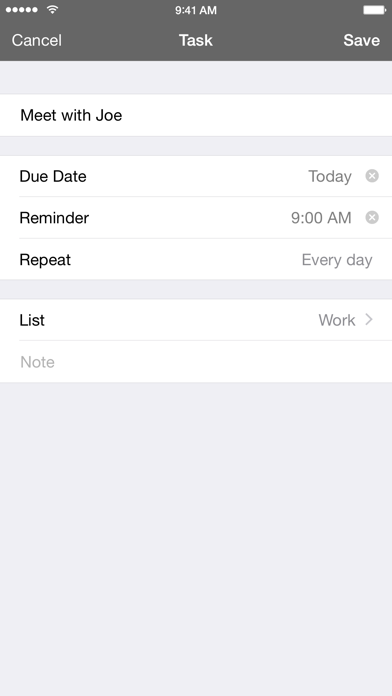
- Repeatable :: browse and recycle your Completed tasks, or set a recurring reminder if you know you'll need to do that task again.
- Syncable :: use iCloud or Dropbox to sync and backup your tasks.
- Expandable :: add a note if you need more space to write and you can even see a preview of your note from the list view.
- Customizable :: change how the icon badge functions, the default list for new tasks, and the sound used for reminders.
- Colorful :: choose from 10 different colors for each of your Lists.
- Shareable :: select a task or group of tasks to share via AirDrop, email, copy, or print options.
- Sortable :: rearrange your tasks however you want, regardless of due date.
- Actionable :: include a phone number you want to call, an email address you want to contact, or a website you want to visit, and 2 Days will initiate that action when you complete the task.
- Powerful :: 2 Days has a full URL scheme, including x-callback-url support, so you can create new tasks directly from other great apps*.
- Universal :: 2 Days has been optimized for iPad and iPhone.
* Compatible third-party apps include: Launch Center Pro, Drafts, 1Writer, Dispatch, Pythonista, Editorial, TaskAgent, and others.