

2 Hour Parking: iChalk
2 Hour Parking: iChalk is made and published by Peter Kramer. AppBrain is an independent app data site and isn't affiliated with Peter Kramer. The app name, icon, screenshots and description belong to Peter Kramer and are shown as published on the App Store.
AppBrain's verdict
Established- Rating on App Store
- 5.00
- 1 ratings
- Last updated
- August 22, 2025
It doesn't have enough ratings yet to judge what users think.
Rankings
App Store top chartsApp Store Rankings for 2 Hour Parking: iChalk
Competitors
Similar apps and more from Peter KramerMore from Peter Kramer







Releases
Updates seen on the App Store- Version
- 3.0
- Launched
- November 2019
No changelog data
User feedback
Ratings and reviews on the App StoreComments on 2 Hour Parking: iChalk for iOS
We don't have enough comments to show example comments. Please check back later.
Technology
Found in the app by AppBrain- Price
- $4.99
- App size
- 4.06 MB
- Content rating
- Everyone
Technologies used by 2 Hour Parking: iChalk
About the app and developer
About 2 Hour Parking: iChalk
2 Hour Parking: iChalk is a business app developed by Peter Kramer.
User Ratings
2 Hour Parking: iChalk is rated 5.00 out of 5 stars. The rating is based on one rating ratings.
App Information
2 Hour Parking: iChalk costs $4.99. The app size is 4.06 MB. The latest version available is 3.0. The last update was on August 22, 2025.
Technical Requirements
The app has a content rating of Everyone. The app has been available on the App Store since November 2019.
Developer information for Peter Kramer
Address:
Frequently asked questions about 2 Hour Parking: iChalk
Is 2 Hour Parking: iChalk free?
No. 2 Hour Parking: iChalk costs $4.99 on the App Store.
Is 2 Hour Parking: iChalk still available?
Yes. 2 Hour Parking: iChalk is on the App Store, and the last update we saw was on August 22, 2025.
How large is 2 Hour Parking: iChalk?
2 Hour Parking: iChalk is 4.06 MB.
Is 2 Hour Parking: iChalk suitable for children?
App Store rates the content of 2 Hour Parking: iChalk as suitable for everyone.
How do people rate 2 Hour Parking: iChalk?
2 Hour Parking: iChalk has one rating of 5.00 stars on the App Store.
Who made 2 Hour Parking: iChalk?
2 Hour Parking: iChalk was developed by Peter Kramer. It is listed in the business category on the App Store.
Store listing
By Peter Kramer, from the App Store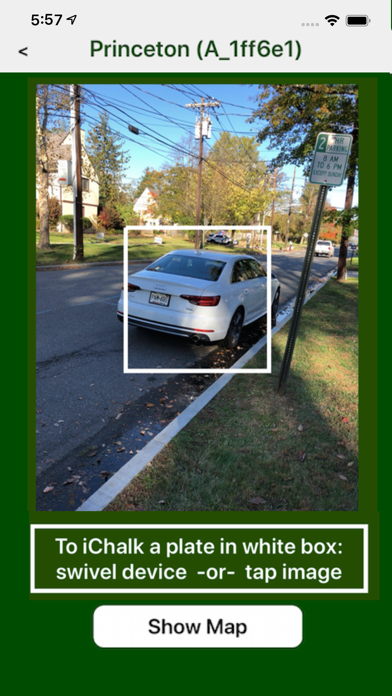
Description by Peter Kramer Written by the developer, not by AppBrain. Click to read.
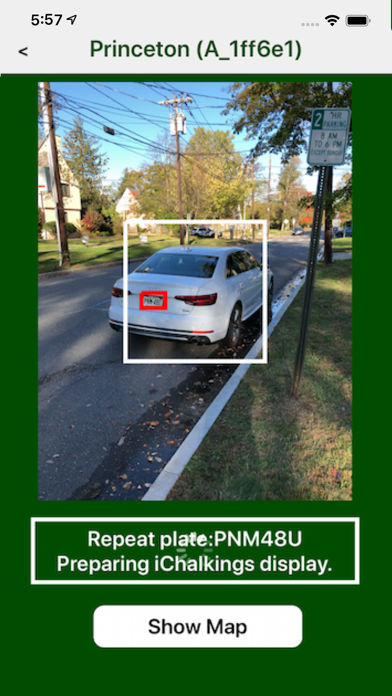
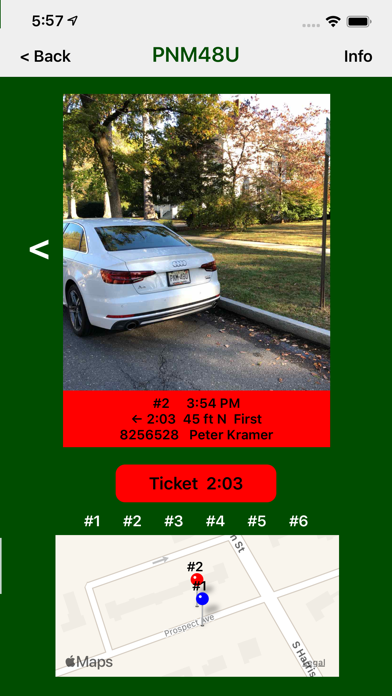
* 2 Hour Parking: iChalk uses the iPhone camera to take an "iChalk" photo of the back of a parked car that includes its license plate. The license plate number is read using ALPR and stored, together with the time and geo-location of the image, for up to 48 hours in a searchable iChalking database. Subsequent iChalkings are then compared to this information. If a license plate matches an earlier iChalking, the matching photos are displayed along with the time information.
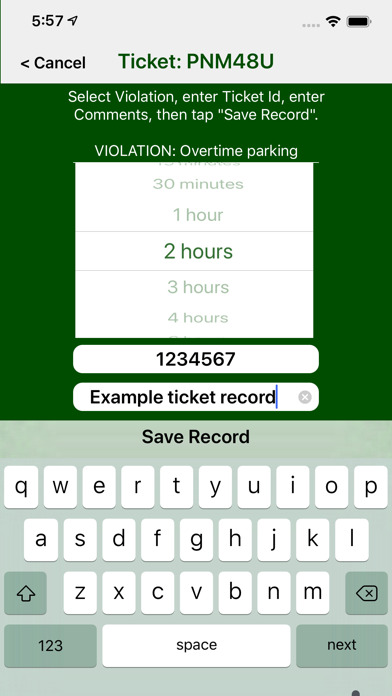
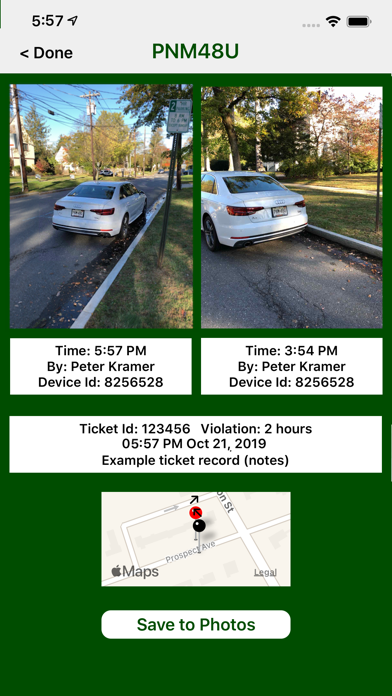
* When an earlier iChalking indicates overtime parking, the time information can be entered onto a "real" paper ticket (REAL TICKET IS NOT A PART OF THE APP) and the car ticketed. The iChalking information supporting the real ticket can be stored for 1 year in a searchable database. iChalking ticket images can also be saved in the Photo App and emailed or printed from there.
* iChalkings and Tickets are shared only among the Members of a Patrol Account. Invite new Members to a Patrol Account using a secure emailed Member Code.
* iChalk units - Each iChalking uses one "unit of iChalk" for ALPR of the license plate. (Alternatively, if no units of iChalk are available, the license plate can be entered manually.) The app comes with 10 Introductory units of iChalk. Additional units of iChalk can be purchased from the Apple App Store through an In App Purchase for one cent ($0.01 USD) or less per unit of iChalk.
* Screenshots:
1) On patrol - aim iPhone and iChalk a vehicle.
2) The app recognized a license plate and decoded it. It is a repeat plate matching a license plate in an earlier iChalking.
3) Because of match, the app displays the earlier iChalking and offers ticketing the violation.
4) Create an iChalk Ticket Record referencing the ticket number of a real ticket. (Issue a real ticket - real ticket is not part of the app.)
5) If the real ticket were disputed, view the iChalk Ticket Record with photos, times and approximate geolocations.