

2N® Mobile Key
2N® Mobile Key is made and published by 2N TELEKOMUNIKACE a.s. AppBrain is an independent app data site and isn't affiliated with 2N TELEKOMUNIKACE a.s. The app name, icon, screenshots and description belong to 2N TELEKOMUNIKACE a.s. and are shown as published on the App Store.
AppBrain's verdict
Established- Rating on App Store
- 3.81
- 37 ratings
- Last updated
- January 11, 2025
It doesn't have enough ratings yet to judge what users think.
Rankings
App Store top chartsApp Store Rankings for 2N® Mobile Key
Competitors
Similar apps and more from 2N TELEKOMUNIKACE a.s.Alternatives to 2N® Mobile Key





More from 2N TELEKOMUNIKACE a.s.


Releases
Updates seen on the App Store- Version
- 3.6.0
- Launched
- December 2016
No changelog data
User feedback
Ratings and reviews on the App StoreComments on 2N® Mobile Key for iOS
We don't have enough comments to show example comments. Please check back later.
Technology
Found in the app by AppBrain- Price
- Free
- App size
- 19.2 MB
- Content rating
- Everyone
Technologies used by 2N® Mobile Key
About the app and developer
About 2N® Mobile Key
2N® Mobile Key is an utilities app developed by 2N TELEKOMUNIKACE a.s.
What is the rating of 2N® Mobile Key?
2N® Mobile Key is rated 3.81 out of 5 stars, based on 37 ratings.
Is 2N® Mobile Key free?
2N® Mobile Key is free. The app size is 19.19 MB. The latest version available is 3.6.0. The last update was on January 11, 2025.
What are the requirements for 2N® Mobile Key?
The app has a content rating of Everyone. The app has been available on the App Store since December 2016.
Developer information for 2N TELEKOMUNIKACE a.s.
Address:
Frequently asked questions about 2N® Mobile Key
Is 2N® Mobile Key free?
Yes. 2N® Mobile Key is free on the App Store.
Is 2N® Mobile Key still available?
Yes. 2N® Mobile Key is on the App Store, and the last update we saw was on January 11, 2025.
How large is 2N® Mobile Key?
2N® Mobile Key is 19.19 MB.
Is 2N® Mobile Key suitable for children?
App Store rates the content of 2N® Mobile Key as suitable for everyone.
How do people rate 2N® Mobile Key?
2N® Mobile Key scores 3.81 out of 5 stars, from 37 ratings on the App Store.
Who made 2N® Mobile Key?
2N® Mobile Key was developed by 2N TELEKOMUNIKACE a.s. It is listed in the utilities category on the App Store.
What are the best alternatives to 2N® Mobile Key?
People looking at 2N® Mobile Key also look at these utilities apps: AXIS Camera Station Pro & 5, AXIS Camera Station Edge, Composer Express, AXIS Installation Tool, BlueBOLT Mobile.
Store listing
By 2N TELEKOMUNIKACE a.s., from the App Store
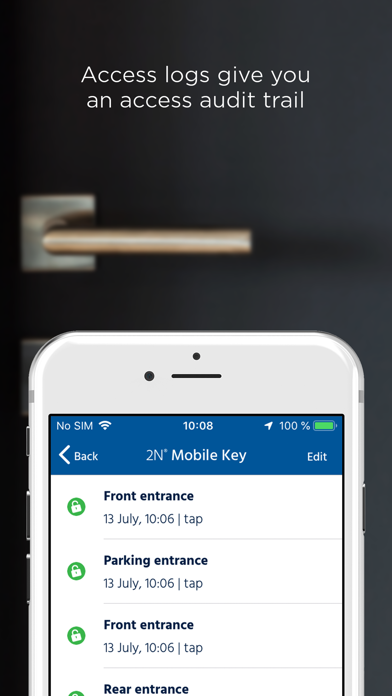
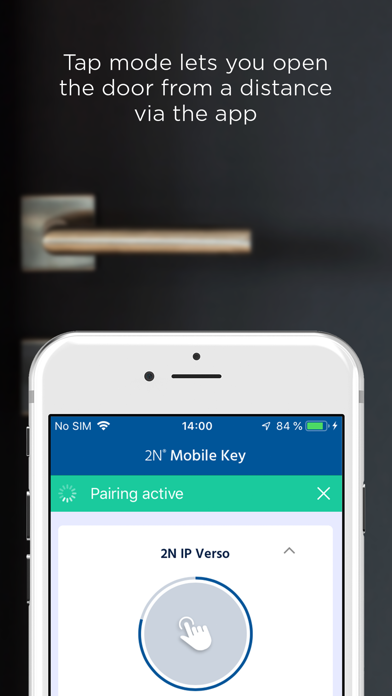

Description by 2N TELEKOMUNIKACE a.s. Written by the developer, not by AppBrain. Click to read.
WaveKey technology allows door opening to feel instant upon reader touch. Furthermore, it prevents unwanted door opening by static phones and attempts to ensure phones moving away from the reader won’t authenticate.
Bluetooth credential security is guaranteed by government grade AES encryption over our proprietary channel. Benefit from the option of NFC door unlocking too, if your phone and 2N reader supports it.
Used in combination with an appropriate 2N® IP Intercoms or Access Units, Mobile Key offers a convenient, secure and reliable keyless access solution.
Operation modes include:
‘Touch mode’, which lets you open the door without removing your phone from your pocket or bag, simply by touching the reader. Enjoy a seamless and convenient access experience even if your hands are full.
‘Tap mode’, which allows you to trigger door opening form a greater distance by tapping the button in the app. Perfect for car park or garage access.
‘Card mode’, allowing you to authenticate by presenting your phone against the reader without need to unlock the screen Disabled by default. Requires ‘Tap mode’ enabling by reader admin and enabling in app.
‘Motion mode’, allowing authentication to be triggered via motion detected in the intercom’s camera. Requires configuration by reader admin and enhanced video license in reader.
Other features include:
Other features include:
• Unlimited free credentials
• Dynamic performance training
• Door sensitivity settings
• Vibration feedback
• Time limited access
• Simultaneously supported authentication modes
• Manual sensitivity override per device
Setup Instructions:
• Download and install the app
• Choose the authentication mode (‘Tap-in-app’ or ‘Touch’) in your Bluetooth enabled 2N® IP Intercom or Access Unit.
• Add a new user to its directory and generate a pairing PIN code
• Start pairing mode in the app and select the device you wish to pair (you must be within range of the device. For ‘Touch’ mode you may need to touch the device for it to become visible in the app)
• Enter the pairing PIN code when prompted
• After successful pairing, you may now enter the door with the app