

360ed Alphabet AR
360ed Alphabet AR is made and published by 360ed Pte Ltd. AppBrain is an independent app data site and isn't affiliated with 360ed Pte Ltd. The app name, icon, screenshots and description belong to 360ed Pte Ltd and are shown as published on the App Store.
AppBrain's verdict
Established- Rating on App Store
- 4.70
- 23 ratings
- Last updated
- December 7, 2024
It doesn't have enough ratings yet to judge what users think.
Rankings
App Store top chartsApp Store Rankings for 360ed Alphabet AR
Competitors
Similar apps and more from 360ed Pte LtdAlternatives to 360ed Alphabet AR








More from 360ed Pte Ltd



Releases
Updates seen on the App Store- Version
- 1.5.2
- Launched
- September 2018
No changelog data
User feedback
Ratings and reviews on the App StoreComments on 360ed Alphabet AR for iOS
We don't have enough comments to show example comments. Please check back later.
Technology
Found in the app by AppBrain- Price
- Free
- App size
- 252.6 MB
- Content rating
- Everyone
Technologies used by 360ed Alphabet AR
About the app and developer
About 360ed Alphabet AR
360ed Alphabet AR is an education app developed by 360ed Pte Ltd.
What is the rating of 360ed Alphabet AR?
360ed Alphabet AR is rated 4.70 out of 5 stars, based on 23 ratings.
Is 360ed Alphabet AR free?
360ed Alphabet AR is free. The app size is 252.57 MB. The latest version available is 1.5.2. The last update was on December 7, 2024.
What are the requirements for 360ed Alphabet AR?
The app has a content rating of Everyone. The app has been available on the App Store since September 2018.
Developer information for 360ed Pte Ltd
Address:
Store listing
By 360ed Pte Ltd, from the App Store
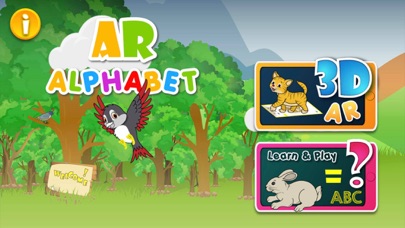
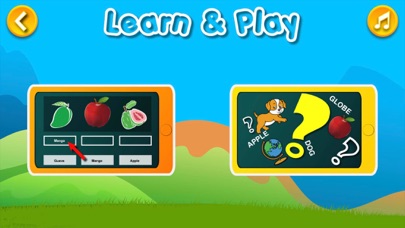
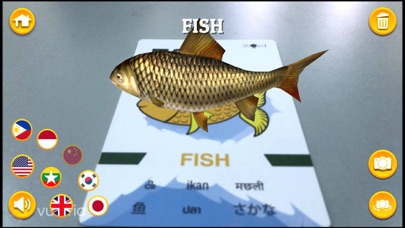


Description by 360ed Pte Ltd Written by the developer, not by AppBrain. Click to read.
FEATURES:
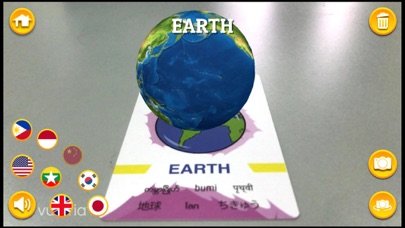
- Interactive 4D models with realistic textures
- Tap the 4D models for their animations!
- Rotate and zoom the models to explore furthermore
- Offline use once the app is activated
- Listen and practice correct pronunciation (8 languages)
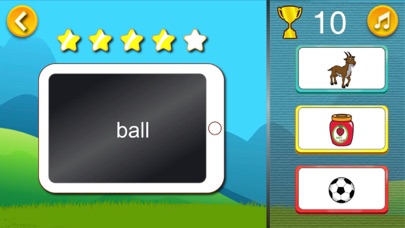
- Test content with “Learn and Play” section
Benefits to Learning:
- Helps visualize the world around us
- Helps children to learn the English Alphabet in different languages
- Encourages inquiry and self-learning
- Helps parents for home tutoring with their children
How to Use:
It’s simple
1. Download the app
2. Scan the QR Code (part of the 360ED Alphabet Box) to activate the app
3. Bring 360ED Alphabet cards and see characters pop out
4. Tap the characters to see them in action
3D-AR
1. Enter 3D-AR section.
2. Scan the cards with mobile device within [15cm - 30cm] for 3D models.
3. Press the ‘Speaker’ icon to pop-up pronunciation buttons.
4. Listen and practice pronunciation of the words in different languages.
5. Press the ‘Camera’ icon to take a picture with 4D models.
Learn and Play
1. Enter ‘Learn and Play’ section.
2. Learn by matching words and its correct spelling.
3. Choose the correct answer among the three choices
4. Collect five stars to receive a golden trophy!