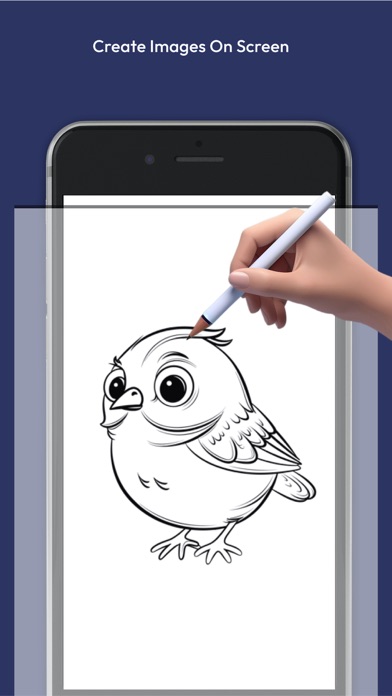
3D AR Draw Learn Steps by Step is made and published by
dipen narola.
AppBrain is an independent app data site and isn't affiliated with dipen narola.
The app name, icon, screenshots and description belong to dipen narola and are shown as
published on the App Store.
About 3D AR Draw Learn Steps by Step
3D AR Draw Learn Steps by Step is a graphics & design app developed by dipen narola.
User Ratings
The app has no ratings yet.
App Information
3D AR Draw Learn Steps by Step is freely available from the App Store. The app size is 33.11 MB. The latest version available is 1.0.2. The last update was on August 27, 2024.
Technical Requirements
The app has a content rating of Everyone. The app has been available on the App Store since July 2024.
Description by dipen narola(from the App Store)
Master the Art of Drawing with 3D AR Draw Unlock your creative potential with 3D AR Draw, the ultimate app for learning how to draw in an interactive, step-by-step manner. Whether you’re a beginner or an experienced artist, our app provides you with the tools and guidance you need to create stunning 3D drawings using augmented reality.
Key Features: 1. Step-by-Step Drawing Tutorials Learn to draw at your own pace with our detailed, step-by-step tutorials. Each lesson breaks down complex drawings into manageable steps, making it easy for anyone to follow along and improve their skills.
2. Wide Range of Drawing Categories Explore a vast library of tutorials across various categories:
Animals: Learn to draw realistic and cartoon animals. Portraits: Master the art of drawing human faces and expressions. Nature: Capture the beauty of trees, flowers, and landscapes. Vehicles: Draw detailed cars, bikes, and other modes of transportation. Fantasy: Bring your imagination to life with mythical creatures and fantasy scenes. Objects: Perfect your skills by drawing everyday objects with precision.
3. Interactive Drawing Tools Use a variety of digital drawing tools designed to enhance your learning experience. Our app includes pencils, brushes, erasers, and more, allowing you to experiment with different techniques and styles.
4. Progress Tracking Keep track of your progress with our built-in tracking system. See how your skills improve over time and revisit lessons to practice and perfect your drawings.
5. Share Your Artwork Showcase your creations with friends and family by sharing directly from the app to social media platforms like Instagram, Facebook, and Twitter. Inspire others and get feedback on your work.
6. Offline Mode Learn to draw anytime, anywhere with our offline mode. Download your favorite tutorials and practice even without an internet connection.
Why Choose 3D AR Draw? User-Friendly Interface: Designed for users of all ages and skill levels, our app is easy to navigate and fun to use. Regular Updates: We continuously update the app with new tutorials and features to keep your drawing experience fresh and exciting. High-Quality Tutorials: Our lessons are created by professional artists to ensure you receive the best instruction possible. Engaging and Fun: Drawing with augmented reality makes learning more interactive and enjoyable.
How to Get Started: Download and Install: Get 3D AR Draw from the App Store. Choose a Tutorial: Browse our extensive library and select a tutorial that interests you. Draw and Learn: Use the interactive tools to practice your drawing skills. Share Your Art: Save and share your drawings with the world.
Master the art of 3D drawing with our AR drawing app! Learn to draw with step-by-step tutorials in augmented reality. Perfect for beginners and pros, this art app makes drawing fun and interactive.
Unleash your inner artist with our revolutionary 3D Drawing and AR Drawing app! Dive into the world of art with our comprehensive step-by-step drawing tutorials designed for all skill levels. Whether you're a beginner or an experienced artist, you'll find our augmented reality feature a game-changer, allowing you to learn to draw in a fully immersive environment. Our art app provides a unique, interactive learning experience that makes drawing more accessible and enjoyable. From detailed 3D models to real-time AR guidance, every tutorial is crafted to help you master the art of drawing effortlessly. Discover the future of drawing and elevate your skills today!
Subscription Plans: Free Version: Access basic tutorials and tools. Pro Version: Unlock advanced features, exclusive tutorials, and an ad-free experience with our Pro subscription.
Download 3D AR Draw today and start your journey to becoming a drawing master!
Each subscription will automatically renew 3 days before the expiration date for
the same time period. Subscriptions can be cancelled at any time before the renewal.