
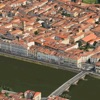
3D Cities and Places Pro is made and published by Jufen Chang. AppBrain is an independent app data site and isn't affiliated with Jufen Chang. The app name, icon, screenshots and description belong to Jufen Chang and are shown as published on the App Store.
AppBrain's verdict
Removed- Rating on App Store
- 4.50
- 2 ratings
- Last updated
- July 11, 2023
- Size
- 12.2 MB
3D Cities and Places Pro is no longer on the App Store. It had too few ratings to say what users thought.
User feedback
Ratings and reviews on the App StoreComments on 3D Cities and Places Pro for iOS
We don't have enough comments to show example comments. Please check back later.
Store listing
By Jufen Chang, from the App StoreSimilar apps







Description by Jufen Chang Written by the developer, not by AppBrain. Click to read.
iOS App Quick Started:
> Cities and Places with flyover support around the globe are listed. Zoom in/out and select any city/place to see the 3D View.
> From the right sidebar, flyover locations are listed in alphabet order. Click on any location and ready to see the 3D View.
> Smart tip: from the "Normal" map view to find out any POI and enable the 3D Building View (two-fingers gesture to change viewing angles: zoom in/out, rotate, swipe up/down for 3D View) and then click on "Flyover" to switch to 3D Flyover View.
> To see the "New York City" in 3D View, follow the steps below:
1. Select "New York City" from the map or from the table.
2. "New York City" 3D View should appear.
3. You can use two-fingers gesture to change viewing angles: zoom in/out, rotate, swipe up/down for viewing the city details.
> To see specific POI such as "Eiffel Tower" in 3D View, follow the steps below:
1. Select "Paris" from the map or from the table.
2. Switch to "Normal" map view and find the "Eiffel Tower" on the map.
3. You can use two-fingers gesture to change viewing angles: zoom in/out, rotate, swipe up/down for 3D View.
4. Switch back to "Flyover" view to see the 3D View.
Watch App Quick Started:
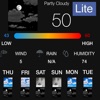
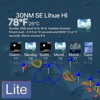
> Launch the Watch App and the app will communicate with the iOS App to get the nearest city/place and also notify the iOS App to select and view the city/place. Click on the "Nearest" button if you would like to search the nearest city/place again.
Introduction:
This app integrates the following technologies and data together:
- The latest Apple MapKit features such as Traffic, Buildings, POI and 3D Model
- Apple Watch Integration with iPhone.
- Apple TV integration (Universal Purchase: one purchase to get the app on iOS, Apple Watch and Apple TV)
- Databases with built in information.
This app provides the following features:
- One click City/Place selection by selecting the right sidebar and click on a location.
- This app provides the Apple Watch Integration
- This app will provide Apple TV integration.
Safety and technology
Found in the app by AppBrain- Price
- $1.99
- App size
- 12.2 MB
- Content rating
- Everyone
Technologies used by 3D Cities and Places Pro
Releases
Updates seen on the App Store- Version
- 23.60
- Launched
- February 2016
No changelog data
Alternatives
Similar apps and more from Jufen ChangMore from Jufen Chang
About the app and developer
About 3D Cities and Places Pro
3D Cities and Places Pro was an utilities app developed by Jufen Chang. It was removed from the App Store Apr 27, 2025.
User Ratings
3D Cities and Places Pro was rated 4.50 out of 5 stars, based on 2 ratings.
App Information
3D Cities and Places Pro cost $1.99. The app size was 12.18 MB. The last available version was 23.60. The last update was on July 11, 2023.
Technical Requirements
The app had a content rating of Everyone. The app had been available on the App Store since February 2016.
Developer information for Jufen Chang
Address: