

3D Model Maker Image to 3D
3D Model Maker Image to 3D is made and published by Hanva,LLC. AppBrain is an independent app data site and isn't affiliated with Hanva,LLC. The app name, icon, screenshots and description belong to Hanva,LLC and are shown as published on the App Store.
AppBrain's verdict
- Last updated
- July 29, 2026
Rankings
App Store top chartsApp Store Rankings for 3D Model Maker Image to 3D
Competitors
Similar apps and more from Hanva,LLCAlternatives to 3D Model Maker Image to 3D


More from Hanva,LLC







Releases
Updates seen on the App Store- Version
- 1.2
- Launched
- June 2026
No changelog data
User feedback
Ratings and reviews on the App StoreComments on 3D Model Maker Image to 3D for iOS
We don't have enough comments to show example comments. Please check back later.
Technology
Found in the app by AppBrain- Price
- Free
- App size
- 1.53 MB
- Content rating
- Everyone
Technologies used by 3D Model Maker Image to 3D
About the app and developer
About 3D Model Maker Image to 3D
3D Model Maker Image to 3D is a graphics & design app developed by Hanva,LLC.
User Ratings
The app has no ratings yet.
App Information
3D Model Maker Image to 3D is freely available from the App Store. The app size is 1.53 MB. The latest version available is 1.2. The last update was on July 29, 2026.
Technical Requirements
The app has a content rating of Everyone. The app has been available on the App Store since June 2026.
Developer information for Hanva,LLC
Address:
Store listing
By Hanva,LLC, from the App Store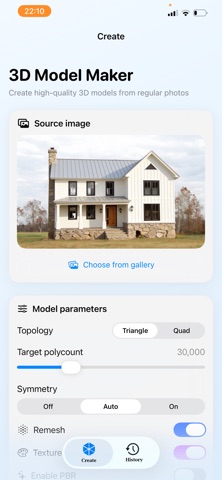
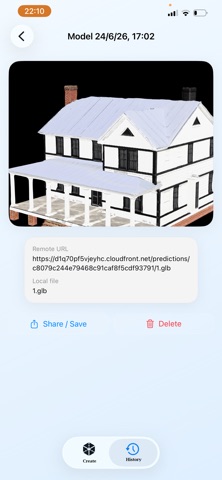
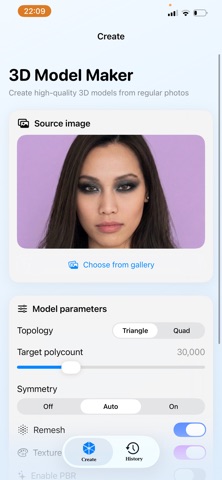
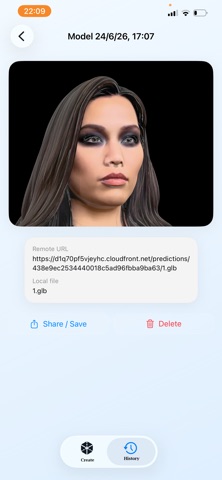
Description by Hanva,LLC Written by the developer, not by AppBrain. Click to read.
3D Model Maker uses powerful cloud AI to convert your 2D images into detailed 3D GLB models ready for preview, sharing, and export.
Pick a photo, adjust a few parameters, and let the app handle the rest — from processing to downloading the final 3D file.
Key features
Photo to 3D in one tap
Turn a single photo into a 3D GLB model using advanced AI processing in the cloud.
Fine‑tune your results
Customize generation with parameters like:
Topology: Triangle / Quad
Target polycount
Symmetry mode
Remesh, texture, PBR, and T/A pose options
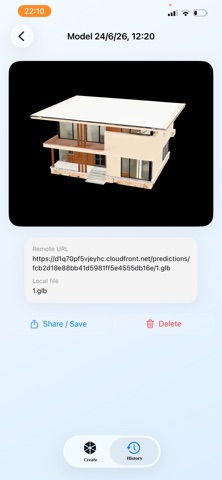
Interactive 3D viewer
View and rotate your 3D models directly in the app using an integrated 3D web viewer.
History of all models
Every generated model is saved in a history tab so you can:
Open and preview it again
Share or export it
Delete models you don’t need
Export & share
Models are saved as .glb files on your device.
Share them via Files, AirDrop, messaging apps or import into your 3D tools and game engines.
Modern, clean UI
Light, minimal interface designed specifically for fast 3D creation on mobile.
How it works
Select or take a photo.
Adjust 3D generation settings (optional).
Purchase a generation and start the process.
Wait while the model is generated in the cloud.
Preview, save and share your 3D model.