

5X CNC Operator is made and published by 旭 陈. AppBrain is an independent app data site and isn't affiliated with 旭 陈. The app name, icon, screenshots and description belong to 旭 陈 and are shown as published on the App Store.
AppBrain's verdict
- Last updated
- September 20, 2026
Rankings
App Store top chartsApp Store Rankings for 5X CNC Operator
Competitors
Similar apps and more from 旭 陈More from 旭 陈


Releases
Updates seen on the App Store- Version
- 1.1
- Launched
- August 2026
No changelog data
User feedback
Ratings and reviews on the App StoreComments on 5X CNC Operator for iOS
We don't have enough comments to show example comments. Please check back later.
Technology
Found in the app by AppBrain- Price
- $7.99
- App size
- 44.3 MB
- Content rating
- Everyone
Technologies used by 5X CNC Operator
About the app and developer
About 5X CNC Operator
5X CNC Operator is an education app developed by 旭 陈.
User Ratings
The app has no ratings yet.
App Information
5X CNC Operator costs $7.99. The app size is 44.31 MB. The latest version available is 1.1. The last update was on September 20, 2026.
Technical Requirements
The app has a content rating of Everyone. The app has been available on the App Store since August 2026.
Developer information for 旭 陈
Address:
Frequently asked questions about 5X CNC Operator
Is 5X CNC Operator free?
No. 5X CNC Operator costs $7.99 on the App Store.
Is 5X CNC Operator still available?
Yes. 5X CNC Operator is on the App Store, and the last update we saw was on September 20, 2026.
How large is 5X CNC Operator?
5X CNC Operator is 44.31 MB.
Is 5X CNC Operator suitable for children?
App Store rates the content of 5X CNC Operator as suitable for everyone.
Who made 5X CNC Operator?
5X CNC Operator was developed by 旭 陈. It is listed in the education category on the App Store.
Store listing
By 旭 陈, from the App Store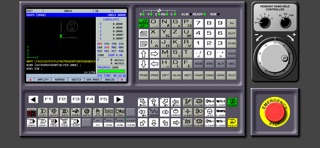

Description by 旭 陈 Written by the developer, not by AppBrain. Click to read.
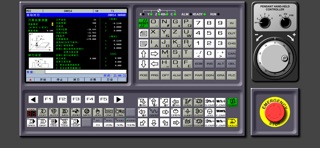
Whether you are a CNC student, a trainee preparing for your first real machine, or an operator refreshing G-code skills, this simulator gives you the muscle memory of a real panel — anywhere, offline, with no subscription.
WHAT YOU TRAIN ON
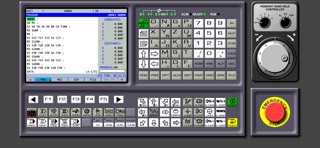
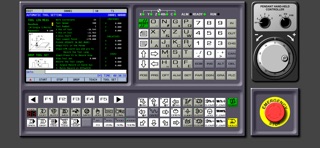
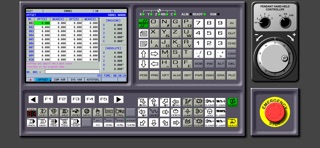
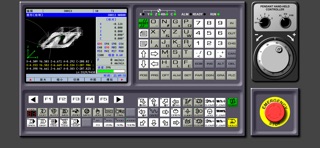
• Full-size horizontal control panel with MDI keyboard
• Electronic handwheel (MPG) with axis selection and step control
• Real control state machine: EDIT / MEM / MDI / HANDLE / JOG modes
• 5-axis coordinate display: X Y Z A C with machine and absolute views
• G-code interpreter with canned cycles, tool compensation and canned logic
• Alarms and diagnostics system, PLC M-code simulation
• Tool magazine T1–T10, spindle control with gear ranges
• Graphic tool-path display on the built-in CNC screen
WHY OPERATORS CHOOSE IT
• Realistic panel behavior — buttons, modes and alarms respond like real hardware
• 100% offline — perfect for classrooms, workshops and travel
• One-time purchase. No ads. No subscription. No tracking.
• English and Chinese interface
Privacy Policy URL: https://sunspire.site/mobile-applications-security-policy/
Terms of Service URL: https://sunspire.site/terms_of_service.html