

A320 CBT is made and published by Tjeerd Schouten. AppBrain is an independent app data site and isn't affiliated with Tjeerd Schouten. The app name, icon, screenshots and description belong to Tjeerd Schouten and are shown as published on the App Store.
AppBrain's verdict
- Rating on App Store
- 3.20
- 5 ratings
- Last updated
- July 21, 2026
It doesn't have enough ratings yet to judge what users think.
Rankings
App Store top chartsApp Store Rankings for A320 CBT
Releases
Updates seen on the App Store- Version
- 1.5.1
- Launched
- May 2025
No changelog data
User feedback
Ratings and reviews on the App StoreComments on A320 CBT for iOS
We don't have enough comments to show example comments. Please check back later.
Technology
Found in the app by AppBrain- Price
- Free
- App size
- 190.7 MB
- Content rating
- Everyone
Technologies used by A320 CBT
About the app and developer
About A320 CBT
A320 CBT is an education app developed by Tjeerd Schouten.
What is the rating of A320 CBT?
A320 CBT is rated 3.20 out of 5 stars, based on 5 ratings.
Is A320 CBT free?
A320 CBT is free. The app size is 190.71 MB. The latest version available is 1.5.1. The last update was on July 21, 2026.
What are the requirements for A320 CBT?
The app has a content rating of Everyone. The app has been available on the App Store since May 2025.
Developer information for Tjeerd Schouten
Address:
Store listing
By Tjeerd Schouten, from the App Store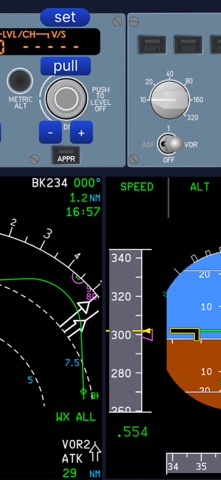

Description by Tjeerd Schouten Written by the developer, not by AppBrain. Click to read.
A320 CBT is a sophisticated flight simulator that is specifically designed to help prevent unstable approaches. It is an excellent tool for both instructors and pilots new to the A320 series aircraft. It supports both the A320, A321, and the NEO. This app is entirely created by an active A320 Captain and the author of the book "Practical Descent Energy Management".
A320 CBT is a unique, first-ever flight simulator that features interactive lessons as well as a free flight mode. Several predefined scenarios are included that help you save time setting up high energy situations. You can also save the current state of flight to create custom situations.
All phases of flight are supported, from take off, landing, to go-around. It also supports ILS, VOR, and RNP approaches. The ILS signal bends realistically outside of its normal range, simulating real-world behavior.
If features a novel proprietary physics engine that uses very little hardware resources while at the same time providing a realistic flight experience. A revolutionary vector graphics engine made by Rive, provides super sharp, high quality graphics. It supports lossless zooming, making it suitable to run on small screen devices without blurred graphics when zoomed in.
The intuitive interface allows you to easily control the Autopilot via the FCU buttons.
Both cold weather and incorrect QNH situations are supported. The runway elevation can be changed to easily create different high airfield scenarios.
Disclaimer: this is not an official training tool. System, performance, and SOP errors can occur. Always follow aircraft manufacturer and company manuals.
App Restrictions
A320 CBT is not an official training tool. System, performance, and SOP inconsistencies can occur.
The app is not intended to be an FMS trainer. The FMS (MCDU) simulation is very limited. The app focusses on accurate FCU, FMA, and performance simulation instead.
No NAV database is supported.
Fictitious airports, SID, and STARs are used.
Only one SID is available.
Only two STARs are available.
Only one airport is available for departure and two for arrival.
Flight from A to B (or return to departure airfield) is not possible.
The scenery is night time and point light based only.
Only one point light scenery area is available.
Unusual attitudes are not supported.
The altitude tape is limited to FL 405.
Negative altitudes are not supported.
Lesson state save is only partially supported.
The app is not certified for official training use.
The app cannot be used while in a real cockpit. Real aircraft warning sounds are used.
Manual flight is designed for instrument scan practice, not for handling skills.
Manual thrust is not available.
Joystick and game pad is not supported.
Only ND ARC mode is supported.
Only ND CSTR selection is available.
ADF/NDB is not supported.
EPR gauges are not supported, only N1 is supported.
Viewing the airplane from the outside is not supported.
3D cockpit is not supported, only some 2D panels are supported.