

AAIB Token is made and published by AAIB. AppBrain is an independent app data site and isn't affiliated with AAIB. The app name, icon, screenshots and description belong to AAIB and are shown as published on the App Store.
AppBrain's verdict
- Rating on App Store
- 1.67
- 12 ratings
- Last updated
- August 23, 2026
It doesn't have enough ratings yet to judge what users think.
Rankings
App Store top chartsApp Store Rankings for AAIB Token
Competitors
Similar apps and more from AAIBAlternatives to AAIB Token


More from AAIB


Releases
Updates seen on the App Store- Version
- 1.1.42
- Launched
- March 2022
No changelog data
User feedback
Ratings and reviews on the App StoreComments on AAIB Token for iOS
We don't have enough comments to show example comments. Please check back later.
Technology
Found in the app by AppBrain- Price
- Free
- App size
- 52.2 MB
- Content rating
- Everyone
Technologies used by AAIB Token
About the app and developer
About AAIB Token
AAIB Token is a finance app developed by AAIB.
What is the rating of AAIB Token?
AAIB Token is rated 1.67 out of 5 stars, based on 12 ratings.
Is AAIB Token free?
AAIB Token is free. The app size is 52.22 MB. The latest version available is 1.1.42. The last update was on August 23, 2026.
What are the requirements for AAIB Token?
The app has a content rating of Everyone. The app has been available on the App Store since March 2022.
Developer information for AAIB
Address:
Store listing
By AAIB, from the App Store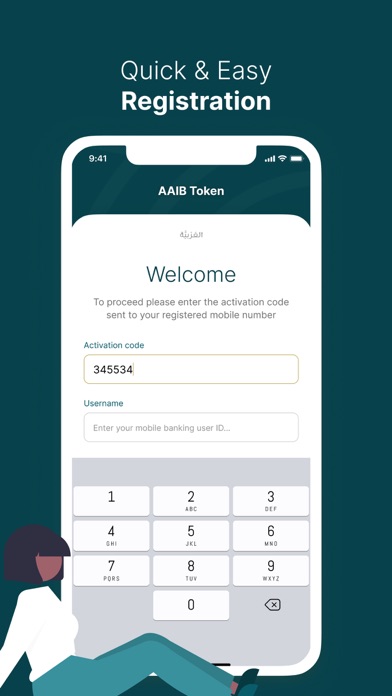
Description by AAIB Written by the developer, not by AppBrain. Click to read.
Our main aim is to perform easy and secured banking through our mobile app by using OTP (One Time Passwords) as a second factor of authentication to your transfers.
To activate the app, you will need to login to AAIB Mobile Banking and follow the below steps:
- Open " More " tab
- Tap on " Token Settings "
- Select " Activate Token " to receive an activation code via SMS to your registered mobile number
- Open AAIB Token app and insert the activation code you received and your mobile banking user ID
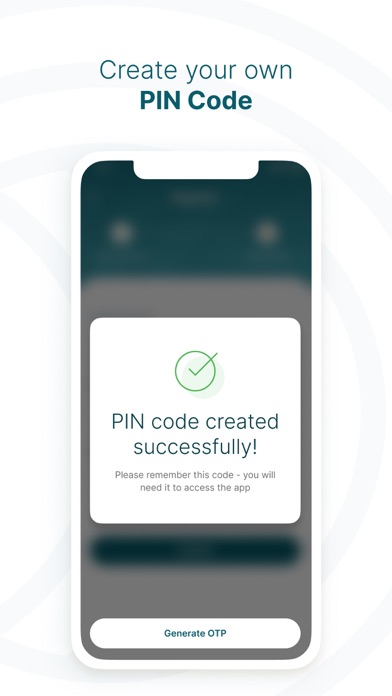
- You will be asked to create 4 digits PIN code to use later in generating OTPs
- Now you are ready to authenticate your transactions using the Token App
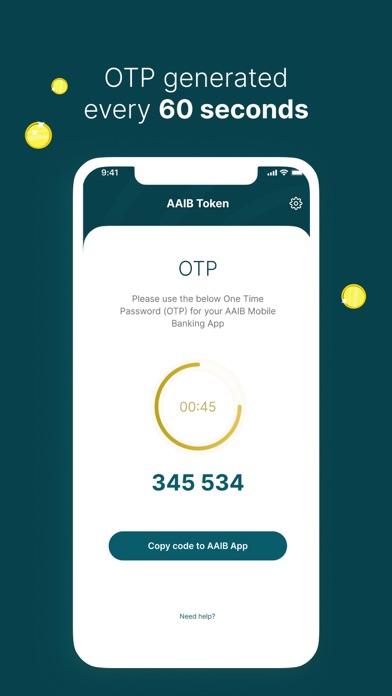
While transferring funds through AAIB Mobile Banking, you will be asked to enter OTP to complete your transaction, hereunder simple steps to follow and get it done:
- Open the token app
- Enter your token 4 digits PIN
- The app will generate OTP
- Insert the generated OTP in the transaction
- Your transaction will be completed successfully