It doesn't have enough ratings yet to judge what users think.
Acropolis Interactive 3D is made and published by
MOZAIK Education Ltd.
AppBrain is an independent app data site and isn't affiliated with MOZAIK Education Ltd.
The app name, icon, screenshots and description belong to MOZAIK Education Ltd. and are shown as
published on the App Store.
About Acropolis Interactive 3D
Acropolis Interactive 3D is an education app developed by MOZAIK Education Ltd.
User Ratings
Acropolis Interactive 3D is rated 4.74 out of 5 stars. The rating is based on 70 ratings.
App Information
Acropolis Interactive 3D is freely available from the App Store. The app size is 271.07 MB. The latest version available is 2.2. The last update was on May 24, 2018.
Technical Requirements
The app has a content rating of Everyone. The app has been available on the App Store since October 2015.
Description by MOZAIK Education Ltd.(from the App Store)
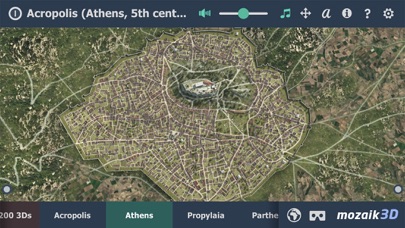
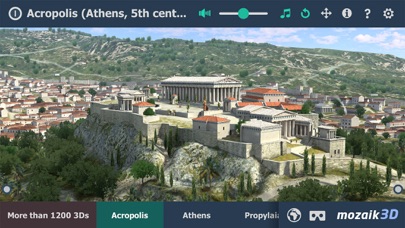
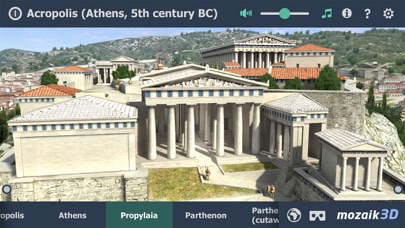
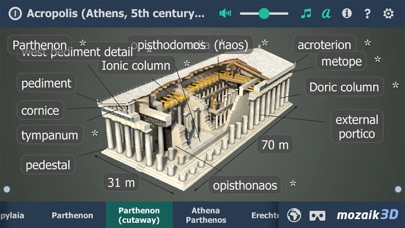
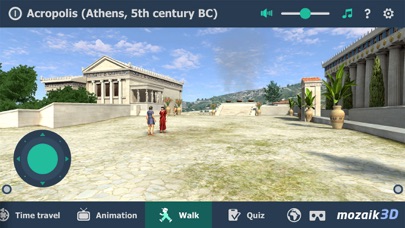
The Acropolis of Athens The world´s most famous citadel, the Acropolis of Athens, was built in Ancient Greece in the 5th century BC. Explore history with our interactive 3D scenes. Learn about historical sites, great works of architecture or events of the past. With our apps, learning becomes a playful experience.
Our 3D scenes have been designed for students between 8 and 18 years of age but can be interesting for everyone
Available languages: English, Deutsch, Français, Español, Русский, العربية, 日本語, 中文, 한국어, Italiano, Português, Svenska, Nederlands, Norsk, Polski, Magyar, ελληνικά, Türk
With the mozaik3D App, available in the AppStore, you can access more than 1200 similar 3D scenes.
Mozaik Interactive 3D Our fully interactive scenes can be rotated, enlarged or viewed from pre-set angles. With the predefined views, you can easily navigate through the complex scenes. Some of the 3D scenes contain a Walk mode, enabling you to explore the scene yourself. Most of our 3D scenes include narrations and built-in animations. They also contain captions, entertaining animated quizzes and other visual elements. The 3D scenes are available in several languages, which also offers an opportunity to learn and practice foreign languages.
Usage and navigation Rotate the scene by dragging your finger. Zoom the scene in or out by pinching with your fingers. Pan the view by dragging with three fingers. Tap the buttons at the bottom to switch between predefined views. If available in a specific view, use the virtual joystick to walk around. You can change the language and set other functions in the context menu. The context menu can be accessed by touching the bottom corners. Activate VR mode by pressing the VR goggles icon in the bottom right corner. In VR mode, tilt your head to right or left display the navigation panel. Look down to turn movement on or off during Walk.
Each subscription will automatically renew 3 days before the expiration date for
the same time period. Subscriptions can be cancelled at any time before the renewal.