It doesn't have enough ratings yet to judge what users think.
adoc Studio - Writing App is made and published by
ProjectWizards.
AppBrain is an independent app data site and isn't affiliated with ProjectWizards.
The app name, icon, screenshots and description belong to ProjectWizards and are shown as
published on the App Store.
About adoc Studio - Writing App
adoc Studio - Writing App is a productivity app developed by ProjectWizards.
User Ratings
adoc Studio - Writing App is rated 2.00 out of 5 stars. The rating is based on 4 ratings.
App Information
adoc Studio - Writing App is freely available from the App Store. The app size is 107.58 MB. The latest version available is 5.1. The last update was on September 15, 2026.
Technical Requirements
The app has a content rating of Everyone. The app has been available on the App Store since June 2024.
Description by ProjectWizards(from the App Store)
ADOC STUDIO – DOCUMENTATION DONE RIGHT
AsciiDoc at its finest. The text-based editorial system for Mac, iPad, and iPhone.
COMMUNITY EDITION
• Use the core features of adoc Studio for free. • Upgrade to Pro when you need more.
INTUITIVE STRUCTURE
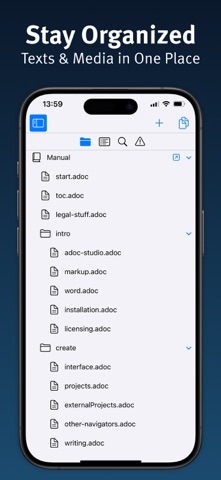
• Manage text, media, and other components of your technical documentation in an adoc Studio project. • Use document includes to organize extensive content into chapters. • Navigate even the most complex documentation with the project sidebar. • Track down issues with the Problem Navigator.
WRITE
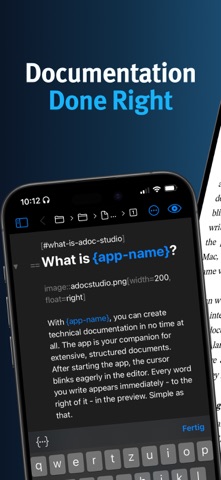
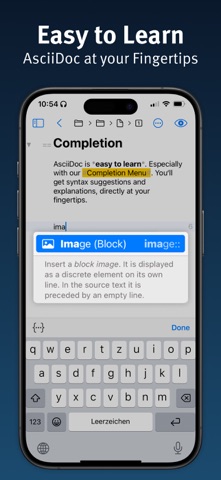
• Write your text in the editor on the left. • With the side-by-side preview, see instantly how it will look in HTML or PDF. • Easily insert images, tables, cross-references, formulas, admonitions, and attributes. • With the built-in adoc Coach, all the powerful features of AsciiDoc are just one ESC keystroke away.
SHARE
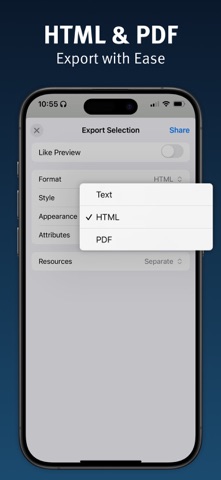
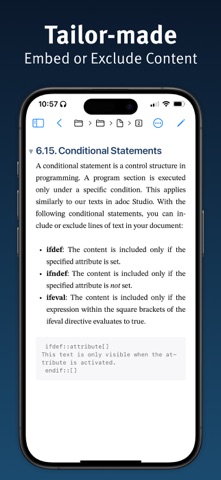
• Use attributes and conditional content to automatically tailor your documents for different audiences. • Like a modular system, assemble all relevant information. Text variants have never been easier. • Export HTML exactly as shown in the preview, or customize the format, style, and appearance individually.
WORK ON THE GO
• Need to work on the go? No problem. adoc Studio delivers full functionality on Mac, iPad, and iPhone. • Even on small screens, the interface stays clear and comfortable. • Create, revise, and export your documents wherever you are. • Cloud sync keeps everyone up to date at all times. • Not a fan of the cloud? Since AsciiDoc is plain text, you can manage your project with Git.
TRIAL AND PRO SUBSCRIPTION
• Try adoc Studio Pro free for 14 days – no strings attached. • Then start a monthly or annual subscription. • Every subscription automatically covers Mac, iPad, and iPhone.
PRO EDITION FEATURES
• Automate recurring exports easily with products. • Export your entire project as a complete website – with sidebar navigation, search, and language switcher. • Create projects with multiple languages. • Translate entire sections or documents with AI-powered translation. • Select text and let the AI improve, shorten, rephrase, or proofread it. • Generate fully accessible PDFs compliant with the PDF/UA standard for screen readers and assistive technologies. • Count characters, words, and paragraphs – with or without spaces or markup.
WHO IS IT FOR?
• Technical writers and documentarians • Developers and programmers • Bloggers and content creators • Authors and writers • Markdown users looking for more features
Unleash your creative potential and experience the future of structured writing with adoc Studio!
Privacy Policy: https://www.adoc-studio.app/legal/app-privacy Terms of Use: https://www.adoc-studio.app/legal/terms
Each subscription will automatically renew 3 days before the expiration date for
the same time period. Subscriptions can be cancelled at any time before the renewal.