

AEI Keyboard Note Danish
AEI Keyboard Note Danish is made and published by Toshihiro Nakane. AppBrain is an independent app data site and isn't affiliated with Toshihiro Nakane. The app name, icon, screenshots and description belong to Toshihiro Nakane and are shown as published on the App Store.
AppBrain's verdict
Established- Rating on App Store
- 1.00
- 1 ratings
- Last updated
- September 5, 2025
It doesn't have enough ratings yet to judge what users think.
Rankings
App Store top chartsApp Store Rankings for AEI Keyboard Note Danish
Competitors
Similar apps and more from Toshihiro NakaneAlternatives to AEI Keyboard Note Danish




More from Toshihiro Nakane





Releases
Updates seen on the App Store- Version
- 1.5.3
- Launched
- February 2011
No changelog data
User feedback
Ratings and reviews on the App StoreComments on AEI Keyboard Note Danish for iOS
We don't have enough comments to show example comments. Please check back later.
Technology
Found in the app by AppBrain- Price
- Free
- App size
- 2.71 MB
- Content rating
- Everyone
Technologies used by AEI Keyboard Note Danish
About the app and developer
About AEI Keyboard Note Danish
AEI Keyboard Note Danish is an utilities app developed by Toshihiro Nakane.
What is the rating of AEI Keyboard Note Danish?
AEI Keyboard Note Danish is rated 1.00 out of 5 stars, based on one rating ratings.
Is AEI Keyboard Note Danish free?
AEI Keyboard Note Danish is free. The app size is 2.71 MB. The latest version available is 1.5.3. The last update was on September 5, 2025.
What are the requirements for AEI Keyboard Note Danish?
The app has a content rating of Everyone. The app has been available on the App Store since February 2011.
Developer information for Toshihiro Nakane
Address:
Store listing
By Toshihiro Nakane, from the App Store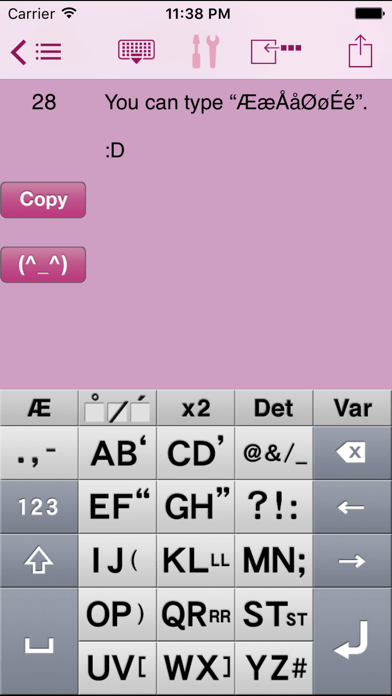
Description by Toshihiro Nakane Written by the developer, not by AppBrain. Click to read.
What is Good about AEI Keyboard
- Only One Push to input Vowel (letter).
- Less than Two Push to input Alphabet. (any letter)
- Input faster with Two Thumbs.
****************************
*This Keyboard works ONLY in our App.
Special Features
* Arrow keys to move caret right and left faster for easier text editing
* You can open "twitter" site from Copy Button
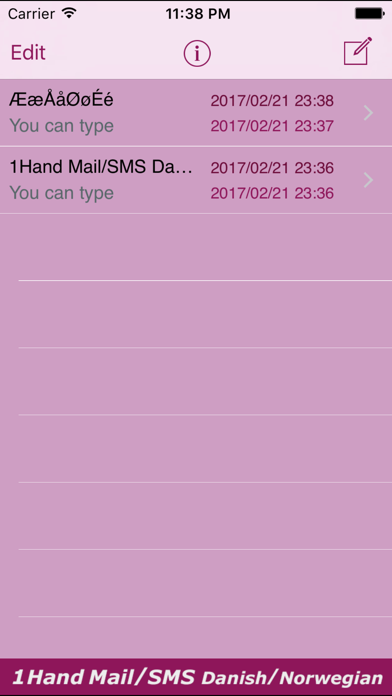
* Save messages with destination number in "list" as fixed phrases
* Your current location info can be copied with a single touch
* You can select destination number from "Contacts"
* Friendly alphabetical character array with 13 multi-input keys with just 2 characters each to type faster and easier
* Ideal key size that reduce probability of typographic errors
* Adjustable character counter
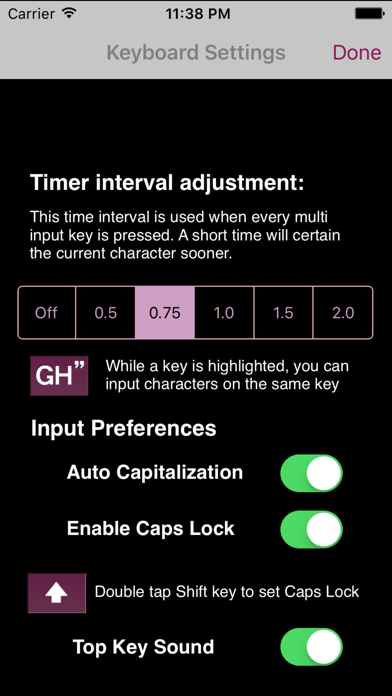
Useful keyboard Settings (touch the "tools" icon for setting):
> Auto determination of character typed with multi-input key
example: (interval set "1.0"sec)
1. tap "OP)" key once (the key is highlighted)
2. the character "O" will be determined in 1.0 second automatically and key-highlight goes off
3. you can input characters assigned in the same key right away
*You can turn off auto-determination function, and the interval is adjustable at the "tools" menu.
> Character Counter Setting
Setting the max. character count for SMS(generally 160 characters/message), you will see the numbers you set and typed so far. When exceeded, the counter turns to red. You may need to confirm the max. character count and cost per SMS with your service provider.
Useful buttons equipped:
> Clear" button to erase immediately
> "Hide" button to hide the keyboard for view of longer messages
> "I'm here!" button to insert your current location info
> "(^_^)" button to select major face marks
> "Copy" button to copy the message to clipboard for use in other apps
Please check our website
www.4us.jp
Thank you !