

AeroWeather Pro is made and published by Lakehorn AG. AppBrain is an independent app data site and isn't affiliated with Lakehorn AG. The app name, icon, screenshots and description belong to Lakehorn AG and are shown as published on the App Store.
AppBrain's verdict
EstablishedTop 10- Rating on App Store
- 3.68
- 356 ratings
- Last updated
- October 14, 2026
- Size
- 125.2 MB
Users are divided: 3.7 stars from 356 ratings. Its best ranking is #1 in Top Paid, Weather in Denmark.
User feedback
Ratings and reviews on the App StoreComments on AeroWeather Pro for iOS
We don't have enough comments to show example comments. Please check back later.
Store listing
By Lakehorn AG, from the App Store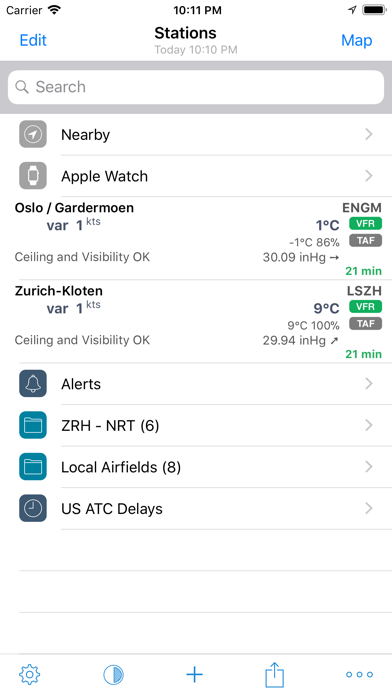

Description by Lakehorn AG Written by the developer, not by AppBrain. Click to read.
*** Current and precise weather conditions (METAR) and forecasts (TAF).
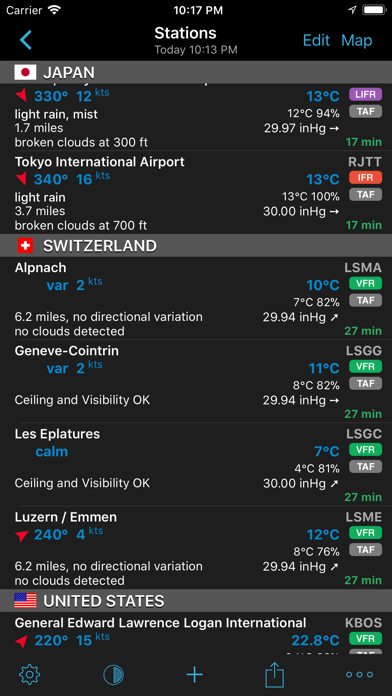
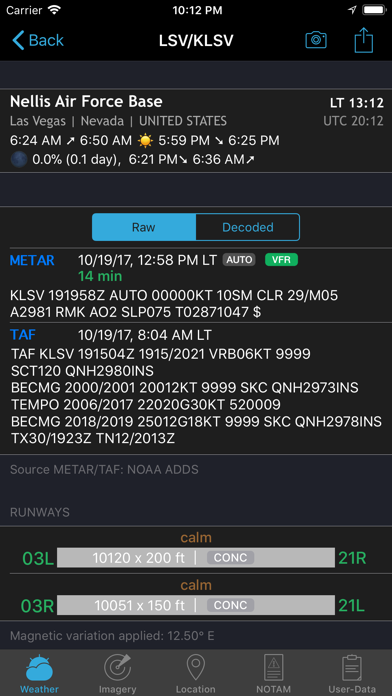
AeroWeather Pro provides quick and intuitive access to METAR and TAF for airports worldwide. Data can be shown in its original (raw) format or as fully decoded and easy understandable texts. AeroWeather Pro is helpful for weather preflight-briefings, but also to just get very precise weather. All weather data is cached for offline access.
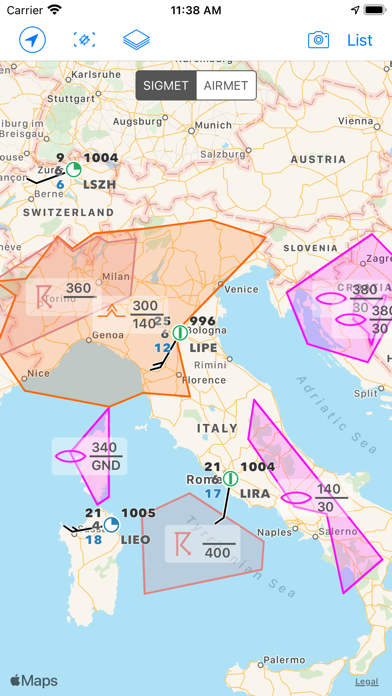
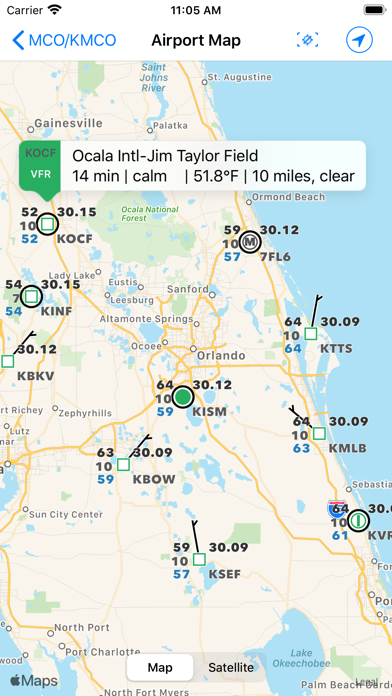
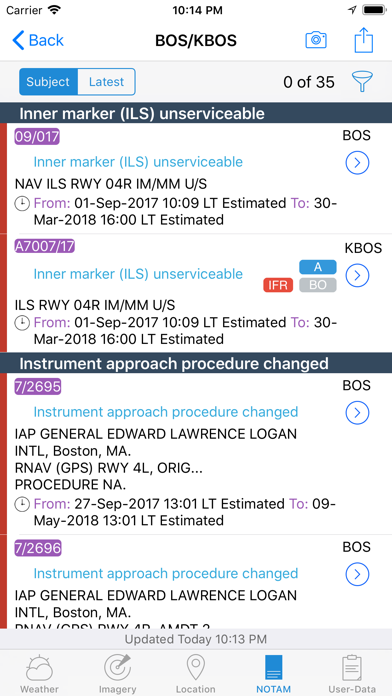
In addition to weather data, AeroWeather Pro integrates also airport NOTAMs (provided by US FAA), webcam images around airports (provided by windy.com), FlightService access (US only), and US ATC delay information (provided by US FAA). AeroWeather Pro also offers built-in groups for earthquakes, nearby stations, and today widget (pre iOS14), which can be individually enabled on the top level view. Besides creating user groups it’s also possible to put stations on the same level user groups (e.g. home base). Depending on your needs, groups can be shown or hidden in the main list view. User groups can also be synchronized via Cloud Kit*.
The app features a built-in airport database, which includes airport data like runways, sunrise/sunset, twilight times, moon times, timezones etc.
METAR alert notifications** is another new and helpful feature to stay up-to-date. Define multiple alerts for each station with criteria like: flight rule (US NOAA), wind speed, temperature, pressure, present weather, visibility etc. Notifications will be sent to your device if the criteria is met (e.g., when flight rule becomes IFR).
Dedicated METAR/TAF** access is optionally available. METAR/TAF data will come primarily from a certified ANSP (air navigation service provider) and is provided reliably and fast from our dedicated, redundant servers (indicated by blue checkmark underneath METAR/TAF).
AeroWeather Pro comes with an Apple Watch app, which shows either a list of stations as defined in the Apple Watch group or all nearby stations based on the current location. METAR and TAF are displayed for each station. In addition, you can put AeroWeather as a complication in your watch face to stay up-to-date.
Please consult our web-site for a full description of all features.
* Additional functionality which needs to be unlocked (one-time purchase). These purchases are not transferable between Lite, Pro, and Mac.
** SUBSCRIPTIONS
Additional features which generate recurring operation costs for us will be offered within a subscription. The following features are enabled while 'First' subscription is active:
- Dedicated METAR/TAF data source
- Meteograms
- Alert push notifications
- D-ATIS (bigger US airports only)
- Area Forecast Discussions (currently US only)
- RVR data (US and Germany only)
- Home Screen Widgets for METAR, Plot, Meteogram
- Imagery and Charts (requires 'Captain' subscription)
- SIGMETs (requires 'Captain' subscription)
Additional features are also enabled when using AeroWeather Lite.
The subscription varies in time periods (1 month, 12 months). The subscription is valid in both AeroWeather Lite and Pro. Cross app subscription support is only available if iCloud (with the same Apple ID) is enabled. Previously purchased unlock features are not affected and will work with or without subscription.
Auto-renewal may be turned off at any time by going to your account settings. A payment will be charged to your iTunes account at the end of the free trial period. Your iTunes account will be charged for renewal within 24 hours prior to the end of the current period. No commitment - you can cancel any time.
Pleas read the full “Subscription Terms of Use” at:
https://www.lakehorn.com/subscription-terms-of-use/
Safety and technology
Found in the app by AppBrain- Price
- $4.79
- App size
- 125.2 MB
- Content rating
- Everyone
Technologies used by AeroWeather Pro
Releases
Updates seen on the App Store- Version
- 3.16.2
- Launched
- June 2010
No changelog data
Alternatives
Similar apps and more from Lakehorn AGAlternatives to AeroWeather Pro




More from Lakehorn AG


Rankings
App Store top charts- Highest rank
- #1
- Chart
- Top Paid
- Weather
- Country
- Denmark
App Store Rankings for AeroWeather Pro
Top rankings
| Rank | Country | Category | List |
|---|---|---|---|
| 1 | Denmark | Weather | Top Paid |
| 4 | Germany | Weather | Top Paid |
| 2 | India | Weather | Top Paid |
| 2 | Norway | Weather | Top Paid |
| 2 | Saudi Arabia | Weather | Top Paid |
| 3 | Brazil | Weather | Top Paid |
| 3 | Indonesia | Weather | Top Paid |
| 4 | Switzerland | Weather | Top Paid |
| 4 | Spain | Weather | Top Paid |
| 4 | United Kingdom | Weather | Top Paid |
Ranking history in Denmark
About the app and developer
About AeroWeather Pro
AeroWeather Pro is a weather app developed by Lakehorn AG.
What is the rating of AeroWeather Pro?
AeroWeather Pro is rated 3.68 out of 5 stars, based on 360 ratings.
Is AeroWeather Pro free?
AeroWeather Pro costs $4.79. The app size is 125.19 MB. The latest version available is 3.16.2. The last update was on October 14, 2026.
What are the requirements for AeroWeather Pro?
The app has a content rating of Everyone. The app has been available on the App Store since June 2010.
Developer information for Lakehorn AG
Address: