

AFL Virtual Buddy is made and published by AFL. AppBrain is an independent app data site and isn't affiliated with AFL. The app name, icon, screenshots and description belong to AFL and are shown as published on the App Store.
AppBrain's verdict
- Last updated
- September 29, 2026
Rankings
App Store top chartsApp Store Rankings for AFL Virtual Buddy
Competitors
Similar apps and more from AFLMore from AFL


Releases
Updates seen on the App Store- Version
- 1.2.2
- Launched
- July 2024
No changelog data
User feedback
Ratings and reviews on the App StoreComments on AFL Virtual Buddy for iOS
We don't have enough comments to show example comments. Please check back later.
Technology
Found in the app by AppBrain- Price
- Free
- App size
- 180.4 MB
- Content rating
- Everyone
Technologies used by AFL Virtual Buddy
About the app and developer
About AFL Virtual Buddy
AFL Virtual Buddy is a productivity app developed by AFL.
User Ratings
The app has no ratings yet.
App Information
AFL Virtual Buddy is freely available from the App Store. The app size is 180.42 MB. The latest version available is 1.2.2. The last update was on September 29, 2026.
Technical Requirements
The app has a content rating of Everyone. The app has been available on the App Store since July 2024.
Developer information for AFL
Address:
Frequently asked questions about AFL Virtual Buddy
Is AFL Virtual Buddy free?
Yes. AFL Virtual Buddy is free on the App Store.
Is AFL Virtual Buddy still available?
Yes. AFL Virtual Buddy is on the App Store, and the last update we saw was on September 29, 2026.
How large is AFL Virtual Buddy?
AFL Virtual Buddy is 180.42 MB.
Is AFL Virtual Buddy suitable for children?
App Store rates the content of AFL Virtual Buddy as suitable for everyone.
Who made AFL Virtual Buddy?
AFL Virtual Buddy was developed by AFL. It is listed in the productivity category on the App Store.
Store listing
By AFL, from the App Store


Description by AFL Written by the developer, not by AppBrain. Click to read.
Artificial Intelligence Virtual Buddy Fault-Finding
Get Real-Time fault-finding feedback on your Apex installations! Capture a photo, and the AI will visually analyze it for faults! Learn how to fix common issues through the AI's intuitive learning suggestions.
Latest Content:
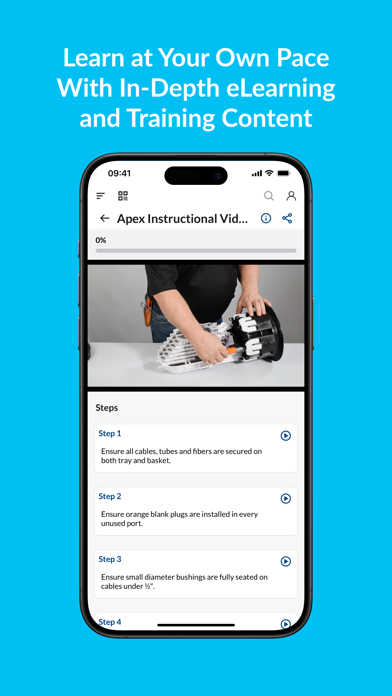
An entire range of products and reference info is available at your fingertips in a convenient central location. Products can feature detailed supporting documentation such as installation videos, data sheets and more. Just search for it!
Training Courses:
Unique and interactive training courses are included to help you learn quickly through bite-size information and highly engaging modules. Training topics are uploaded regularly.
Feedback Loop:
Give feedback directly to AFL through the app's unique feedback loop capability by pressing the contact button in the side menu.
Updates:
Push notifications and instant updates ensure that you’re always up to date with AFL Content!
Product Information:
Enjoy easy access to each product's latest product training, installation and video content.