Meet ai.assistant — a private, on-device AI companion that helps you think, write, and organize with clarity. It uses Apple on-device foundational Models. Draft emails, summarize articles, explain complex topics, plan projects, and brainstorm ideas — all in a polished, Apple-style experience across iPhone, iPad, and Mac.
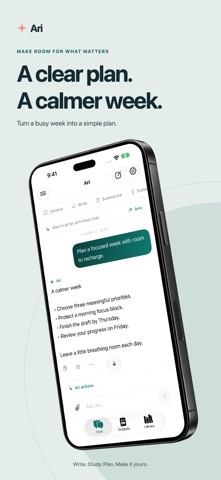
Stay focused with dedicated chat modes
Pick how you want the assistant to help so you get exactly what you need, faster:
Write – Turn rough thoughts into clear writing.
• Draft emails, essays, and blog posts
• Rewrite messages to be shorter, friendlier, or more professional
• Polish wording while keeping your own voice
Summarize – Get to the point in seconds.
• Turn long articles or notes into key takeaways
• Generate TL;DRs you can paste into messages or docs
• Compare multiple summaries to decide what matters
Explain – Understand anything more clearly.
• Break down dense text, concepts, or instructions
• Ask for step-by-step walkthroughs and analogies
• Turn confusing explanations into simple language
Plan – Turn goals into concrete steps.
• Create checklists for trips, events, or errands
• Map out study schedules or project timelines
• Turn vague ideas into ordered action plans
Brainstorm – Explore options before you decide.
• Generate ideas for names, topics, features, or gifts
• Get alternative approaches to a problem
• Ask for pros and cons to clarify your thinking
Or stay in General mode and let ai.assistant adapt to any task as the conversation evolves.
Import PDFs and images for instant understanding
Bring in PDFs or images and let ai.assistant extract the text so you can work with it directly.
• Highlight the main points of a 20-page PDF in a few bullet points
• Ask for a plain-language explanation of a research paper
• Turn scanned notes or screenshots into clean, editable text
(PDFs up to 50 pages.)
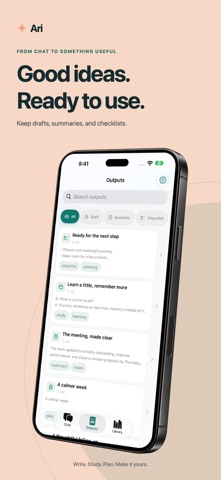
Turn great answers into reusable Outputs
Any response you like can become an Output (Artifact) you can reuse later.
• Save drafts, summaries, plans, checklists, quizzes, flashcards, and more
• Organize by type, topic, or project
• Search, tag, and filter to find exactly what you need
• Copy and reuse outputs across apps in seconds
Output Studio: reshape answers in one tap
Quickly transform any response into a new format without rewriting from scratch.
• Shorter – Compress a page into a few concise sentences
• More Formal – Turn casual notes into professional text
• Bullets – Turn paragraphs into scannable lists
• Quiz – Turn a topic into practice questions
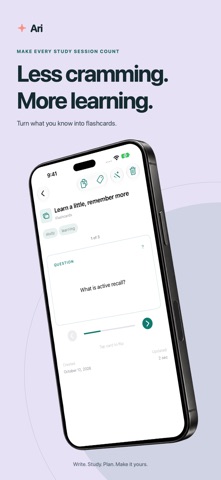
• Flashcards – Create spaced-repetition style cards from key points
Preview the result, then save it into Outputs for later.
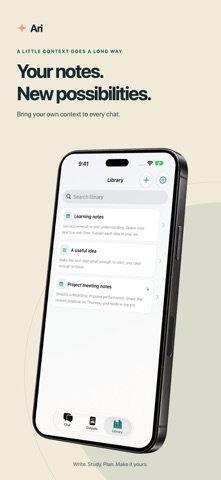
Build a personal Library you can actually use
Store notes, snippets, and pasted text as your own reference library.
• Capture research, meeting notes, or key passages
• Generate quick AI summaries so each item is easy to scan
• Come back later, search by keyword, and instantly remember what mattered
Ari (optional): gentle guidance with personality
Turn on Ari to add a light character layer for coaching and structure.
• Get calm, supportive nudges when you feel stuck
• Use one-tap actions like Simplify, Create checklist, or Refine tone
• Adjust how expressive Ari is so it matches your style
Privacy-first by design
Your content is stored on your device, not a central profile.
• Optional iCloud sync via CloudKit to keep data updated across your Apple devices
• Purchases handled securely by Apple via StoreKit
Ari+
Upgrade to unlock premium tools that deepen what you can do with ai.assistant:
• File import for PDFs and images
• Advanced transforms in Output Studio
• Expanded AI tools for more demanding writing, planning, and study workflows
Terms of Use (EULA): https://www.apple.com/legal/internet-services/itunes/dev/stdeula/
Show more
Show less