

AI Fish is made and published by 其蓬 戴. AppBrain is an independent app data site and isn't affiliated with 其蓬 戴. The app name, icon, screenshots and description belong to 其蓬 戴 and are shown as published on the App Store.
AppBrain's verdict
- Last updated
- October 31, 2023
Rankings
App Store top chartsApp Store Rankings for AI Fish
Competitors
Similar apps and more from 其蓬 戴Alternatives to AI Fish


More from 其蓬 戴


Releases
Updates seen on the App Store- Version
- 1.1.2
- Launched
- May 2017
No changelog data
User feedback
Ratings and reviews on the App StoreComments on AI Fish for iOS
We don't have enough comments to show example comments. Please check back later.
Technology
Found in the app by AppBrain- Price
- $0.99
- App size
- 5.75 MB
- Content rating
- Everyone
Technologies used by AI Fish
About the app and developer
About AI Fish
AI Fish is a productivity app developed by 其蓬 戴.
User Ratings
The app has no ratings yet.
App Information
AI Fish costs $0.99. The app size is 5.75 MB. The latest version available is 1.1.2. The last update was on October 31, 2023.
Technical Requirements
The app has a content rating of Everyone. The app has been available on the App Store since May 2017.
Developer information for 其蓬 戴
Address:
Frequently asked questions about AI Fish
Is AI Fish free?
No. AI Fish costs $0.99 on the App Store.
Is AI Fish still available?
Yes. AI Fish is on the App Store, and the last update we saw was on October 31, 2023.
How large is AI Fish?
AI Fish is 5.75 MB.
Is AI Fish suitable for children?
App Store rates the content of AI Fish as suitable for everyone.
Who made AI Fish?
AI Fish was developed by 其蓬 戴. It is listed in the productivity category on the App Store.
What are the best alternatives to AI Fish?
People looking at AI Fish also look at these productivity apps: Learn Quickly, URL to QR for Safari, Cloze Relationship Management, mymind – Extend your mind, Contacts+ | Address Book.
Store listing
By 其蓬 戴, from the App Store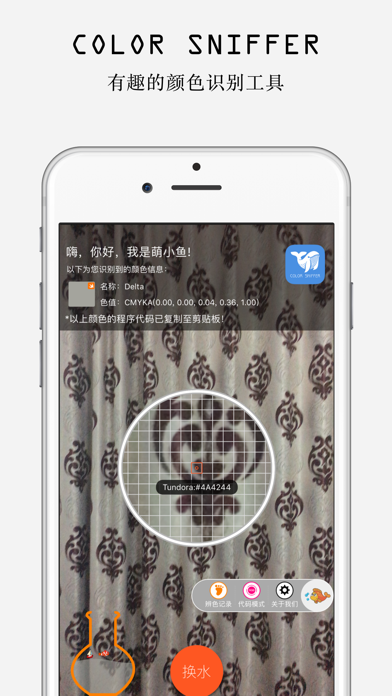

Description by 其蓬 戴 Written by the developer, not by AppBrain. Click to read.
Through the camera you aim at the color you need, click "Take" button could change the color of water in the left side bottle, the pretty fish in the bottle will automatically identify the color of the water, and displayed on the screen.
At the same time will generate a variety of language and a variety of color code format, you only need to paste the text where you can paste the current code pattern color code.
For example:
the code pattern you selected is Swift UIColor RGB, you can paste the code from the clipboard as follows.
UIColor (red:0.47, green:0.47, blue:0.47, alpha:1.00)
Of course, when you switch the code mode, the color code in the clipboard will change.
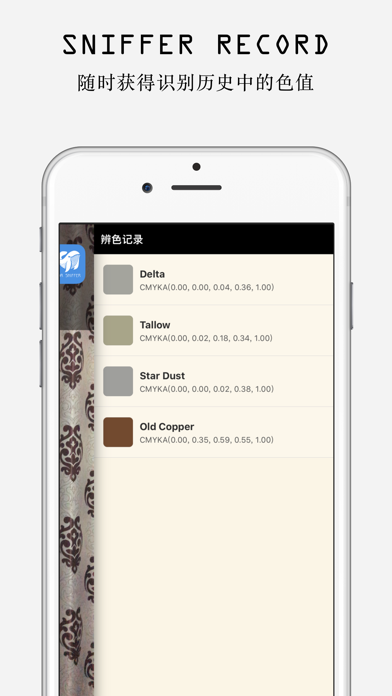
In addition, when you click on the history of color recognition in the color of the identification, the current color will automatically switch to the color, you can view the color of the information or paste the color of the color code.
1. supported color format: RGB/RGBA/ARGB/HSL/HSLA/CMYK/HEX/HSB/SRBG and so on.
2. supported code pattern: CSS/CSS3/Java/.Net/CGColor/NSColor/UIColor/Swift/OpenGL/XML and so on.
Besides, AI Fish support color recognition with pick image from album or take photo.
Any change seems to be different and exciting.