Experience AI that runs entirely on your device. On-Device AI is your secure, private assistant for Mac, iPhone, iPad, and Vision Pro. Chat with leading local models, type with your voice, transcribe meetings, and analyze documents — all while keeping your data private. No cloud required unless you choose it.
PRIVATE BY DEFAULT
Your conversations, documents, transcripts, and model runs stay on your device. Nothing leaves unless you explicitly connect to an online provider or web tool.
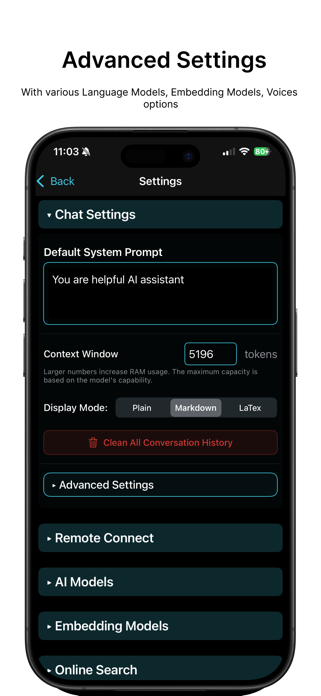
• Run powerful local models like Llama, Gemma, Phi, Qwen, DeepSeek, and more
• Store models where you want: internal storage, an external drive, or a shared volume
• Analyze sensitive PDFs and documents safely offline
• Use local, offline speech recognition and text-to-speech
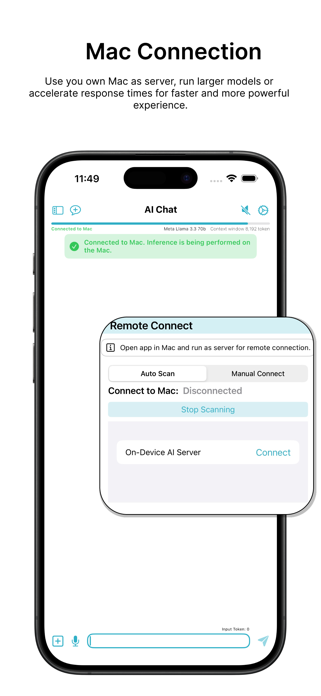
• Connect to cloud providers only when you need to
TALK, TRANSCRIBE, AND LISTEN
Turn speech into text instantly, then have answers read back when you would rather listen.
• Use Voice Typing on Mac and the voice keyboard on iPhone and iPad
• Choose from Apple Speech, Whisper, Parakeet, Nemotron, Qwen3-ASR, and more
• Record and transcribe meetings, lectures, interviews, and voice memos
• Import audio files or re-transcribe a recording with a different model or language
• Create speech with Apple voices, Kokoro, PocketTTS, Qwen 3 TTS, CostVoice, and VibeVoice
• Clone your voice and use it with supported speech engines
• Export transcripts as text, subtitles, or Markdown
AI CHAT THAT FITS YOUR WORKFLOW
Work with local or cloud models, attach your own content, and stay in control of every conversation.
• Drag documents and images into a chat, or paste them in
• Read past conversations instantly without loading a model first
• Fork a conversation from any message without losing the original
• Copy or export complete threads
• Select several conversations to delete or add to a Knowledge Library at once
• Get more room to type when the keyboard is open on iPhone or iPad
• Switch models, tools, and roles as your task changes
BUILD YOUR OWN KNOWLEDGE LIBRARY
Turn documents, notes, conversations, and transcripts into private, searchable context for your AI.
• Add PDFs, text files, Markdown, code, images, and website content
• Drag files straight into your library
• Write and edit Markdown notes without leaving the app
• Import AI chats, voice notes, or text-to-speech items
• Search and filter large libraries quickly
• Adjust retrieval settings per library when you need more control
• Re-index edited content so results stay current
WEB RESEARCH, TOOLS, AND AGENTS
Give your AI what it needs for research and multi-step work.
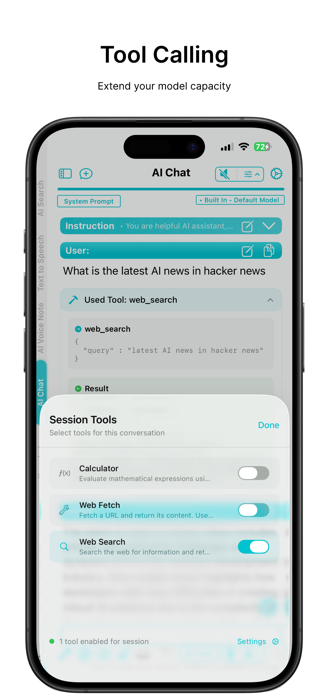
• Search the web from inside a conversation
• Let the browser agent open pages, read sites, and gather information
• Pause the browser, adjust the task, or take over manually
• Use tools for calculations, network requests, and document analysis
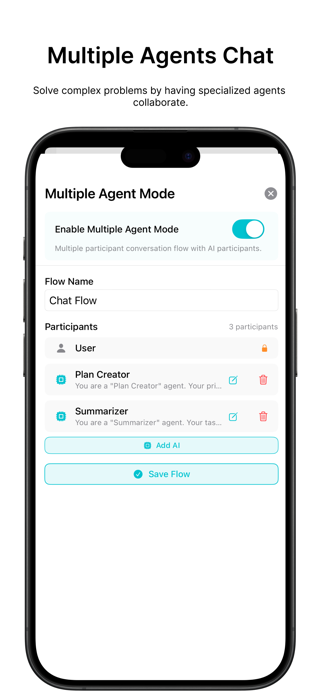
• Build specialist agents for writing, coding, analysis, and planning
• Run subagents and bring their results back into one conversation
BUILT FOR APPLE DEVICES
• Start requests or open saved content with Siri, Apple Shortcuts, and App Intents
• Reach common actions from the Mac menu bar and customizable keyboard shortcuts
• Use On-Device AI on iPhone, iPad, Mac, and Vision Pro
• Take advantage of Apple hardware acceleration for supported local models
New in 1.45.0: faster voice typing, drag-and-drop files, Markdown notes in Knowledge Libraries, re-transcription controls, batch history actions, and broader Shortcuts support.
TAKE CONTROL OF YOUR AI
Stop sending your private data to the cloud. Download On-Device AI today to build your own personal, secure AI workspace that goes wherever you do.
EULA: https://www.apple.com/legal/internet-services/itunes/dev/stdeula/
Show more
Show less