

AI Translate: Text Voice Image
AI Translate: Text Voice Image is made and published by AppCentury Apps. AppBrain is an independent app data site and isn't affiliated with AppCentury Apps. The app name, icon, screenshots and description belong to AppCentury Apps and are shown as published on the App Store.
AppBrain's verdict
Loved by users- Best rank
- #73
- Top Free, Russia
- Rating on App Store
- 4.63
- 576 ratings
- Last updated
- July 7, 2026
Users love it: 4.6 stars from 576 ratings. Its best ranking is #73 in Top Free, Productivity in Russia.
Rankings
App Store top charts- Highest rank
- #73
- Chart
- Top Free
- Productivity
- Country
- Russia
App Store Rankings for AI Translate: Text Voice Image
Top rankings
| Rank | Country | Category | List |
|---|---|---|---|
| 73 | Russia | Productivity | Top Free |
Ranking history in Russia
Competitors
Similar apps and more from AppCentury AppsMore from AppCentury Apps


Releases
Updates seen on the App Store- Version
- 1.0.37
- Launched
- September 2024
No changelog data
User feedback
Ratings and reviews on the App StoreComments on AI Translate: Text Voice Image for iOS
We don't have enough comments to show example comments. Please check back later.
Technology
Found in the app by AppBrain- Price
- Free
- App size
- 157.7 MB
- Content rating
- Everyone
Technologies used by AI Translate: Text Voice Image
About the app and developer
About AI Translate: Text Voice Image
AI Translate: Text Voice Image is a productivity app developed by AppCentury Apps.
What is the rating of AI Translate: Text Voice Image?
AI Translate: Text Voice Image is rated 4.63 out of 5 stars, based on 580 ratings.
Is AI Translate: Text Voice Image free?
AI Translate: Text Voice Image is free. The app size is 157.67 MB. The latest version available is 1.0.37. The last update was on July 7, 2026.
What are the requirements for AI Translate: Text Voice Image?
The app has a content rating of Everyone. The app has been available on the App Store since September 2024.
Developer information for AppCentury Apps
Address:
Store listing
By AppCentury Apps, from the App Store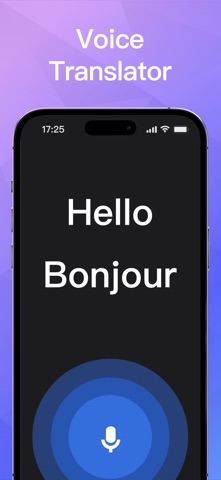
Description by AppCentury Apps Written by the developer, not by AppBrain. Click to read.
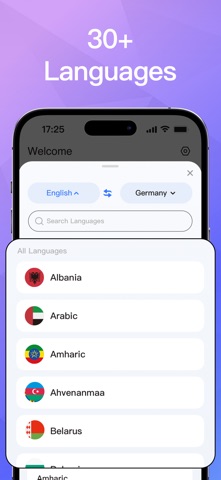
Translate text, voice, conversations, and images across 30+ languages with ease.
Key Features
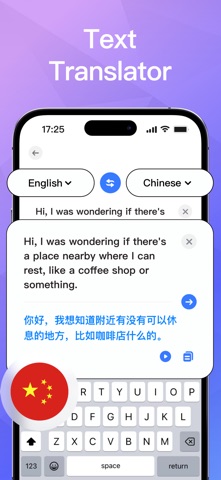
• Text Translation
Type and get instant, high-quality translations in over 30 languages.
• Voice Translation
Speak naturally and let the app convert your words into another language in real time.
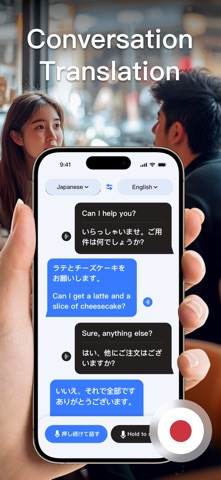
• Conversation Mode
Enjoy seamless two-way translation that makes multilingual conversations effortless.
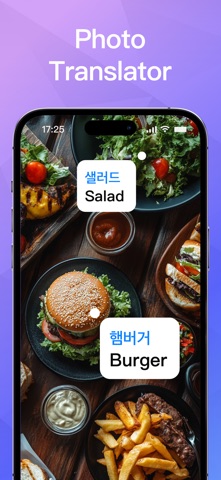
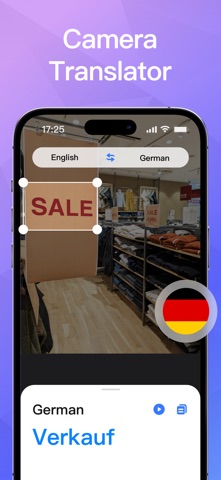
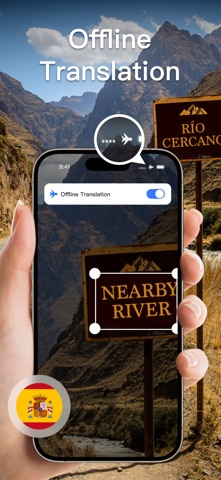
• Image Translation
Snap a photo and automatically extract and translate text from menus, documents, signs, and more.
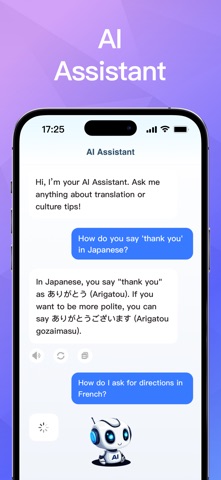
• AI Assistant
Your smart helper for language questions, phrasing tips, and general knowledge support.
Why You’ll Love It
• Translation History: Quickly revisit and share past translations
• Offline Mode: Translate anytime by downloading language packs
• Clean, intuitive interface designed for speed and clarity
Stay confident wherever you go — AI Translate gives you the power to communicate globally.
Subscription Options
• Weekly Subscription
• Yearly Subscription
• Lifetime Access
Start with a 3-day free trial and unlock all features. Your subscription will automatically renew 24 hours before the trial ends, billed at the annual rate.
You can turn off auto-renewal at least 24 hours before the current period ends. Any unused trial time will be forfeited once you purchase a subscription.
Manage Your Subscription
Manage or cancel your subscription directly on your iPhone:
1. Open Settings
2. Tap your Apple ID
3. Select Subscriptions
4. Choose the subscription you want to manage
For support, contact us at: qiangsm2457@outlook.com
Privacy Policy
https://sites.google.com/view/ai-translateprivacy-policy
Terms of Use
https://sites.google.com/view/termsofuseaitranslate