It doesn't have enough ratings yet to judge what users think.
AI Upscale & Enhance - Sharpix is made and published by
Huseyin Asan.
AppBrain is an independent app data site and isn't affiliated with Huseyin Asan.
The app name, icon, screenshots and description belong to Huseyin Asan and are shown as
published on the App Store.
About AI Upscale & Enhance - Sharpix
AI Upscale & Enhance - Sharpix is a photo & video app developed by Huseyin Asan.
What is the rating of AI Upscale & Enhance - Sharpix?
AI Upscale & Enhance - Sharpix is rated 3.00 out of 5 stars, based on 2 ratings.
Is AI Upscale & Enhance - Sharpix free?
AI Upscale & Enhance - Sharpix is free. The app size is 55.44 MB. The latest version available is 1.0.1. The last update was on December 8, 2025.
What are the requirements for AI Upscale & Enhance - Sharpix?
The app has a content rating of Everyone. The app has been available on the App Store since December 2025.
Description by Huseyin Asan(from the App Store)
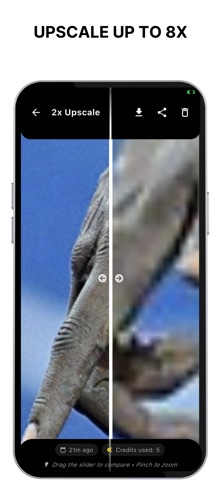
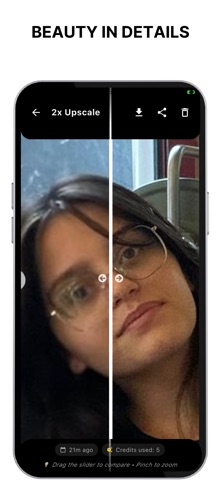
Sharpix is an AI photo upscaler that uses AI super-resolution to enhance and upscale low-resolution images into crisp, high-resolution results. Whether you’re preparing social posts, e-commerce listings, design mockups, or restoring old photos, Sharpix applies focused AI models to enhance fine detail, reduce noise, and upscale images that look great on screens and in print.
WHAT YOU CAN DO • Upscale photos 2×, 4×, 6×, or 8× while keeping natural detail • Enhance faces, hair, textiles, product edges, and typography • Upscale screenshots and scans to clean compression artifacts • Enhance portraits and product shots for marketplaces and social • Upscale heavy crops and zooms without jagged pixels • Enhance older images to make memories clearer • Upscale for posters, flyers, thumbnails, and mockups
CORE FEATURES • High-quality AI upscaling (2×/4×/6×/8×) • Detail refine and de-noise to enhance clarity • Before/after viewer with deep zoom for upscale inspection • Clean, focused UI with a fast flow: select → enhance → upscale → save • No account required; start in seconds
HOW IT WORKS 1) Pick an image from your Gallery or file picker. 2) Choose your upscale level (2×, 4×, 6×, or 8×). 3) Preview the AI result, review details up close, and enhance or upscale again if needed, then save.
Privacy Policy: https://turcqoisecom.wordpress.com/privacypolicy/ Terms of Use (EULA): https://turcqoisecom.wordpress.com/terms-of-use/
Each subscription will automatically renew 3 days before the expiration date for
the same time period. Subscriptions can be cancelled at any time before the renewal.