

AI Vocal Remover - Audio Split
AI Vocal Remover - Audio Split is made and published by Mihir Sonani. AppBrain is an independent app data site and isn't affiliated with Mihir Sonani. The app name, icon, screenshots and description belong to Mihir Sonani and are shown as published on the App Store.
AppBrain's verdict
- Rating on App Store
- 3.50
- 2 ratings
- Last updated
- September 24, 2025
It doesn't have enough ratings yet to judge what users think.
Rankings
App Store top chartsApp Store Rankings for AI Vocal Remover - Audio Split
Competitors
Similar apps and more from Mihir SonaniMore from Mihir Sonani






Releases
Updates seen on the App Store- Version
- 1.0
- Launched
- September 2025
No changelog data
User feedback
Ratings and reviews on the App StoreComments on AI Vocal Remover - Audio Split for iOS
We don't have enough comments to show example comments. Please check back later.
Technology
Found in the app by AppBrain- Price
- Free
- App size
- 59.2 MB
- Content rating
- Everyone
Technologies used by AI Vocal Remover - Audio Split
About the app and developer
About AI Vocal Remover - Audio Split
AI Vocal Remover - Audio Split is a music app developed by Mihir Sonani.
User Ratings
AI Vocal Remover - Audio Split is rated 3.50 out of 5 stars. The rating is based on 2 ratings.
App Information
AI Vocal Remover - Audio Split is freely available from the App Store. The app size is 59.20 MB. The latest version available is 1.0. The last update was on September 24, 2025.
Technical Requirements
The app has a content rating of Everyone. The app has been available on the App Store since September 2025.
Developer information for Mihir Sonani
Address:
Store listing
By Mihir Sonani, from the App Store



Description by Mihir Sonani Written by the developer, not by AppBrain. Click to read.
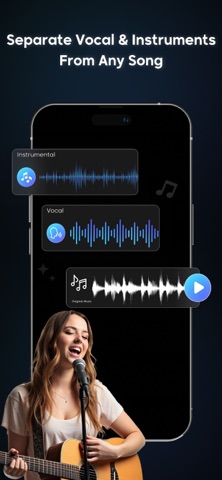
Our AI-powered engine analyzes your audio and cleanly separates the voice and instrumental parts with incredible accuracy. It works on all types of tracks—songs, recordings, podcasts, speeches, or background scores—making it a must-have app for musicians, producers, DJs, podcasters, and music lovers.
With its simple and user-friendly interface, AI Vocal Remover - Audio Split makes audio editing accessible to everyone. You do not need complicated software or technical knowledge; just upload your track, let the AI process it, and get clear separated files in seconds.
What You Can Do with AI Vocal Remover - Audio Split:
Remove vocals from songs to create high-quality karaoke tracks
Extract vocals only (acapella) for remixes, mashups, or covers
Split audio into vocals, instruments, and background music with precision
Enhance your music production workflow with AI-powered audio separation
Prepare backing tracks for live performance or practice sessions
Create clean audio samples for podcasts, presentations, and projects
Core Features:
AI Vocal Remover: Remove vocals from audio with professional clarity
Audio Splitter: Separate vocals, instruments, and background music
Vocal Extractor: Isolate the voice for remixes, DJ edits, and creative use
Multi-Format Support: Works with MP3, WAV, FLAC, AAC, and more
High-Quality Output: Get studio-like sound separation with no compromise
Fast Processing: Enjoy quick results without losing audio quality
Easy to Use: Simple interface designed for both beginners and professionals
AI Vocal Remover - Audio Split is not just a vocal remover—it is a complete audio separation solution for anyone who wants to work with sound. From singers practicing with karaoke tracks to DJs making custom edits, from producers building remixes to podcasters cleaning their audio, this app provides everything you need.
Unlike traditional audio tools, our AI technology ensures precise separation with minimal distortion, giving you clear and reliable results every time. You can focus on creativity while the app handles the technical side.
Why Choose AI Vocal Remover - Audio Split?
Designed for music producers, DJs, singers, and audio editors
Delivers fast and accurate vocal separation
Saves time compared to manual editing or complex software
Offers flexibility for all kinds of projects—music, podcasts, remixes, and more
Download AI Vocal Remover - Audio Split today and experience the fastest, easiest, and most effective way to remove vocals, extract acapella, split instruments, and create professional-quality audio tracks using AI technology.
To find out more about automatic subscription renewals:
Ad-free version
Unlimited access
Premium Subscription :
Vocal One Week - 6.99 USD
Vocal One Year - 49.99 USD
Your payment will be charged to your iTunes Account. The app offering is auto-renewable subscriptions
For More Information :
Privacy Policy : https://mihirsonani333.blogspot.com/p/mss-privacy-policy.html
Terms of Use : https://mihirsonani333.blogspot.com/p/mss-terms-of-use.html