

AIA Reach Pro
AIA Reach Pro is made and published by Nanosoft Engineers India Private Limited. AppBrain is an independent app data site and isn't affiliated with Nanosoft Engineers India Private Limited. The app name, icon, screenshots and description belong to Nanosoft Engineers India Private Limited and are shown as published on the App Store.
AppBrain's verdict
- Last updated
- September 3, 2025
Rankings
App Store top chartsApp Store Rankings for AIA Reach Pro
Competitors
Similar apps and more from Nanosoft Engineers India Private LimitedMore from Nanosoft Engineers India Private Limited








Releases
Updates seen on the App Store- Version
- 1.01
- Launched
- September 2025
No changelog data
User feedback
Ratings and reviews on the App StoreComments on AIA Reach Pro for iOS
We don't have enough comments to show example comments. Please check back later.
Technology
Found in the app by AppBrain- Price
- Free
- App size
- 46.4 MB
- Content rating
- Everyone
Technologies used by AIA Reach Pro
About the app and developer
About AIA Reach Pro
AIA Reach Pro is a productivity app developed by Nanosoft Engineers India Private Limited.
User Ratings
The app has no ratings yet.
App Information
AIA Reach Pro is freely available from the App Store. The app size is 46.44 MB. The latest version available is 1.01. The last update was on September 3, 2025.
Technical Requirements
The app has a content rating of Everyone. The app has been available on the App Store since September 2025.
Developer information for Nanosoft Engineers India Private Limited
Store listing
By Nanosoft Engineers India Private Limited, from the App Store



Description by Nanosoft Engineers India Private Limited Written by the developer, not by AppBrain. Click to read.
• Track asset information by browsing in the search panel or by scanning the barcode fixed to an asset.
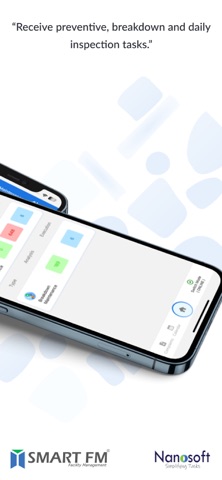
• Receive preventive, breakdown, and daily inspection tasks.
• Option to Scan the barcode fixed in the asset before commencing a task.
• Option to select material, enter root cause, observation, recommendation, and corrective action taken during breakdown maintenance.
• Time-based maintenance activity.
• Option to keep a task on standby mode with valid predefined remarks
• Perform site inspections.
• Take pictures of assets and damaged parts while performing tasks.
• Perform tasks in offline mode and upload once connected to the internet.
• Request material against a task.
• View the SOP, health & safety instructions, sub-assets.
• Option to sign after completion of a task. Also, get feedback and signature from the complaint originator.
• View status of activity performed.
• Approve or reject a completed task through the job inspection module.