

Airbot Home
Airbot Home is made and published by Dongguan Meijinghong Industry Co., Ltd. AppBrain is an independent app data site and isn't affiliated with Dongguan Meijinghong Industry Co., Ltd. The app name, icon, screenshots and description belong to Dongguan Meijinghong Industry Co., Ltd and are shown as published on the App Store.
AppBrain's verdict
- Last updated
- January 22, 2025
Rankings
App Store top chartsApp Store Rankings for Airbot Home
Competitors
Similar apps and more from Dongguan Meijinghong Industry Co., LtdAlternatives to Airbot Home


More from Dongguan Meijinghong Industry Co., Ltd

Also available on Google Play

Releases
Updates seen on the App Store- Version
- 1.0.3
- Launched
- June 2021
No changelog data
User feedback
Ratings and reviews on the App StoreComments on Airbot Home for iOS
We don't have enough comments to show example comments. Please check back later.
Technology
Found in the app by AppBrain- Price
- Free
- App size
- 181.0 MB
- Content rating
- Everyone
Technologies used by Airbot Home
About the app and developer
About Airbot Home
Airbot Home is an utilities app developed by Dongguan Meijinghong Industry Co., Ltd.
What is the rating of Airbot Home?
Airbot Home has no ratings yet.
Is Airbot Home free?
Airbot Home is free. The app size is 181.02 MB. The latest version available is 1.0.3. The last update was on January 22, 2025.
What are the requirements for Airbot Home?
The app has a content rating of Everyone. The app has been available on the App Store since June 2021.
Developer information for Dongguan Meijinghong Industry Co., Ltd
Store listing
By Dongguan Meijinghong Industry Co., Ltd, from the App Store
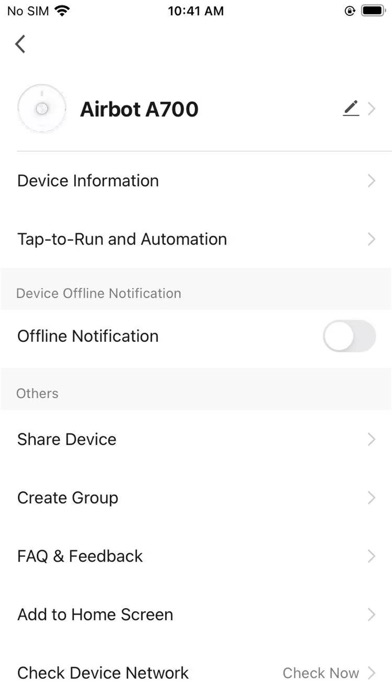
Description by Dongguan Meijinghong Industry Co., Ltd Written by the developer, not by AppBrain. Click to read.
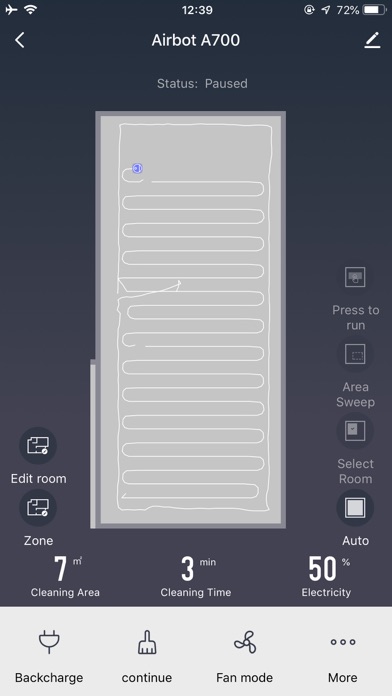
Using the Airbot APP, you can easily unlock a variety of advanced features such as:
[Create Map] (only for some devices)
Open the Save Map mode, and perform advanced functions such as room partitioning and merging to improve cleaning efficiency.
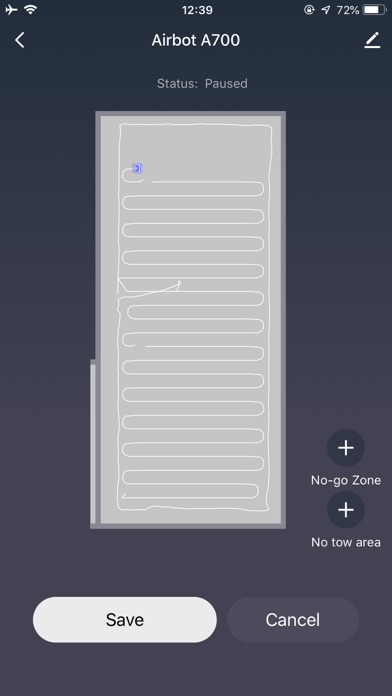
[Virtual Walls and Restricted Areas]
Set virtual walls and the restricted areas instantly. After the virtual walls/restricted areas are set, the vacuum will plan its path accordingly.
[Scheduled Cleaning]
Set a Scheduled Cleaning such that the robot will start the cleaning task at a specified time and automatically return to the dock charger when done.
[Select Cleaning Area] (only for some devices)
You can choose and specify the room(s) you want to be cleaned. After making a selection, the vacuum will only clean the selected room(s).
[Zone Cleaning]
Select an area that you want cleaned and set the number of times you want it cleaned.
[Targed Cleaning]
Click on the map the area the spot to be cleaned. After clicking Start, the robot will automatically plan the route to the target point and clean around that one spot.
[Recharge and Continue]
When the battery power is lower than 20% the vacuum will automatically take the shortest path to return to the dock charger. After charging, the vacuum will pick up where it left off.