

AirMusic is made and published by Plutinosoft. AppBrain is an independent app data site and isn't affiliated with Plutinosoft. The app name, icon, screenshots and description belong to Plutinosoft and are shown as published on the App Store.
AppBrain's verdict
Established- Rating on App Store
- 2.85
- 13 ratings
- Last updated
- December 20, 2019
- Size
- 16.4 MB
It doesn't have enough ratings yet to judge what users think. Its best ranking is #42 in Top Paid, Music in Slovakia.
User feedback
Ratings and reviews on the App StoreComments on AirMusic for iOS
We don't have enough comments to show example comments. Please check back later.
Store listing
By Plutinosoft, from the App Store
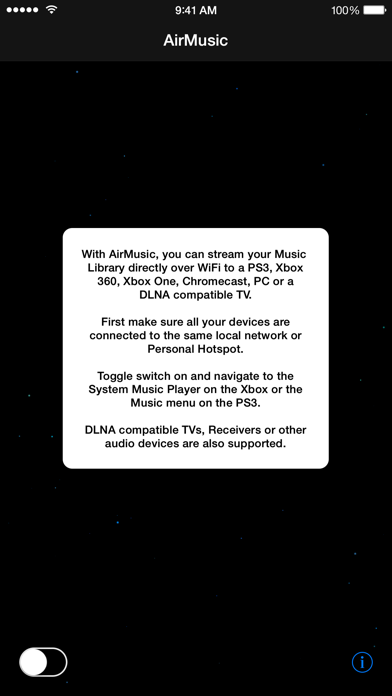
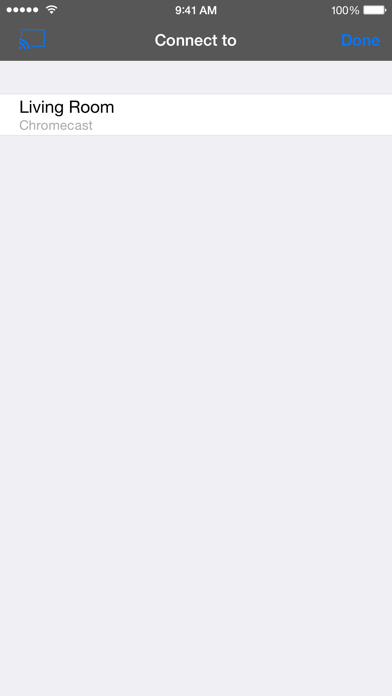
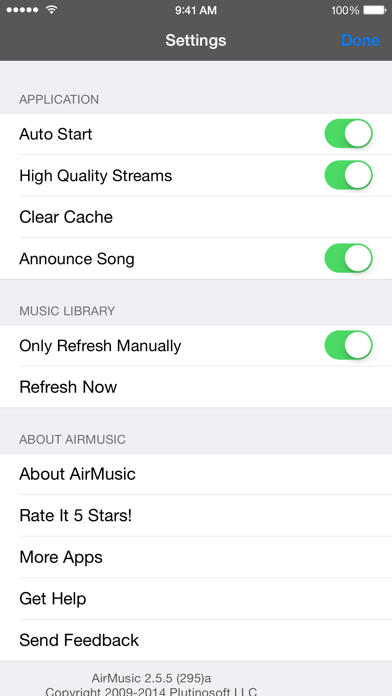
Description by Plutinosoft Written by the developer, not by AppBrain. Click to read.
• Over 500,000 copies downloaded.
• Ranked in Top 25 Music Apps for 14 consecutive months.
Access and stream your iPhone, iPad or iPod touch Music Library directly over WiFi from an Xbox 360, Xbox One, PS3, PS4, Chromecast or any compatible DLNA device. No Wires or special hardware needed! It can even stream to a PC running Windows Media Player.
If you've heard all the hype about AirPlay and are missing out because you don't have an AppleTV, this app is for you!
◆◆◆◆◆ HOW TO USE ◆◆◆◆◆
√ Connect your iPod, iPhone or iPad to the same local network as your Xbox, PS3, PS4 or PC.
√ Start AirMusic.
√ For Xbox 360, navigate to the Xbox System Music Player and select your device from the list.
√ For Xbox One, navigate to the Xbox One Media Player under Apps and select your device in the list.
√ For PS3, navigate to the PS3 Music Menu and select your device in the list. If it shows nothing underneath, it probably means you selected the Movie or Photo menu instead.
√ For PS4, locate the Media Player in the Store.
√ When AirMusic detects a Chromecast device, an icon will appear in the AirMusic navigation bar. Tap on it to connect then select the music you want to stream.
√ For a PC running Windows, start Windows Media Player, your iPhone Music will show under 'Other Libraries'.
◆◆◆◆◆ IMPORTANT ◆◆◆◆◆
• AirMusic is not compatible with Apple Music.
• AirMusic is compatible with iCloud as long as songs have been downloaded onto your phone. Tap the little cloud download icon next to each song or album in the Music app to download them.
• If AirMusic is not detecting all songs, try toggling Sync Library under iOS Settings > Music.
• AirMusic requires an iPhone, iPad or iPod Touch with a minimum of 50MB of disk space to work effectively.
• AirMusic is not compatible with old DRM songs purchased on iTunes. Newer iTunes DRM free purchases are compatible.
• When using Chromecast, you can choose and change the music directly from within AirMusic. For all other devices, you do it from these devices (ie Xbox, PS3, PC).
If you are experiencing any other issues, please contact us at airmusic@plutinosoft.com. We can't help you if we don't hear from you!
AirMusic is Copyright © Plutinosoft, LLC
Powered by Platinum UPnP SDK http://plutinosoft.com/platinum
Safety and technology
Found in the app by AppBrain- Price
- $1.99
- App size
- 16.4 MB
- Content rating
- Everyone
Technologies used by AirMusic
Releases
Updates seen on the App Store- Version
- 2.9
- Launched
- February 2011
No changelog data
Alternatives
Similar apps and more from PlutinosoftAlternatives to AirMusic








More from Plutinosoft

Rankings
App Store top charts- Highest rank
- #42
- Chart
- Top Paid
- Music
- Country
- Slovakia
App Store Rankings for AirMusic
Top rankings
Ranking history in Slovakia
About the app and developer
About AirMusic
AirMusic is a music app developed by Plutinosoft.
User Ratings
AirMusic is rated 2.85 out of 5 stars. The rating is based on 13 ratings.
App Information
AirMusic costs $1.99. The app size is 16.35 MB. The latest version available is 2.9. The last update was on December 20, 2019.
Technical Requirements
The app has a content rating of Everyone. The app has been available on the App Store since February 2011.
Developer information for Plutinosoft
Address: