

AirPlanPro: Holding, crosswind
AirPlanPro: Holding, crosswind is made and published by One Color Games ApS. AppBrain is an independent app data site and isn't affiliated with One Color Games ApS. The app name, icon, screenshots and description belong to One Color Games ApS and are shown as published on the App Store.
AppBrain's verdict
Established- Rating on App Store
- 4.33
- 3 ratings
- Last updated
- September 26, 2026
It doesn't have enough ratings yet to judge what users think.
Rankings
App Store top chartsApp Store Rankings for AirPlanPro: Holding, crosswind
Competitors
Similar apps and more from One Color Games ApSAlternatives to AirPlanPro: Holding, crosswind




More from One Color Games ApS


Releases
Updates seen on the App Store- Version
- 2.4.4
- Launched
- January 2019
No changelog data
User feedback
Ratings and reviews on the App StoreComments on AirPlanPro: Holding, crosswind for iOS
We don't have enough comments to show example comments. Please check back later.
Technology
Found in the app by AppBrain- Price
- Free
- App size
- 104.9 MB
- Content rating
- Everyone
Technologies used by AirPlanPro: Holding, crosswind
About the app and developer
About AirPlanPro: Holding, crosswind
AirPlanPro: Holding, crosswind is an education app developed by One Color Games ApS.
What is the rating of AirPlanPro: Holding, crosswind?
AirPlanPro: Holding, crosswind is rated 4.33 out of 5 stars, based on 3 ratings.
Is AirPlanPro: Holding, crosswind free?
AirPlanPro: Holding, crosswind is free. The app size is 104.94 MB. The latest version available is 2.4.4. The last update was on September 26, 2026.
What are the requirements for AirPlanPro: Holding, crosswind?
The app has a content rating of Everyone. The app has been available on the App Store since January 2019.
Developer information for One Color Games ApS
Address:
Store listing
By One Color Games ApS, from the App Store



Description by One Color Games ApS Written by the developer, not by AppBrain. Click to read.
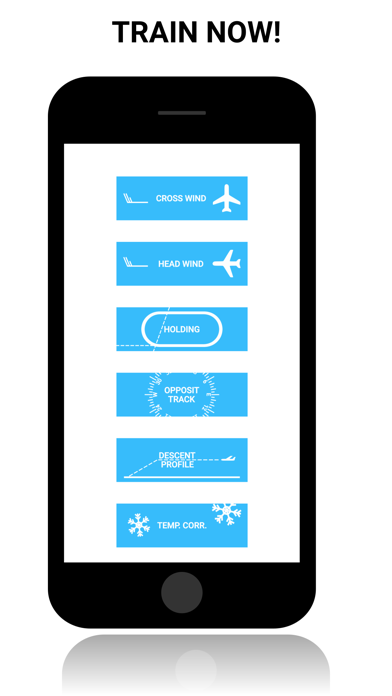
Each section has a to the point explanation on how to do it, and then the practice area where you can do random generated questions. Several sections can be modified to fit your preferences, for the random generation.
Learn how to become really good and fast at the following:
CALCULATOR:
CROSS/HEADWIND:
● Calculate your crosswind and headwind in an easy way.
● Create profiles for each RWYCC for your flap settings on multiple aircraft.
● See a visual representation of how far above/below you are on your flap limits.
EASA ALTERNATE PLANNING MINIMA:
● An easy way of figuring out what alternate planning minima you need to work with.
HOLDING ENTRY AND CORRECTION:
● Figure out what entry to fly.
● Calculate how many degrees and how much time to correct in to the wind.
● Supports both VOR Radial and inbound course, Right and Left holdings are also supported.
TEMPERATURE CORRECTION:
● Calculate temperature correction for multiple points at once.
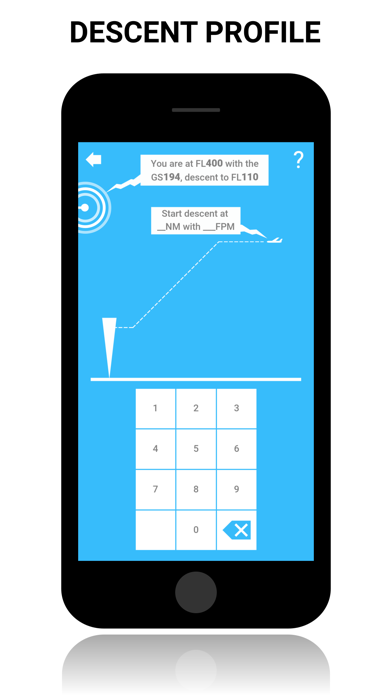
DESCENT PROFILE:
● Calculate top of descent point and feet per minute.
MDR:
CROSSWIND:
● Learn 3 different ways of calculating crosswind.
● Select wind speed range.
● Have the questions fade after a selected time frame.
● Toggle visual representation of the crosswind scenario.
● Prevent or allow tailwind conditions.
HEADWIND:
● Learn 3 different ways of calculating headwind.
● Select wind speed range.
● Have the questions fade after a selected time frame.
● Toggle visual representation of the headwind scenario.
● Prevent or allow tailwind conditions.
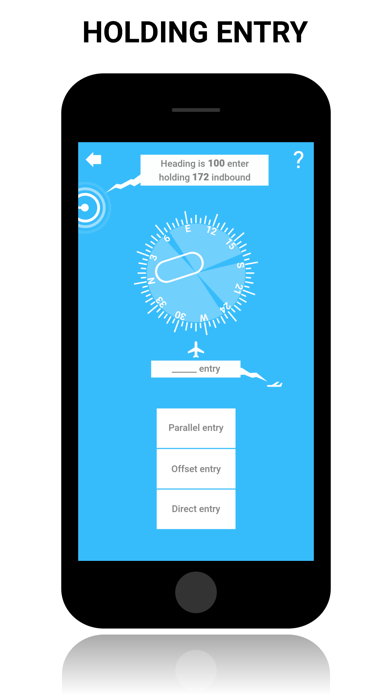
HOLDING ENTRY:
● Learn how to enter a holding pattern.
● Figure out if it is going to become a direct, offset or parallel entry in to the holding.
● Allow left hand holding pattern questions.
● Have the questions fade after a selected time frame.
● Toggle visual representation of the holding pattern.
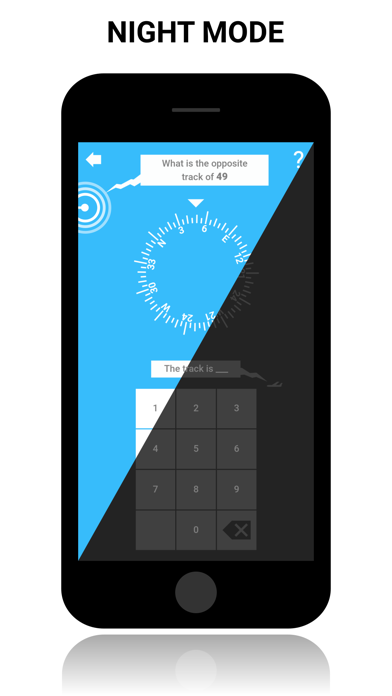
OPPOSITE TRACK:
● Fast and easy way of calculating the opposite track.
● Have the questions fade after a selected time frame.
● Toggle visual representation.
DESCENT PROFILE:
● Learn how to calculate your descent profile.
● Have the questions fade after a selected time frame.
● Toggle visual representation.
TEMPERATURE CORRECTION:
● Learn how to calculate temperature corrections.
● Have the questions fade after a selected time frame.
● Toggle visual representation.
WIND & TIME CORRECTION:
● Learn how to calculate wind and time corrections in a holding pattern.
● Select wind speed range.
● Have the questions fade after a selected time frame.
● Toggle visual representation.
● Prevent or allow tailwind conditions.
SPEED FACTOR:
● Learn how to calculate your speed factor.
● Have the questions fade after a selected time frame.
● Toggle visual representation.
MULTI QUESTIONS:
● Select and practice several of the different scenarios at the same time.
● Have specific settings for each practice area.
Do you have any feature request or found a bug, please contact me on support@onecolorgames.com, I'm looking forward to hear from you :-)
Have fun!