

AlbenPlus
AlbenPlus is made and published by Nicolai Kummer. AppBrain is an independent app data site and isn't affiliated with Nicolai Kummer. The app name, icon, screenshots and description belong to Nicolai Kummer and are shown as published on the App Store.
AppBrain's verdict
- Last updated
- February 17, 2025
Rankings
App Store top chartsApp Store Rankings for AlbenPlus
Competitors
Similar apps and more from Nicolai KummerMore from Nicolai Kummer





Releases
Updates seen on the App Store- Version
- 1.5
- Launched
- December 2023
No changelog data
User feedback
Ratings and reviews on the App StoreComments on AlbenPlus for iOS
We don't have enough comments to show example comments. Please check back later.
Technology
Found in the app by AppBrain- Price
- Free
- App size
- 1.57 MB
- Content rating
- Everyone
Technologies used by AlbenPlus
About the app and developer
About AlbenPlus
AlbenPlus is a photo & video app developed by Nicolai Kummer.
User Ratings
The app has no ratings yet.
App Information
AlbenPlus is freely available from the App Store. The app size is 1.57 MB. The latest version available is 1.5. The last update was on February 17, 2025.
Technical Requirements
The app has a content rating of Everyone. The app has been available on the App Store since December 2023.
Developer information for Nicolai Kummer
Address:
Store listing
By Nicolai Kummer, from the App Store




Description by Nicolai Kummer Written by the developer, not by AppBrain. Click to read.
Exclusive features in AlbenPlus:
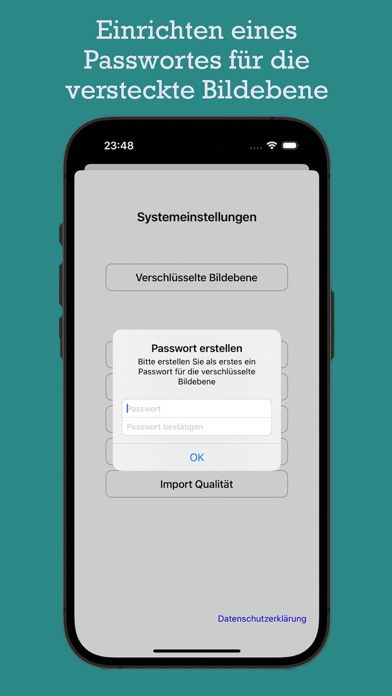
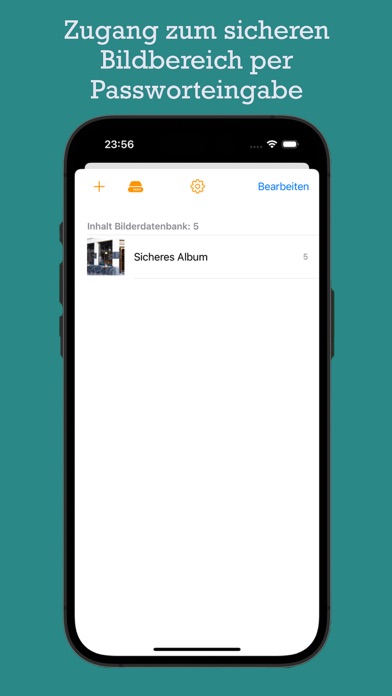
Password-protected area for pictures: Gain access to a password-protected area that allows you to securely manage images and hide sensitive content outside the app on your iOS device. This exclusive area provides an additional layer of security for your private photos.
Disabling power-saving mode in slideshow: Enjoy an uninterrupted and immersive slideshow experience by automatically disabling the power-saving mode as soon as the slideshow starts. With AlbenPlus, you can set the pace of your slideshow to your preferences without the screen switching to power-saving mode. Dive deeper into your memories and design your slideshows without interruptions.
These exclusive features make AlbenPlus the ultimate choice for users looking for advanced functions and additional privacy. Discover the premium benefits of AlbenPlus and experience a new dimension of image management on your iOS device.
Image import and optimization: With "AlbenPlus," you can effortlessly select images from your iOS photo library and import them into the app. You can even adjust the resolution of the images to save storage space. Note that with an average of 6000 images, the storage space on your iOS device will only be about 4.5 GB. The images are reduced by up to 70% in file size compared to the original image file, depending on the resolution setting. This allows you to store more images on your device without significantly affecting image quality.
Backup and restoration: The app creates backup copies of your imported images in a specially protected area of your device, similar to a secure locker. This backup is stored in a special folder called "Backup" ("BackupPlus" for the protected area). To find the backup folder, follow these steps:
Open the "Files" app on your device.
Tap "Browse" at the bottom of the screen.
Choose "On My iPhone" or "On My iPad," depending on which device you are using.
Look for the "AlbenPlus" folder and open it.
In this folder, you will find the "Backup" and "BackupPlus" subfolders where your backed-up images are stored.
Note, however, that this folder must be additionally secured elsewhere, either in iCloud or on an external data storage. If you want to restore your imported images later, simply copy the backup folder from the additional backup back to its original place.
Customizable slideshow: The app offers a slideshow feature with a customizable timer interval. You can display your imported images in an automatic slideshow and set the pace according to your preferences. This allows for a pleasant and immersive presentation of your memories.
Save and share: After importing your images, you can conveniently save and share them from the "Alben" app. You have the option to save the images in your photo library and share them across various platforms such as social media, emails, or messages. This makes sharing your creative works with others easier.