

Algorithms: Animation Display
Algorithms: Animation Display is made and published by 森 林. AppBrain is an independent app data site and isn't affiliated with 森 林. The app name, icon, screenshots and description belong to 森 林 and are shown as published on the App Store.
AppBrain's verdict
- Rating on App Store
- 4.50
- 8 ratings
- Last updated
- August 17, 2025
- Size
- 25.4 MB
It doesn't have enough ratings yet to judge what users think.
User feedback
Ratings and reviews on the App StoreComments on Algorithms: Animation Display for iOS
We don't have enough comments to show example comments. Please check back later.
Store listing
By 森 林, from the App Store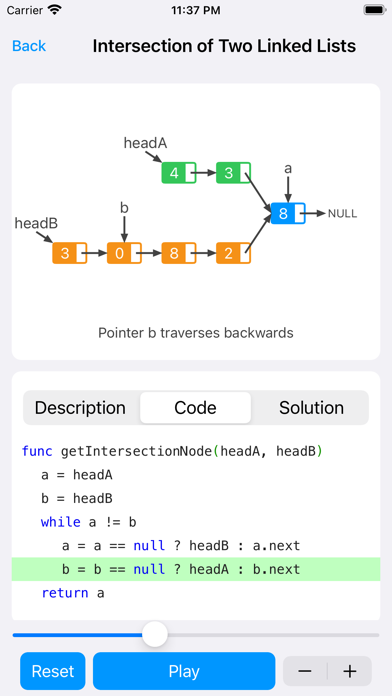
Description by 森 林 Written by the developer, not by AppBrain. Click to read.
It only takes three steps to become an algorithm master:
The first step is to read the question;
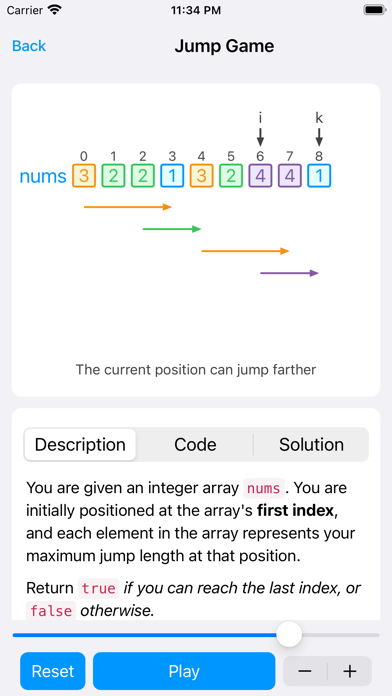
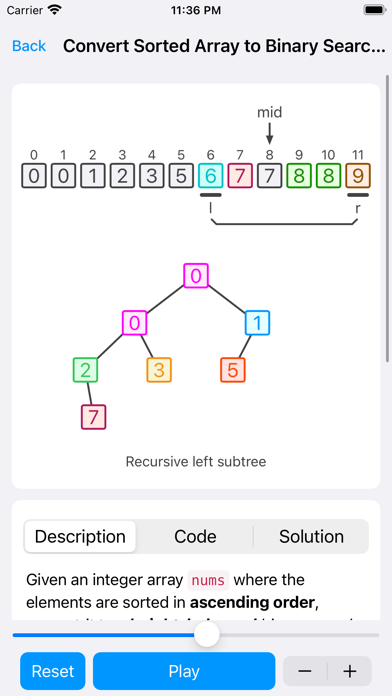
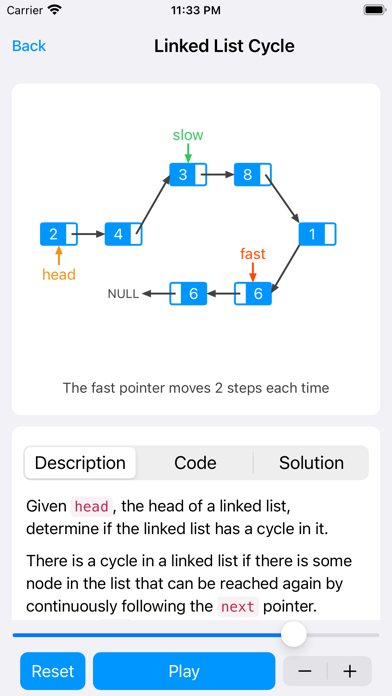
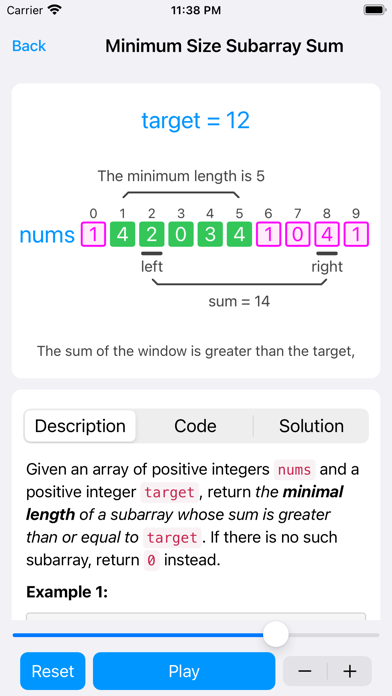
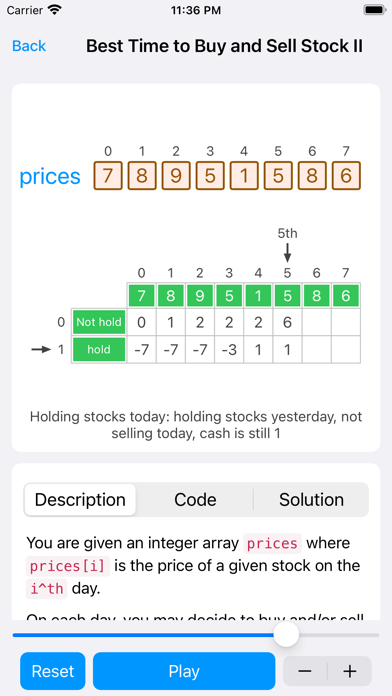
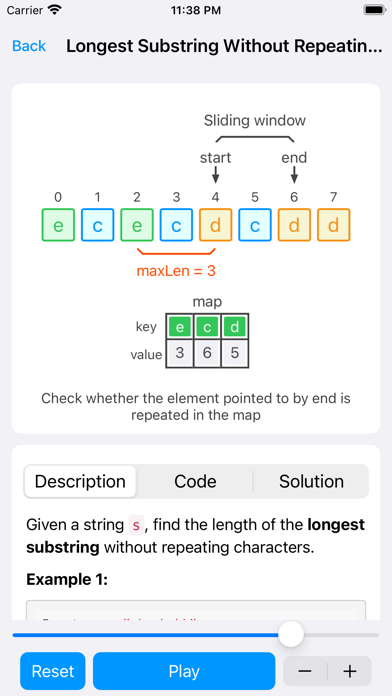
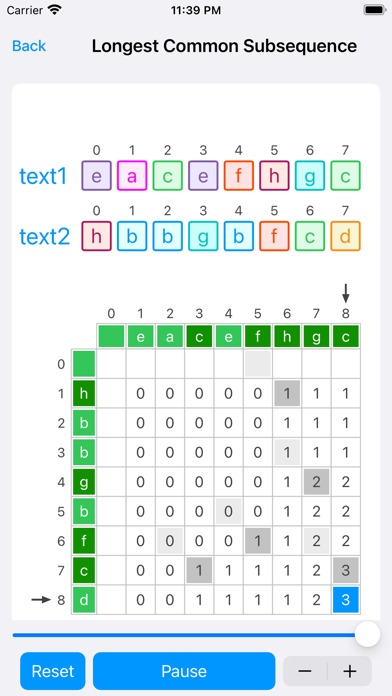
The second step is to play the animation, refer to the subtitles, and understand the ideas and codes;
The third step is to read, analyze and summarize;
Why do you make an algorithm animation diagram app?
Like many programmers, I have to prepare a lot of time to brush up the algorithm every time I change jobs. Very good, in the process of brushing the questions, you must first read the solution. I also read a lot of problem solutions from big guys on the Internet, and I especially like to read algorithm analysis with moving pictures or schematic diagrams, which is faster than reading text. In the process, several problems were also found, such as: the animation is not interactive and cannot be paused; the data is dead and cannot be changed; it is not convenient to study on the mobile phone, etc.
I saw some good animations at the beginning, and I had a strong urge to implement them in the app with native code several times. This time I finally made up my mind and made 70 animations in one go.
I understand that the positioning of this app is a tool that can help us quickly understand algorithm ideas and codes, help memory, and improve learning efficiency. But here you can't submit, you can't execute the code, and the code still needs to be typed on the computer to make it feel better.
Why is it not arranged in the order of the leetcode number?
At present, the algorithm questions are classified into three major blocks:
- linked list, string, array, binary tree;
- Backtracking, greedy, dynamic programming, divide and conquer;
- Sort and classify separately.
Under each category, the difficulty is divided into easy, medium and hard.
First classify data structures and algorithms separately, and learn according to knowledge points. For example, you can concentrate on learning binary tree structures or dynamic programming algorithms, so that concentrated saturation training can help improve learning efficiency. The data structure comes first, and the algorithm follows, which is also arranged in the order in which we learn theoretical knowledge.
In terms of algorithms, four types are currently arranged: backtracking, greedy, dynamic programming, and divide-and-conquer.
When I learned data structures and algorithms many years ago, I first came into contact with various sorting algorithms. At that time, I felt that sorting was too difficult, and I was very impressed, so I made a separate sorting classification for beginners.
Thinking on how to combine animation and code and other interactive issues
- In the process of learning algorithms by myself, I often understand the ideas, but I can't understand the codes, and many codes in the text explanations have no comments. Seeing this is a big headache. Therefore, when thinking about App interaction, the code highlighting function is specially designed, which means that each line of code will be highlighted as the animation progresses. In this way, the animation is executing, the code is highlighted, and it looks cool.
- Although the animation is easy to understand, it still needs some short explanations, so the "subtitle" function is designed below the animation. Every time the corresponding step is executed, the corresponding explanation will be displayed.
- Animation playback and reset, each algorithm page has a playback function, so how to prepare test cases? To simplify the concept of test cases, a "reset" button is designed, which means that the test cases are random. When you want to change a set of data, just click reset.
Safety and technology
Found in the app by AppBrain- Price
- Free
- App size
- 25.4 MB
- Content rating
- Everyone
Technologies used by Algorithms: Animation Display
Releases
Updates seen on the App Store- Version
- 4.0.1
- Launched
- January 2023
No changelog data
Alternatives
Similar apps and more from 森 林Alternatives to Algorithms: Animation Display


More from 森 林

Rankings
App Store top chartsApp Store Rankings for Algorithms: Animation Display
About the app and developer
About Algorithms: Animation Display
Algorithms: Animation Display is an overall app developed by 森 林.
User Ratings
Algorithms: Animation Display is rated 4.50 out of 5 stars. The rating is based on 8 ratings.
App Information
Algorithms: Animation Display is freely available from the App Store. The app size is 25.45 MB. The latest version available is 4.0.1. The last update was on August 17, 2025.
Technical Requirements
The app has a content rating of Everyone. The app has been available on the App Store since January 2023.
Developer information for 森 林
Address:
Frequently asked questions about Algorithms: Animation Display
Is Algorithms: Animation Display free?
Yes. Algorithms: Animation Display is free on the App Store.
Is Algorithms: Animation Display still available?
Yes. Algorithms: Animation Display is on the App Store, and the last update we saw was on August 17, 2025.
How large is Algorithms: Animation Display?
Algorithms: Animation Display is 25.45 MB.
Is Algorithms: Animation Display suitable for children?
App Store rates the content of Algorithms: Animation Display as suitable for everyone.
How do people rate Algorithms: Animation Display?
Algorithms: Animation Display scores 4.50 out of 5 stars, from 8 ratings on the App Store.
Who made Algorithms: Animation Display?
Algorithms: Animation Display was developed by 森 林. It is listed in the overall category on the App Store.
What are the best alternatives to Algorithms: Animation Display?
People looking at Algorithms: Animation Display also look at these overall apps: Leaflet for Swift&Algorithm, Hodor - HTTP(s) Packet Sniffer, Spider Proxy - HTTP(S) Catcher, PyPie for Python, C++ Shell - C++ code compiler.