

Amadine: Vector Design and Art
Amadine: Vector Design and Art is made and published by Belight Software, ltd. AppBrain is an independent app data site and isn't affiliated with Belight Software, ltd. The app name, icon, screenshots and description belong to Belight Software, ltd and are shown as published on the App Store.
AppBrain's verdict
EstablishedWell rated- Rating on App Store
- 4.05
- 121 ratings
- Last updated
- October 29, 2026
Users rate it well: 4.0 stars from 121 ratings.
Rankings
App Store top chartsApp Store Rankings for Amadine: Vector Design and Art
Competitors
Similar apps and more from Belight Software, ltdAlternatives to Amadine: Vector Design and Art


More from Belight Software, ltd


Releases
Updates seen on the App Store- Version
- 1.8.5
- Launched
- December 2020
No changelog data
User feedback
Ratings and reviews on the App StoreComments on Amadine: Vector Design and Art for iOS
We don't have enough comments to show example comments. Please check back later.
Technology
Found in the app by AppBrain- Price
- Free
- App size
- 67.7 MB
- Content rating
- Medium
Technologies used by Amadine: Vector Design and Art
About the app and developer
About Amadine: Vector Design and Art
Amadine: Vector Design and Art is a graphics & design app developed by Belight Software, ltd.
User Ratings
Amadine: Vector Design and Art is rated 4.05 out of 5 stars. The rating is based on 120 ratings.
App Information
Amadine: Vector Design and Art is freely available from the App Store. The app size is 67.68 MB. The latest version available is 1.8.5. The last update was on October 29, 2026.
Technical Requirements
The app has a content rating of Medium Maturity. The app has been available on the App Store since December 2020.
Developer information for Belight Software, ltd
Address:
Store listing
By Belight Software, ltd, from the App Store


Description by Belight Software, ltd Written by the developer, not by AppBrain. Click to read.
With Amadine you will be able to create designs of any complexity, including illustrations, logos, icons, UI designs, brandbooks, art and more.
Want to know what Amadine has in stock?
• App Showcase:
Workspace allows to freely rotate canvas and supports all native Apple gestures, thus providing for a seamless experience.
Thanks to the zipped storage format оf document (amdc), you can save your graphics in different cloud storages without data loss.
Recolor panel lets you easily make large color changes to your artwork.
Fusion tool offers you a totally different approach to creating vector objects based on combining multiple objects into one.
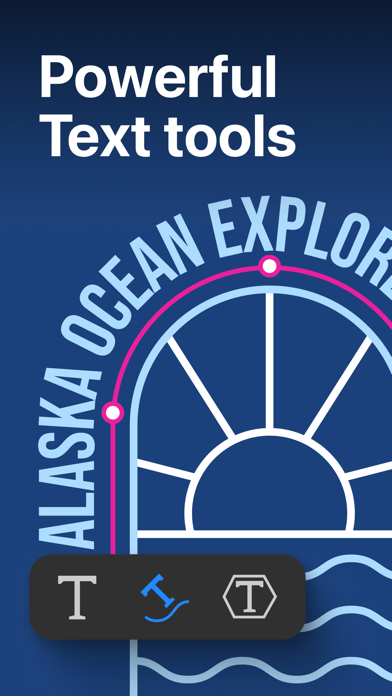
Flowing Text feature allows users to create and modify linked text boxes where text can flow from one text box into another.
Built-in vector shape libraries provide a large number of vector objects while you can also save Amadine shapes into your own libraries to create your custom sets.
Vectorize any bitmap image with the Image Trace tool. Choose Monochrome or Colored mode and fine-tune Brightness Threshold, Number of Colors, Level of Detail and Smoothness to balance accuracy against output complexity.
• Powerful vector tools:
Work with more than 30 tools for selecting, drawing, editing and typing.
Select and modify objects: Move, Selection, Lasso, Eyedropper, Scissors, Eraser, Knife, Free Transform tools.
Draw and edit paths: Pen, Draw (combines Pencil and Brush), Width, Gradient, Path Width, Rectangle, Rounded Rectangle, Ellipse, Polygon, Star, Line, Arc.
Create an evenly spaced outline around any shape or complex path with the Offset Path tool.
Transform shapes: Free Transform, Symmetrical Distortion, Free Distortion.
Clipping Mask allows to mask objects and perform the best visual result by creating a Clipping Group with all the masked objects still being editable.
• Workflow:
Store multiple artworks in one document.
Create multiple layers and sublayers.
More than 15 different layer blending modes.
View options: pixel preview, outline, guides and grid.
• Impeccable colorwork:
Color Wheel provides the perfect color picking and application.
Full support for both RGB and CMYK color modes.
Color profiles support for accurate display of colors on different devices.
• Pro level text editing:
Type and edit text: Text tool (combines distortable text and text in box), Text on Path tool, Text in Shape tool.
Align and distribute the text.
Make use of numbered and bulleted lists.
• Strokes and Fills Magic:
Add multiple strokes and fills.
Create unique profiles for strokes and save them.
Draw using pressure sensitive Apple Pencil an Apple Pencil 2 on iPads.
Create art with responsive and natural brushes.
Adjust the Width, Angle and Roundness of each brush, and save it for later use.
Use Color, Gradient or Image fill for the shapes.
Use Image Fill to get a shape filled with the needed picture.
Add Distinct Effects: Shadow, Inner Shadow, Blur, Inner Glow and Outer Glow.
• Share your works:
Freely exchange graphics with other apps in vector and raster file formats.
Import vector file formats: SVG, PDF and AI.
Import raster file formats: JPEG, TIFF, PNG and HEIC.
Export your graphics into vector SVG and PDF files.
Export your designs into raster JPEG, TIFF, PNG or PDF file formats.
Export the entire document, a sheet or a selection.
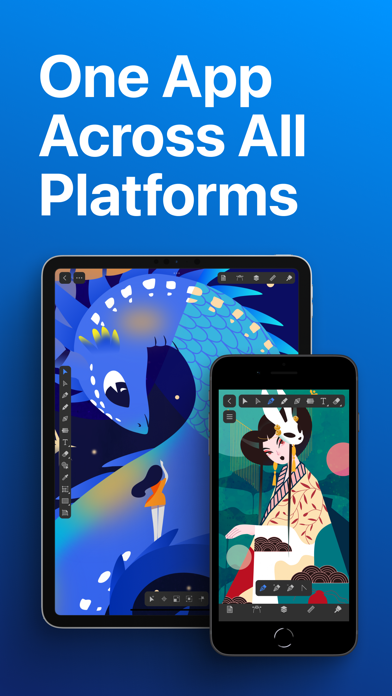
Amadine for iPad and iPhone supports Apple Pencil.
A separate version for Mac is available.
Note: In-app purchases apply to the app installed on your iPhone and iPad.
The lifetime license and subscription of any term opens up the export feature and Image Trace, while the free app allows trying out all the tools and workflow specs.
Terms of Use (EULA):
https://amadine.com/privacy-policy/terms-conditions